Replicating Pictometry Viewer from Geocortex in VertiGIS Studio

Hi there,
I've seen some reference to VertiGIS supporting integration of 3rd-party map services, and I have successfully done so with Google Street View in my VertiGIS application following the documentation here: Easily Integrating Third-Party Imagery with VertiGIS Studio Web Using system.open-url – VertiGIS Support
I'm wondering if VertiGIS could support a workflow similar to Geocortex's Pictometry integration. Where the user could select a toolbar button to open another map subwindow that shows pictometry alongside a directional point symbol for the pictometry field-of-view as mentioned in this What's New documentation for Version 5.5.
-
Officiell kommentar

Hi again, Eric Kriener and Heather Widlund, I can now confirm the library available for download has been updated to include the zoom fix.
-

My understanding from last years esri conference it was coming and would be provided. It's been months now.
1 -

We keep hearing that it is “coming soon” as well. It is one of the key items that we need.
1 -

Same. I'm hearing different stories from EagleView and Vertigis about the status. It's the last item I need.
1 -
Henry Haro Just an aside - did you use the exact URL in that article to get Google Street View to open from the map context menu? I'm having issues with it - it seems to pass in 0,0 instead of the feature lat/long.
On the other hand, I have Google Maps working with a different but similar URL, but it doesn't open Street View. https://www.google.com/maps/place/{Location.Feature.Latitude},{Location.Feature.Longitude}
The Google documentation shows how to use a map_action=pano parameter but that doesn't work either, just opens a flat map.
Thanks for any tips!
1 -
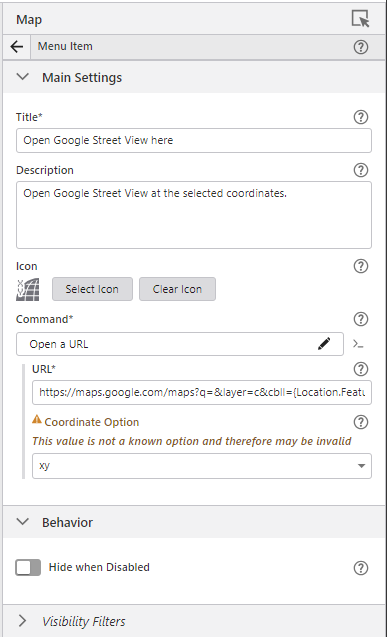
Hi Heather, pretty sure I inserted the exact URL as a custom command. I.e. I chose the >_ button and inserted the code as a custom command. When I went back to take a look at this tool, it showed this configuration, with the command being Open a URL the url being “https://maps.google.com/maps?q=&layer=c&cbll={Location.Feature.Latitude},{Location.Feature.Longitude}” and the coordinate option configured as xy.
Thank you for your responses, everyone. Hope to hear news on out-of-the-box pictometry inclusion soon, it's highly requested for our users too (and expected, after years of Geocortex use).
1 -
Thanks! It was the xy coordinate option that tripped me up - I had selected DD.
0 -
Appears progress is being made, still beta currently.
1 -
I have heard that it's coming “Q2” from Vertigis and “close to release” from EagleView. Of course, Q2 is almost over but still, I have hope!
1 -
Just updating folks here that it looks like some EagleView integration components have been added, see here: Add Eagleview Explorer to VertiGIS Studio Web – VertiGIS Support
I'm still in the process of configuring it for our application (some API Key stuff to sort out), but adding it in looks promising so far.0 -

Thank you Henry for the update!
0 -

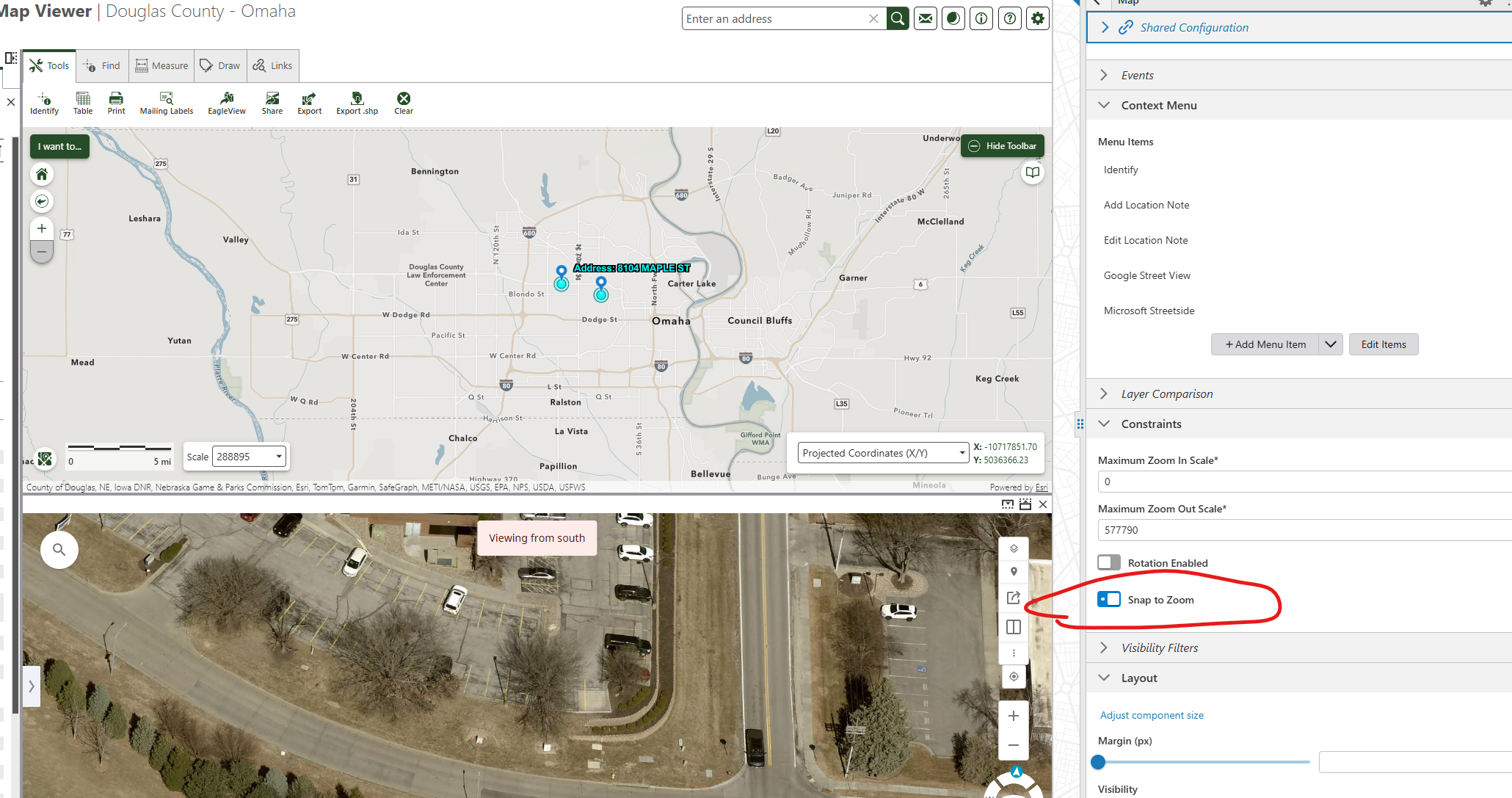
I tried adding the EagleView widget to one of my VertiGIS sites, and it worked fine. But then I added it to another site, I ran into an issue where the map's zoom level would change unexpectedly as I tried interacting with my map and EagleView map. After some testing, I found that the issue occurs when the ‘snap to zoom’ setting turned on in my Map configuration.
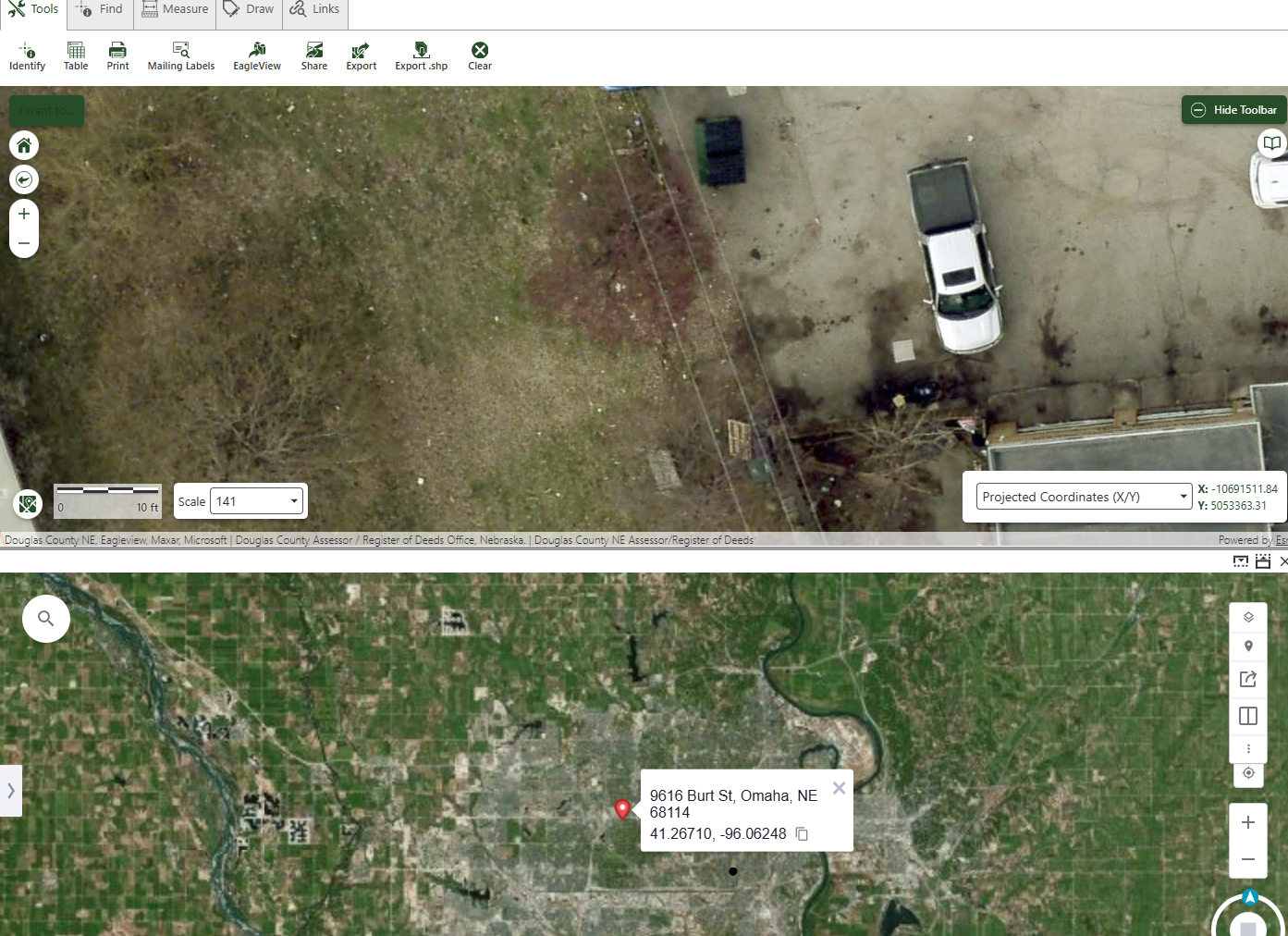
Here is more details about the issue: If I have the 'snap to zoom' enabled and I open an the EagleView widget, my main map zooms to the full extent. Then, if I try to zoom in on my main map, the extent of the EagleView map changes to the full extent. It's like the ‘snap to zoom’ setting prevents the main map and the EagleView map from syncing their extents.
However, if I turn off the ‘snap to zoom’, everything works as expected.
Any one else ran into this issue?
 0
0 -

I'm having a different zoom issue…
If I activate my panel, close it, then open it in a different area, it's still stuck on the last spot.
(left: new location - right: previous open)
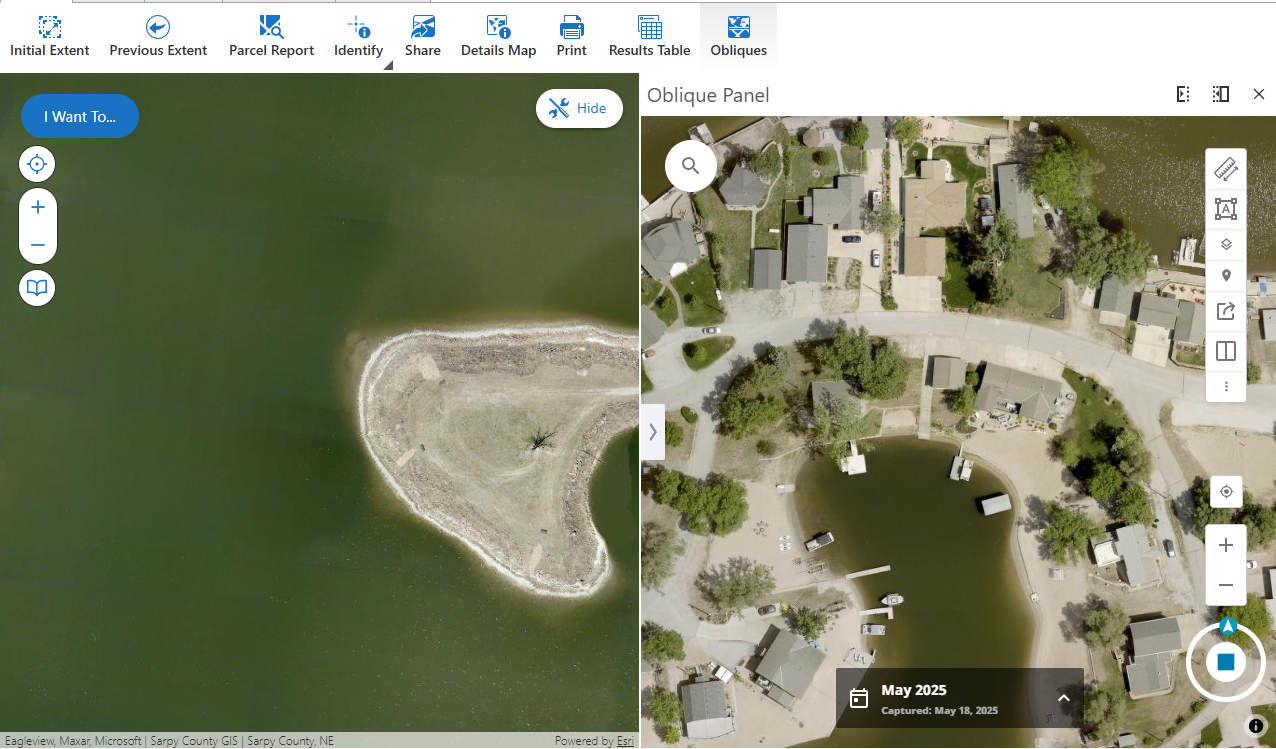
It's like the location doesn't clear when the panel is hidden or before it loads the new location.
But doesn't happen every time…
0 -
I had the same problem, Eric Kriener, which was solved after a long support case with a new version of the library. I would open a support case and see if the new version is posted to the download site.
0 -
I updated my library this morning….I would hope it is the ‘new’ one…if it's not, it SHOULD be.
EDIT: while I did do the above, I went and re-downloaded the file and updated it again and it seems to be working properly after that.
thanks for the tip Heather Widlund
0 -
I would say not, as it was shared directly by the developer through a support session on Friday. Jon Swoveland
0 -
Hello Eric Kriener, as far as I know the library available for download has not yet been updated to the dev version I deployed for Heather Widlund. However, it has been approved to be merged, so I expect it will be updated on the site within the next day or two. I will update this thread when it's ready.
0 -
great, thanks Jon Swoveland
0 -
I just downloaded a new version of the EagleView library and that fixed my issue with maps ‘sync’.
0 -
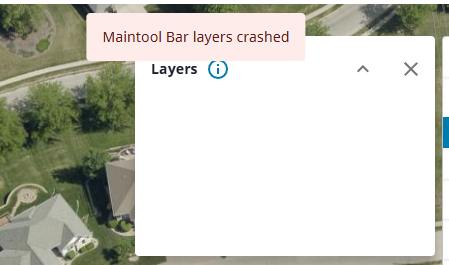
Is anyone else having an issue with the layers button on the viewer toolbar?
 0
0 -
Eric Kriener Yes, that doesn't work on my app either. I wondered if it needed configuring on the EagleView side but I didn't hear back from my EV contact and I don't see anywhere to configure it.
0 -
I wondered the same, but my regular EV viewer does in fact have layers…
0 -

Hi everyone,
I am currently testing the Mapillary and EagleView library samples in my environment, but I've run into two distinct issues:
Mapillary: The library loads correctly with my API key, but the viewer appears "stuck" on the sample location in the Netherlands bridge. Even when I provide new coordinates or interact with the map, the street-level imagery does not update to the current extent. Has anyone experienced this hardcoded behavior in the sample?
EagleView: I am unable to get the library to load at all. I receive the following error: "Unable to find this library. Please select a new collection to replace it"
I have followed the documentation for downloading and loading the libraries. Does anyone have a working configuration for these, or a tip on how to properly reference the EagleView collection?
Thanks in advance!
0 -

Fabio, I have the same behaviour when testing Mapillary.
0
Du måste logga in om du vill lämna en kommentar.
Kommentarer
24 kommentarer