AutoComplete Query Workflow does not pass results to Results Details

Hi,
I'm having an issue with a workflow that I'm trying to implement that prompts the user in an AutoComplete form, then queries a Parcel layer and zooms to the feature and shows the Parcel details in the Results Details window.
The AutoComplete, Query, Zoom To parts of the script all work as expected. However, the Results List and Results Details components show only a blank record, even though the feature is highlighted.
How do I make sure that I'm passing the value of the queried feature to the Results Summary and Results Details Components?
Results List
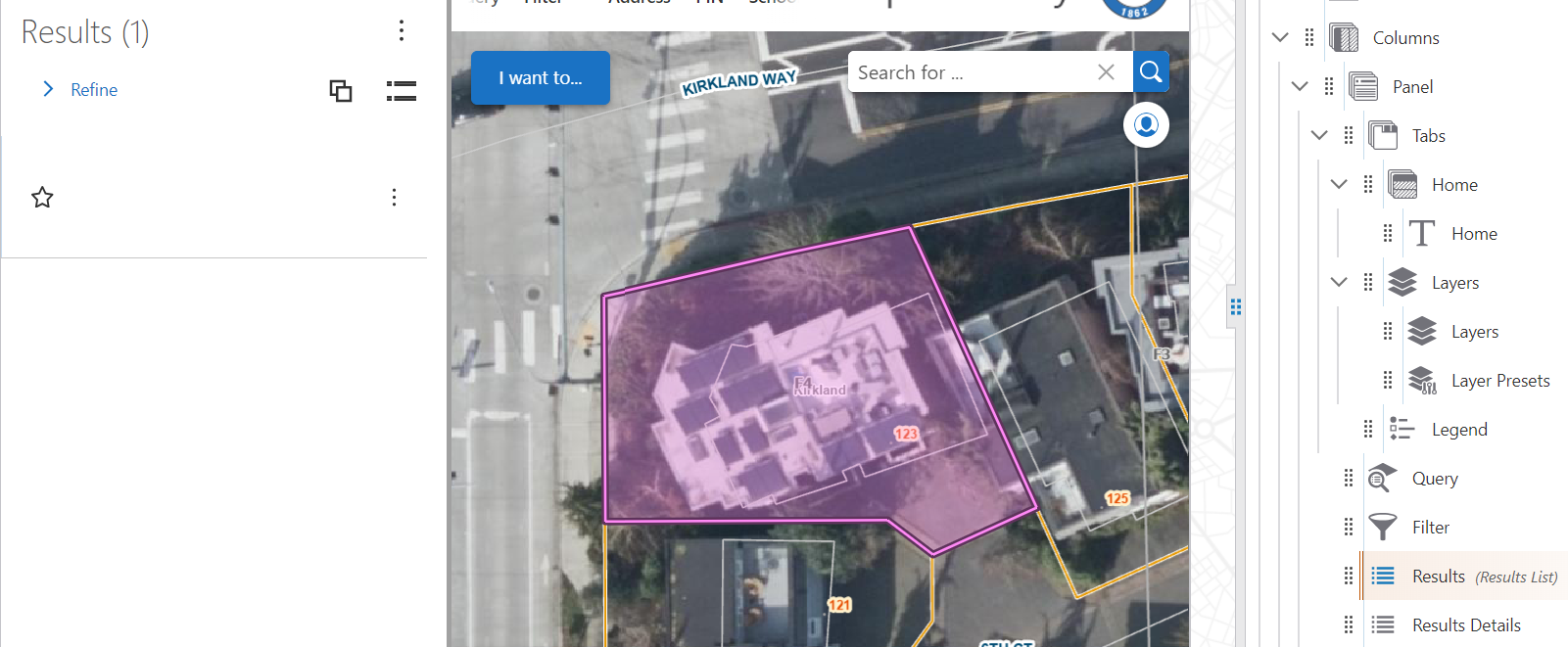
Resuts Details
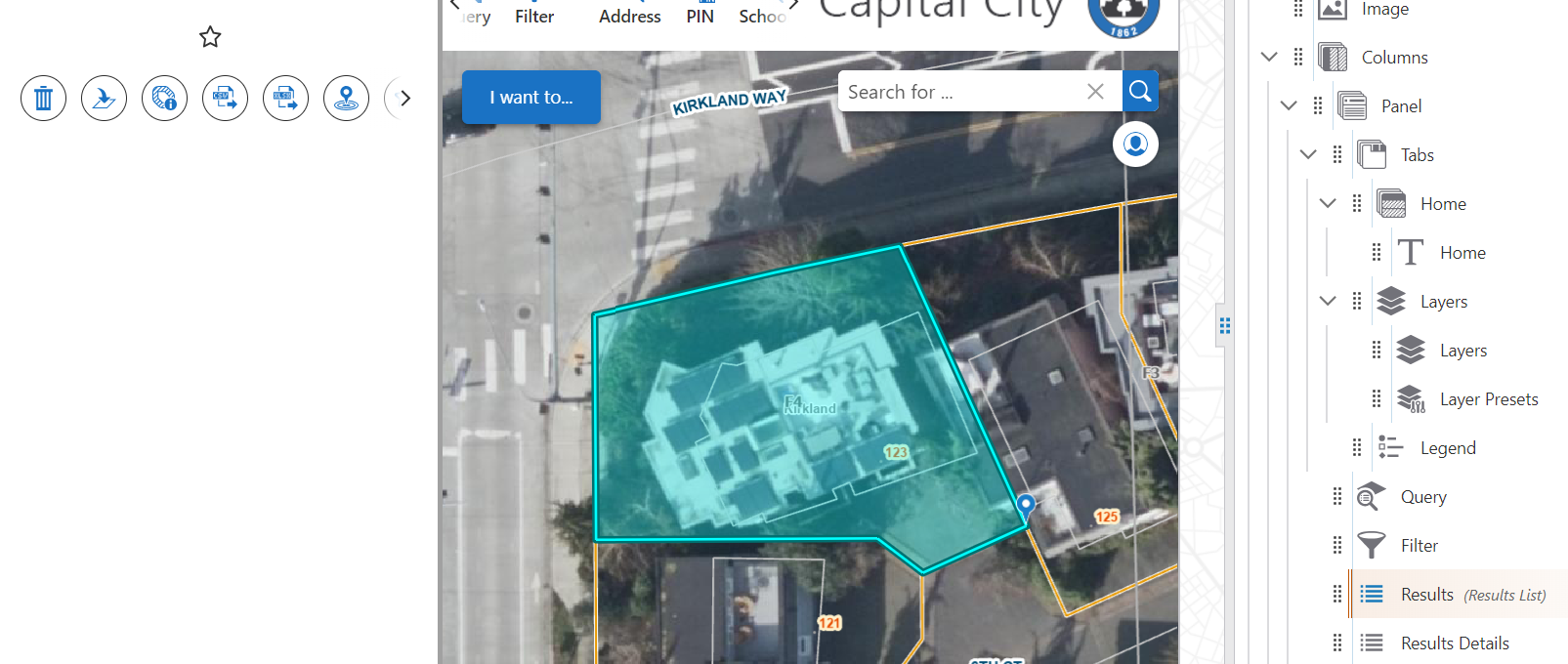
Snip of Workflow
-

Hey Henry Haro I suspect the feature object you are passing to the results details may be only the geometry.
The workflow snip you mentioned did not seem to come through. Could you try again?I would suggest referring to this example workflow: VertiGIS Studio Workflow - Search Features from the VertiGIS-Studio-Web-Sample-Package. The last bit, the Show Results container, in particular is relevant:
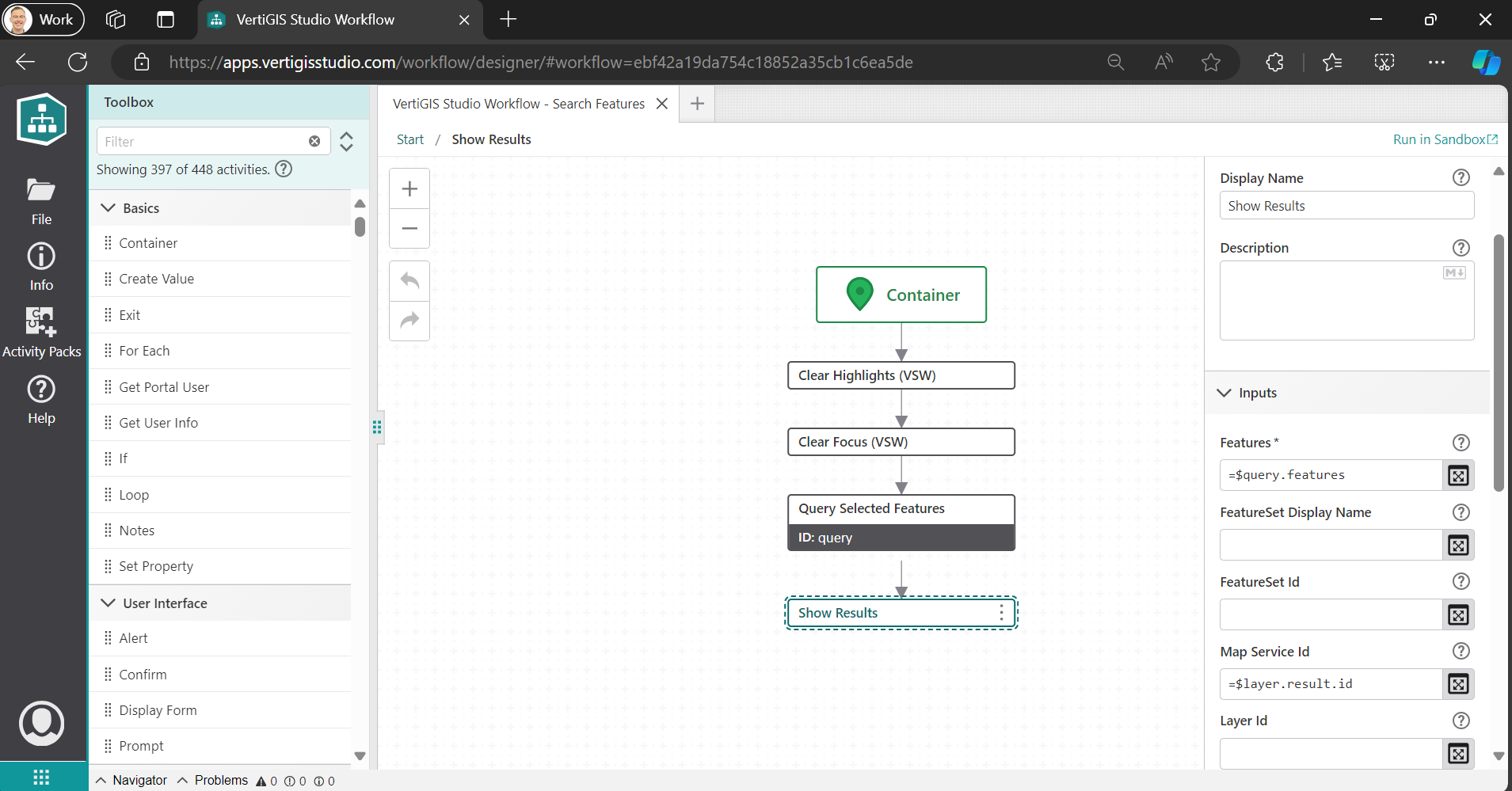
Note here in the Show Results activity we are using an expression to get the results of our query activity as well as associate it with a specific map service by ID. I suspect that this may be missing in your workflow and you are winding up with a feature that has no context so the viewer does not know what to do with it or how to display correctly.
2 -

Does this work in VSW, configuring the Map Service Id?
I didn't know, it's not documented.
1 -
I configured my Workflow to add in the Map Service Id for the Show Results activity. However, it still isn't displaying as I wanted.
I used the VertiGIS Studio Workflow - Search Features example workflow as a starting point, but I removed some of the activities between Zoom To and Show Results because I wanted a simpler tool that goes from a user submitting an AutoComplete Form to selecting a Result from that Search. I didn't need the Report Form or Select Form.
What's weird is I have a similar Workflow (A Park Name Query) designed with a Dropdown instead of an AutoComplete that does pass the feature attribute information from the query to the Results tool.
In the Park Name Query I have the Query Features activity Where clause set as
=`PROPNAME = \'${$searchForm.state.propname.value.data.attributes.PROPNAME}\'`This was from an older configuration that appears to still work.
For the Address Query (which is the one I'm trying to fix) I have the Where clause set as:
=`${$objectIdField.result} = ${$searchForm.state.address.value}`
Which is from the sample workflow. My thinking is that something is getting the correct geometry, but something about this Query is not working between the AutoComplete, Query and Show Results.
The whole workflow:
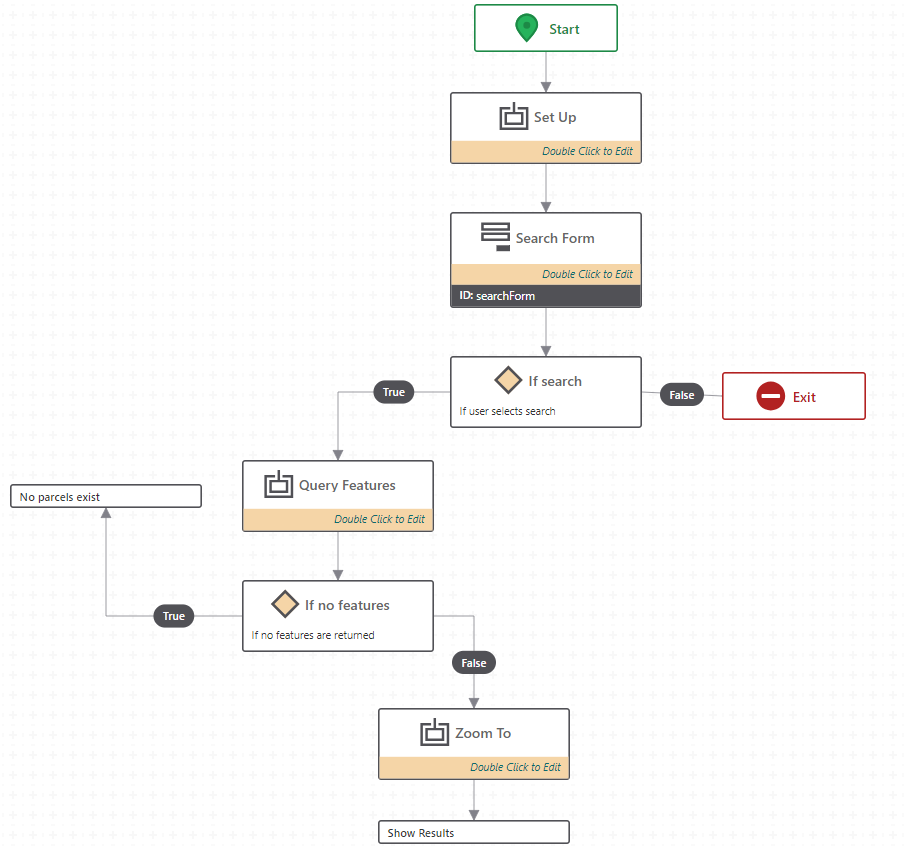
Search by Address Workflow Show Results setup config:
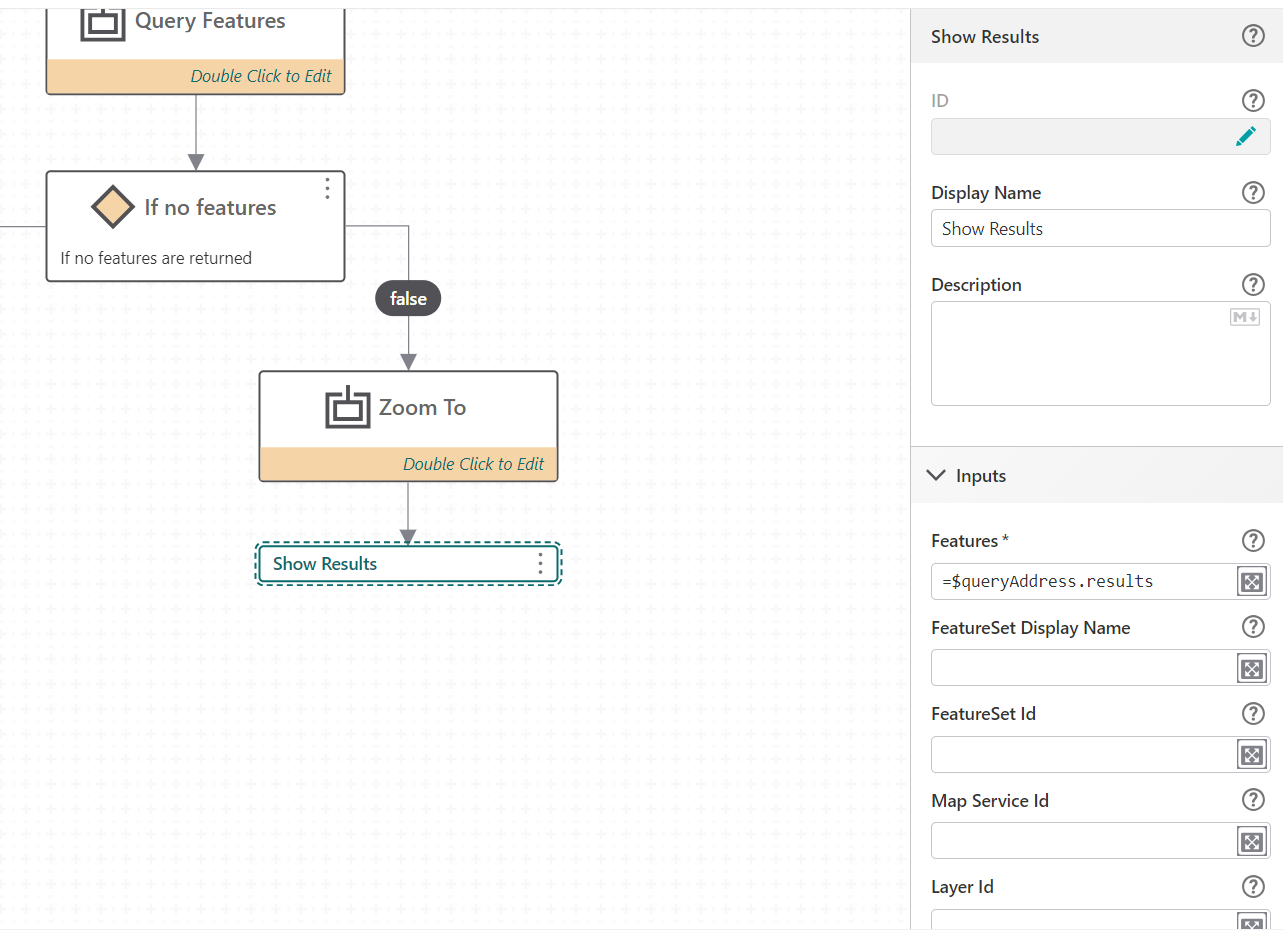
I'll try to match the Address Query activity to the Park Name Query and see if there is a value (the attributes property?) that needs to be there as well.
1 -
*UPDATE*
I successfully got the attributes to display in Results.
The issue was actually back in the Variables container with a Create Value activity for retrieving the layer.The Expression was initially =$getLayer.layer, but the actual feature I needed was a sublayer, so I changed the expression to =$getLayer.sublayer and it works now!
2
Vous devez vous connecter pour laisser un commentaire.
Commentaires
4 commentaires