Add a Feature

Hi all,
I have a list of Layers and, even if they all have the same settings in ArcGIS (all editable), in VertiGIS Web Studio I can add a Feature only on some of these. The other seems freezed and I don't know how to act. Anyone can help?
Thanks
-

Recently, we ran into the same issue. Not to mention the Add Feature does not work on layers placed in a group layer. Why??
Our Dutch reseller helped us out. However, we are not fully satisfied with the solution. For whatever reason, VertiGIS decided the Add Feature component has to work differently from the normal ArcGIS edit functionality.
The trick we were taught is to add a command to the layer list component. In Layer Actions add the Add Feature command. Now, the result can be found for each layer when clicking on the three dots. You may want use the Hide when disabled option to now show Add Feature on layers that are not editable. Please refer to the images below as well.
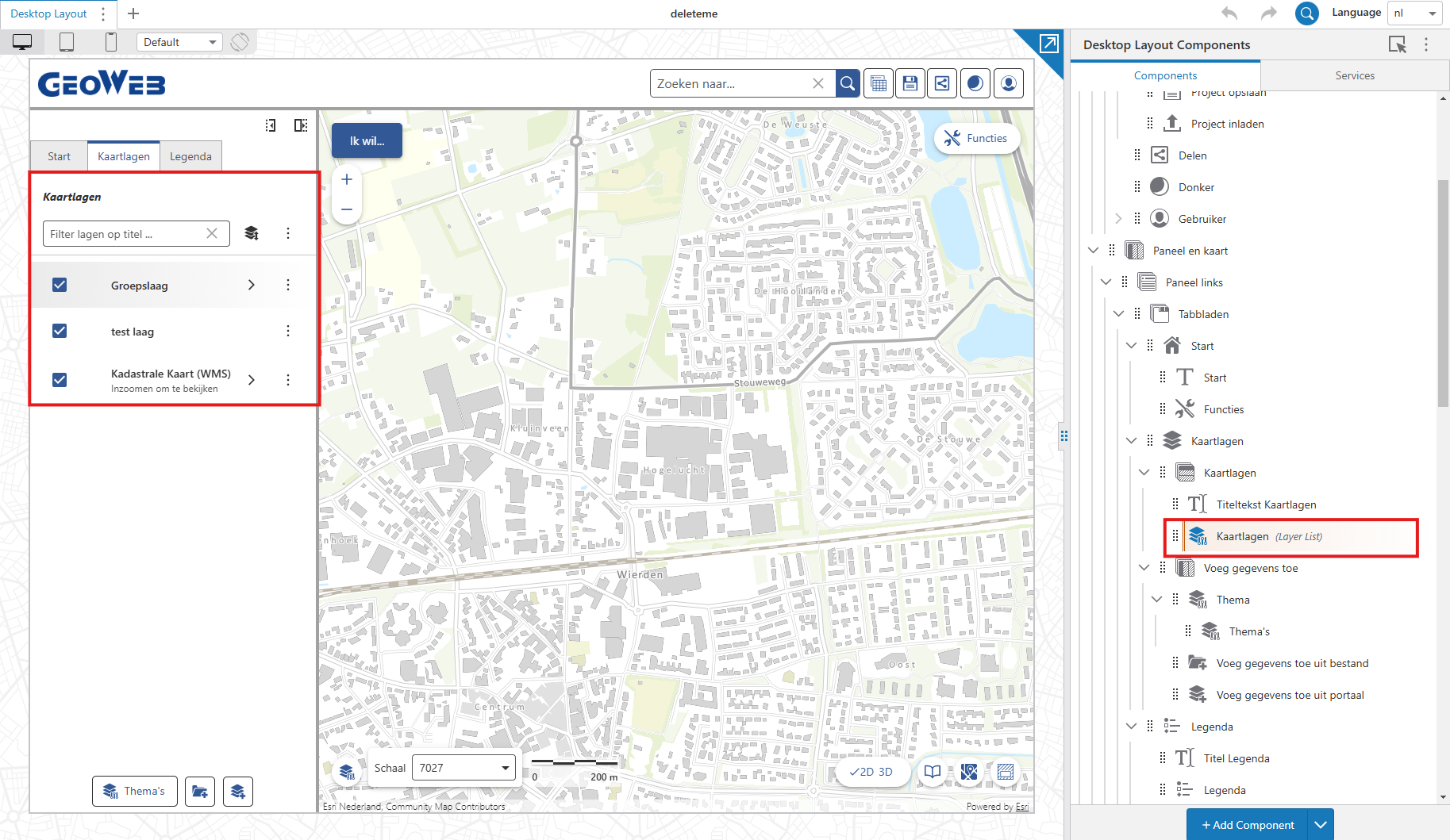
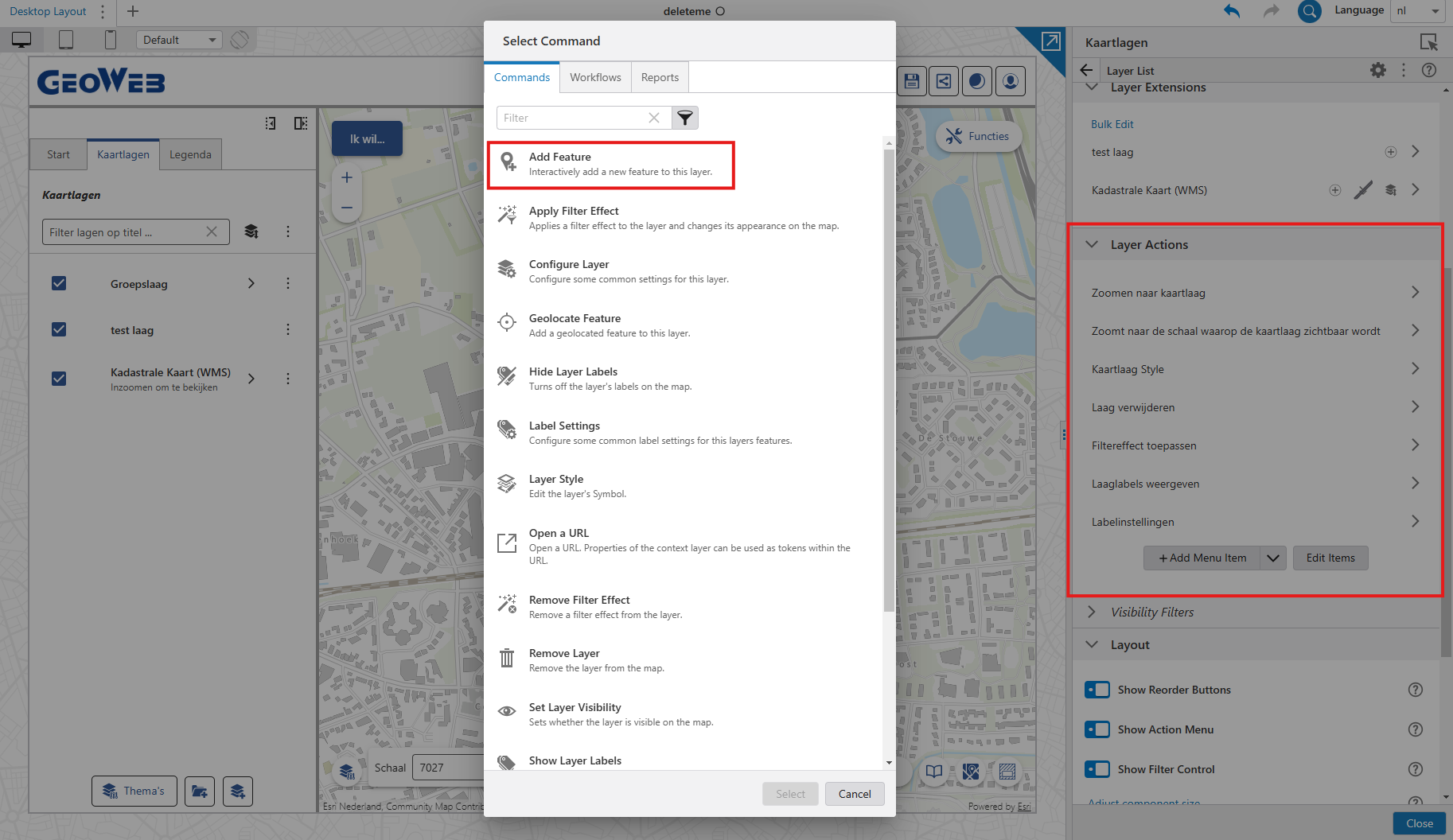
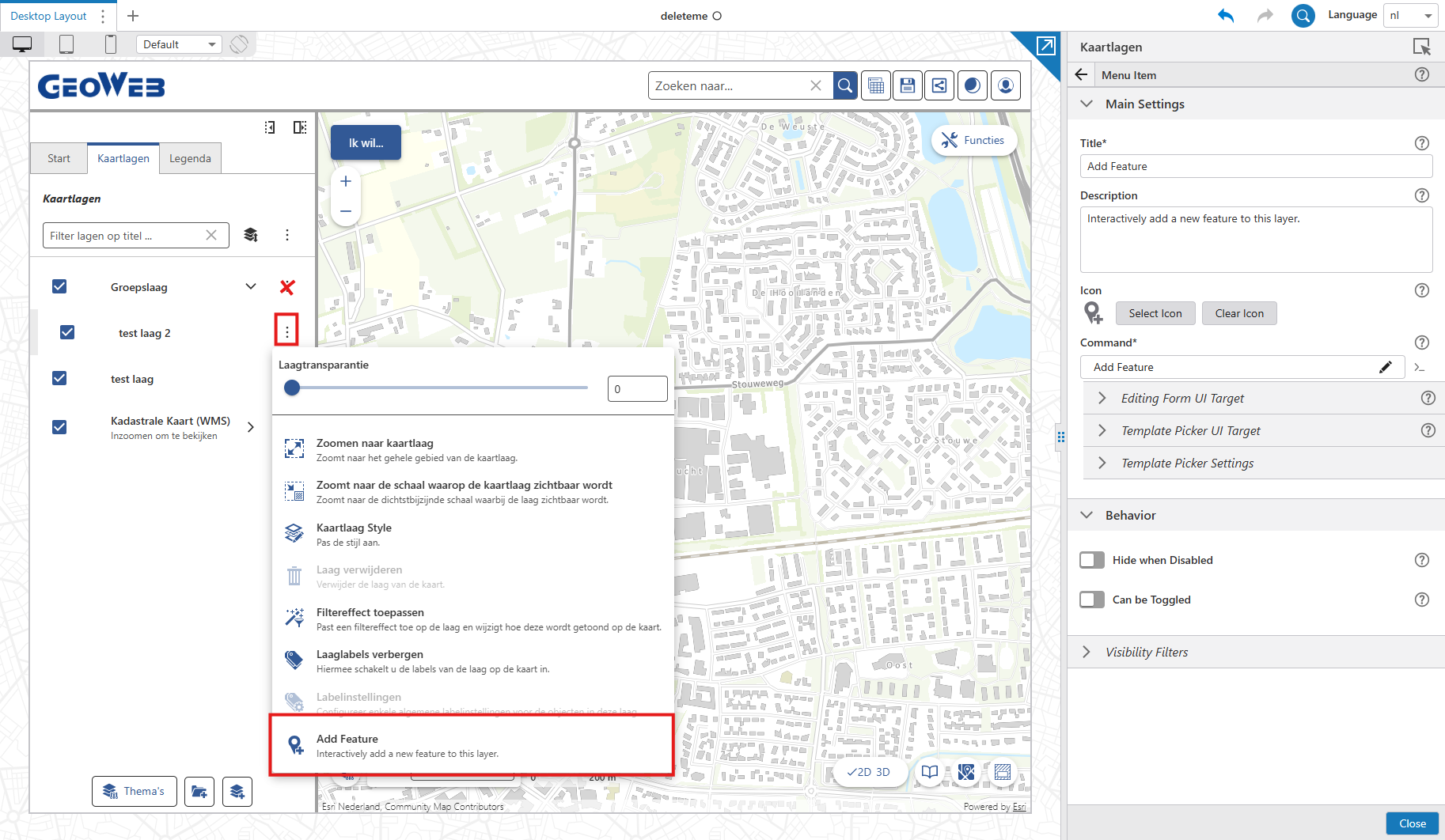 0
0
Please sign in to leave a comment.
Comments
1 comment