Add Results and Subtract Results like GHV
Not planned
An out-of-the-box feature that is desperately needed is the ability to add and remove features from Results via selection on the map. GHV executed this perfectly with the “Enable Add Results” and "Enable Subtract Results":

While it's possible to add and remove results in VSW from the Results list, this workflow is very cumbersome to select each item needed to be added or removed, and it can be difficult to know where the features are located from the list alone.

Having the ability to quickly add or remove features in the results list by making a selection on the map would be very helpful.
-

Yes! I agree completely and would add that ALL of the options from GVH Identify need to be migrated to VSW. Buffering, snapping, add/remove, and select identifiable layers.
1 -

In GVH we added this functionality and folks continued to complain about it until we added starred results which for must users is what they are looking for. So for Web, we just put a good Starred Results system in place.
0 -

I pointed out starred results to my users, but they complain about them too. They want to be able to quickly add multiple parcels to the current results and not have to click the stars for each of them. Hoping to still see +/- results option for the identify tool.
1 -
Cam Barnard, using the star system requires users to switch between the starred results and the source layer. This constant switching back and forth is not user friendly and nearly impossible to use when making many refinements to the selection. Furthermore, the starred results disappear when making additional selections. I am disappointed to hear that this idea will not be planned.
0 -

Its definitely something Sutherland Shire Council relies on as well. Please migrate this existing functionality to VertiGIS Cam.
0 -
Hi Cam Barnard , I'm hoping you can reconsider. This has come up with staff over and over again - there is no simple way to make map-based selections. The star system is not intuitive. As a demonstration exercise, please try to select parcels with the star system like in the screenshot below, and you will quickly see how challenging it is to use. If you want to stick with the star system, the starred results CANNOT disappear when adding new features - this makes it impossible to track which ones were added.

GVH was perfect for making selections. ESRIs new Map Editor application also does a good job with this:

Users need a simple way to add and remove features from a results list based on map selections, and there is currently no easy way to do this in VSW.
1 -

I'm requesting this feature as well. Very helpful with adding parcels to a results list
2 -

If anyone is looking for a work around for adding to the results list I edited an Identify tool with custom command to be a repeat action tool that adds additional clicks to the results list. repeat action tools have a popup:

If you don't know where custom code for a tool goes in the Tool settings the ( >_ ) button opens it up:
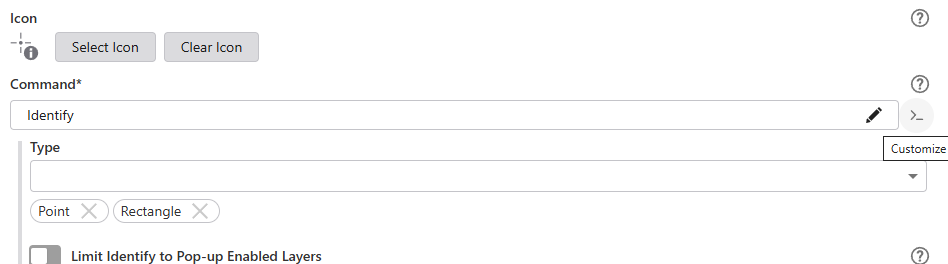
The code I used:
[
    {
        "name": "system.repeat-action",
        "arguments": {
            "action": [
                {
                    "name": "sketching.capture-geometry",
                    "arguments": {
                        "geometryType": [
                            "point",
                            "extent"
                        ]
                    }
                },
                {
                    "name": "tasks.identify",
                    "arguments": {
                        "layersWithPopupEnabledOnly": false
                    }
                },
                "results.add",
                "charts.display",
                "kpi.display"
            ]
        }
    }
]
I also kept an unedited Identify for people who still want the one and done feature:
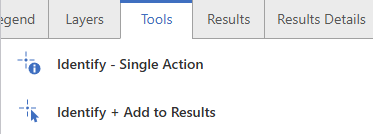
Hopefully this helps some folks.
3 -

Stephen Knittel, this is exactly what we were looking for, thanks for posting this solution.
I added it as a tool to the Result List and Result Table, Action Menus. I also made the opposite tool, just switching the results.add to results.remove. I did update the Identify portion to reflect our point tolerance of 1 and increased the default maxResults amount.
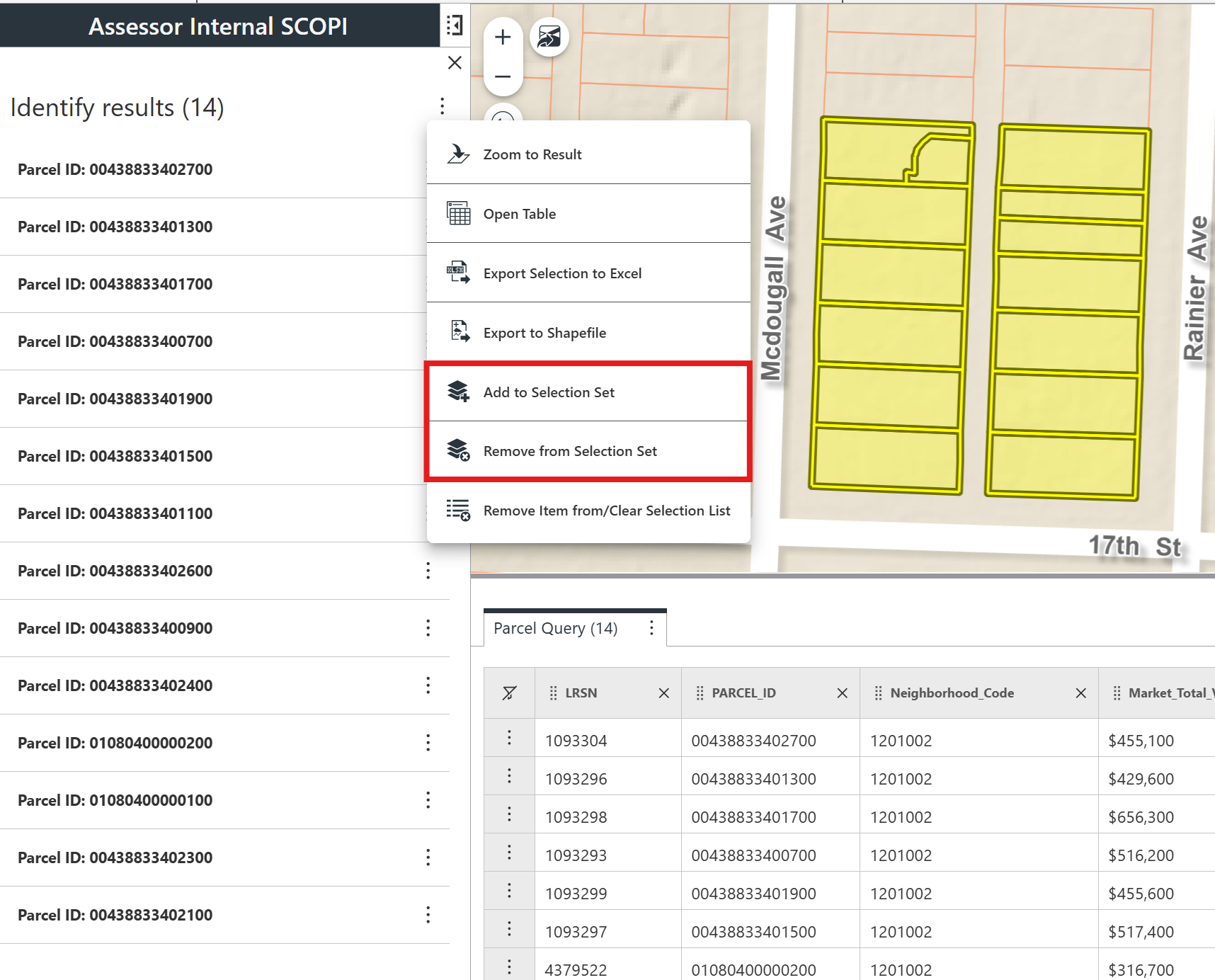
Thanks again,
1
Please sign in to leave a comment.
Comments
9 comments