Add Services (Productivity Kit) - add WFS

Hi all,
I'm trying to configure this Workflow, that with WMS works really well. But I don't know how to upload WFS: when I copy the URL as a ArcGIS Layer Attribute, than I get an Error
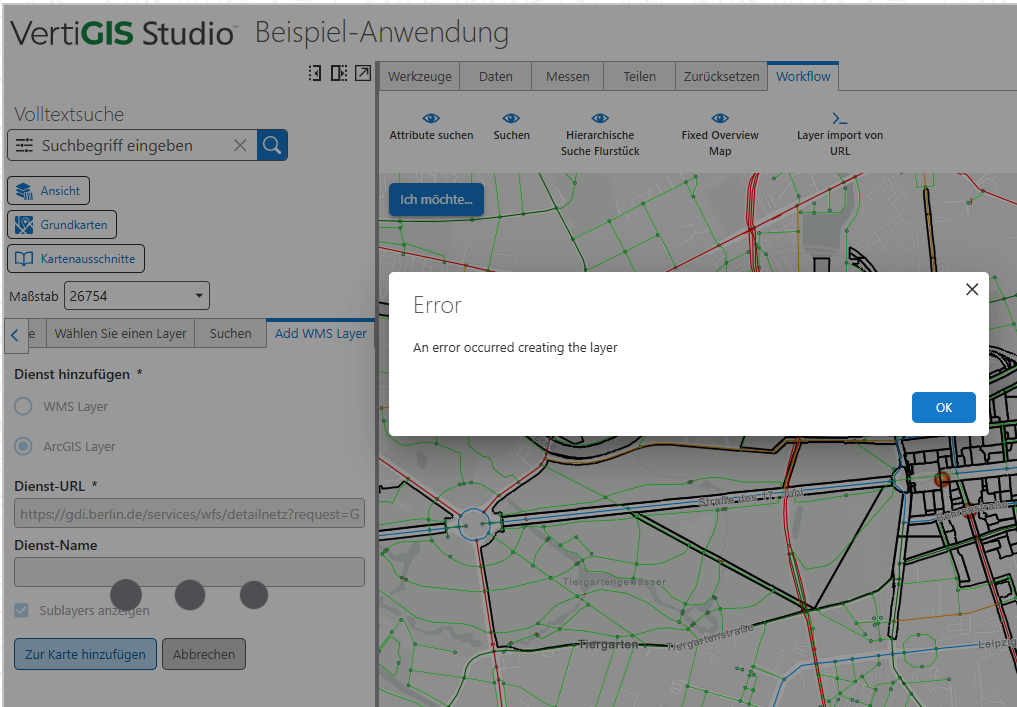
and if I change the configuration, than the Workflow is not working anymore:
{
"layerTypes": [
"wms",
"wfs",
"feature",
"map-image"
],
"showVisibleCheckbox": true,
"displaySublayers": true,
"additionalProperties": {
"opacity": 50
}
}
Has anyone any advice or have tryied something else?
Thanks in advance,
Donatella
-

Based on https://support.vertigis.com/hc/en-us/articles/21784232572562-Add-Services-Productivity-Kit WFS is not supported.
1 -
Hi,
inside the Workflow I found also this Note:
The list of supported layer types (each matching the type property of ESRI Layers.If "wms" is included in types, the WMS Layer Type input will be included in the form.
If any other types (besides "wms") are included, the ArcGIS Layer Type input will be included in the form.
So I assumed that WFS is included in “any other types” and could be supported in someway. I only don't know how!
0 -

WFS is not supported. Either WMS or an ArcGIS Layer
0 -
Ok, Thank you
0 -

Somebody correct me if I'm wrong, but I'm pretty sure this Productivity Kit workflow is no longer required.
Just use the default “guided add service" tool that comes with baseline VSW. It works very well and also supports WFS.
0 -
Hi Andreas,
could you please tell me more about this “guided add service”? I didn' find it.
Where ist it exactly? Could you please maybe a few Screenshot?
Thank you so much!
Donatella
0 -
See Guided Add from URL on https://docs.vertigisstudio.com/webviewer/latest/admin-help/standard-commands.html
[{"name": "ui.prompt","arguments": {"title": "language-layers-import-from-url-prompt-title","message": "language-layers-import-from-url-prompt-message"}},"layers.from-url","layers.edit-settings","layers.edit-symbols","layers.set-title","layers.set-task-settings","layers.set-popup-template","layers.set-symbol","map.add-layers"]https://developers.vertigisstudio.com/docs/web/api-commands-operations/#operation-layers.from-url
Attempts to create layer(s) from a url. Web only. The url could be to an ArcGIS Server Url, WMS, WFS, WMTS, GeoJson, GeoRss, Csv, Kml, kmz, OGC Feature Layer, or an Arcgis Portal Item.
0
Du måste logga in om du vill lämna en kommentar.
Kommentarer
7 kommentarer