Attribute Table Component

Hi. I wanted to check out the new attribute table component, available in the latest release, but so far am unable to get it working. I tried adding it as a layer action in my layer list, as I want each layer have this feature. Sure enough it shows up in the context menu next to each layer. The problem is that it's disabled.
I simple selected the ‘Add Layer to Attribute Table’ option from the list of commands without any further configurations.
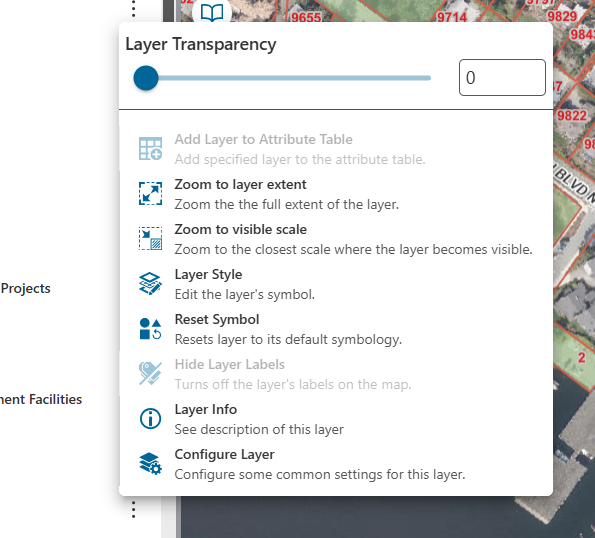
Anyone have a tip on how to get this working?
Thanks
-

Please make sure you add the ‘Attributetable’ as a new component, coming from the tab ‘Other’ in your application.
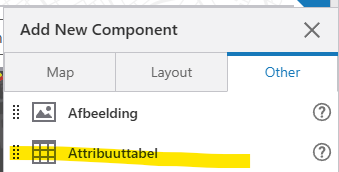
Also present in the VertiGIS template by default.
1 -

Configuration is described here
https://docs.vertigisstudio.com/webviewer/latest/admin-help/settings-attribute-table.html
1 -
Yes, I missed that. Thanks.
0 -

I got it working, I think??? I was able to see all the records from a defined layer in a table layout.
However, when I apply a query filter, the list of records in the table does not change to reflect the filter. Should it?
Also, other than seeing the records in the table, sorting them, and/or choosing which fields to display, can one select a record and perform an action, like zoom the map to it.?
0 -
Hi Mike. The filtering seems to be working for me. When I apply the filter, it does filter the attribute table records.
Regarding your other question, I had the same one. Got an answer from vertigis that feature actions are not supported now, but that capability will be coming in a future release. So, like zooming or showing results for a given record.
0 -

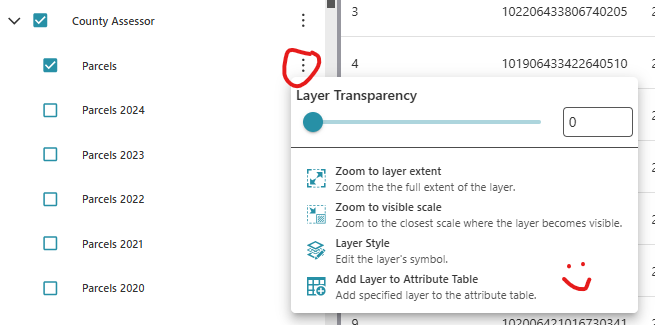
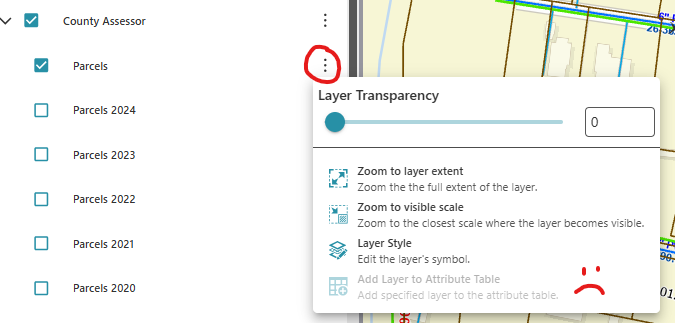
Where in the components hierarchy are we adding the Attribute Table component? I have it in the Results Panel under the Results component, which works okay in Developer, but when I launch the app, it's not activated in the Layer Actions menu. It's just grayed out.
In Web Developer-
In the app-
 0
0 -

I am getting the same issue, works in designer but not in the main app. Also grayed out…let me know what you find!
0 -

Some informations that might be helpful:
- In existing apps, the attribute table and its layout component must be set to visible in order to add layer data to it.
- In new apps, the Attribute table doesn't show up until data is added to it and can be set to Hidden visibility without preventing users from adding layer data to it.
- The Attribute table is greyed out for grouped layers, but you can add the sublayers.
0 -
Stefan Grundtner Why there is the diffecnce between existing and new apps?
1 -
Can one run an update to alter an existing viewer to have it behave in the same manner? If not, can one apply edits to the underlying JSON?
0 -

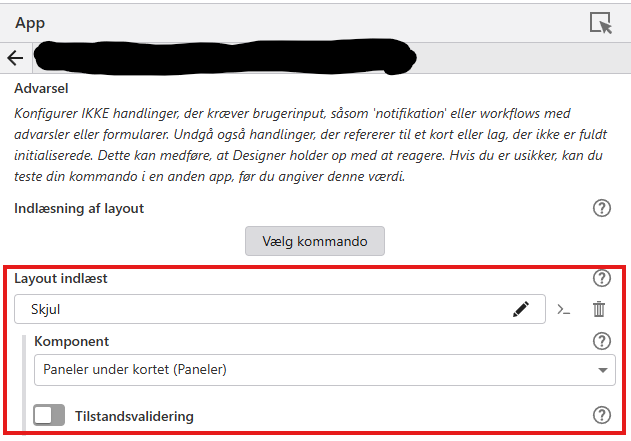
With help from a collegue I got it working in an existing app this way:
Under Services > App Layout Events > Lauout events Layout read, create a hide command and choose the component to hide.Using this configuration, the Attribute table is selectable in the layers menu, but Attibute table is not visible in the UI until the user activates the command.
 0
0
Du måste logga in om du vill lämna en kommentar.
Kommentarer
11 kommentarer