Request for an improvement point regarding saving projects in GeoWeb viewer

Dear VertiGIS Support,
We would like to bring a potential improvement to your attention.
When saving a project in the new GeoWeb viewer, a pop-up appears where users can enter the project name. After clicking "OK," the project is automatically saved as a JSON file (*.json) in the default download folder set in the internet browser (see images 1, 2 and 3).
Would it be possible to allow users to choose their own storage location? This could be achieved by adding an extra button that lets users select a custom storage location (as shown in the edited image 4).
This would enable users to save a specific project directly in a desired folder or overwrite an existing project without having to download, manually move, or rename it each time.
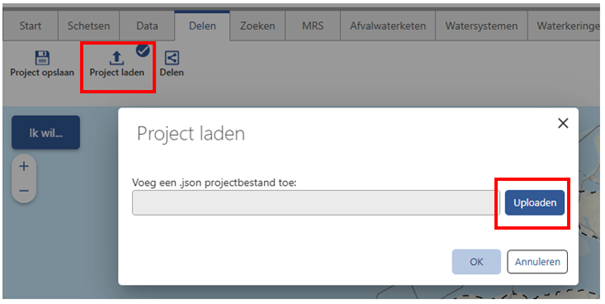
The possibility is actually available when you want to load a project. (see image 5)
Image 1
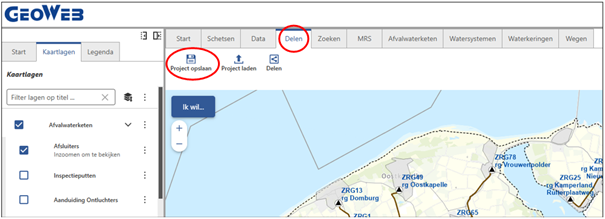
Tab "Delen/Share" and then "Project opslaan/Save Project"
Image 2
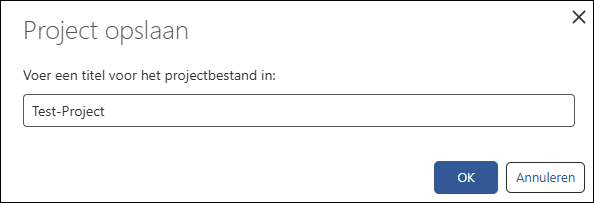
Type the name of your project and then click OK.
Image 3
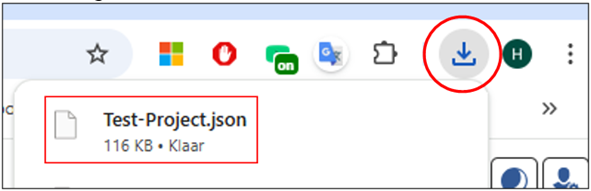
Your project will be saved as a JSON file in the default download location (Windows default %userprofile%\downloads)
Image 4
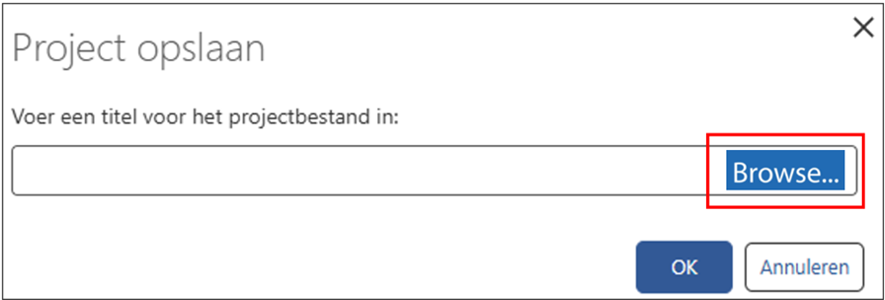
Image 5
Du måste logga in om du vill lämna en kommentar.
Kommentarer
0 kommentarer