Option to set default layer preset

Add the option to add a default layer preset in the designer
https://docs.vertigisstudio.com/webviewer/latest/admin-help/settings-layer-presets.html
(I know I can use a startup workflow to set a layer preset)
-

Hi Nico Burgerhart, that would be a very welcome function. We tried the workaround that you mentioned, but can't get the layer preset to show when opening the app made in the web module. We've followed the instructions in this manual: https://support.vertigis.com/hc/en-us/articles/15410305075730-Use-Launch-Link-Workflows-to-Modify-App-UI-at-Startup
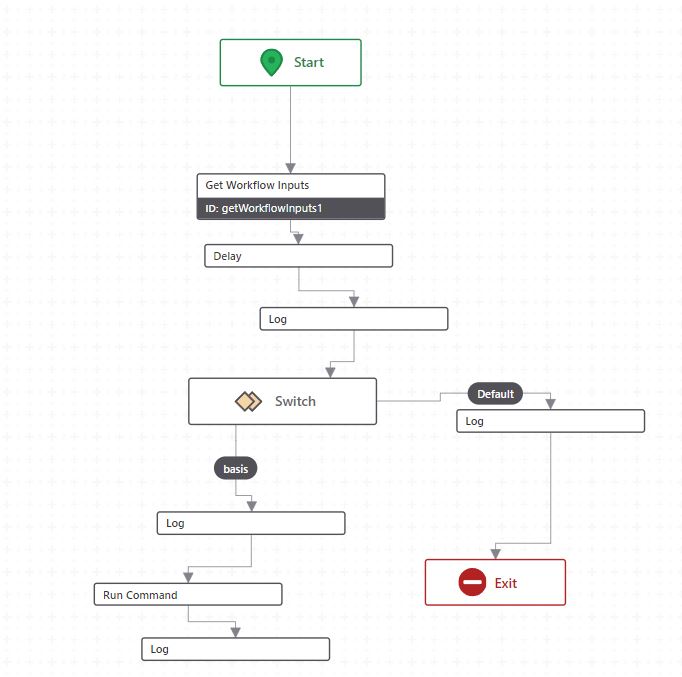
We added some log's to see if it goes past the switch correctly and this works. But all that happens is it opens the Layer preset's button, it doesnt actually activates the Layer preset we defined:
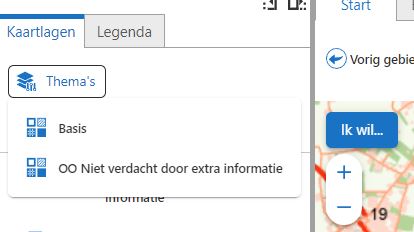
Any idea what we are missing? The Run Command has as the Command parameter the Model URI for the layer preset we created.
0 -

Hi Jeroen,
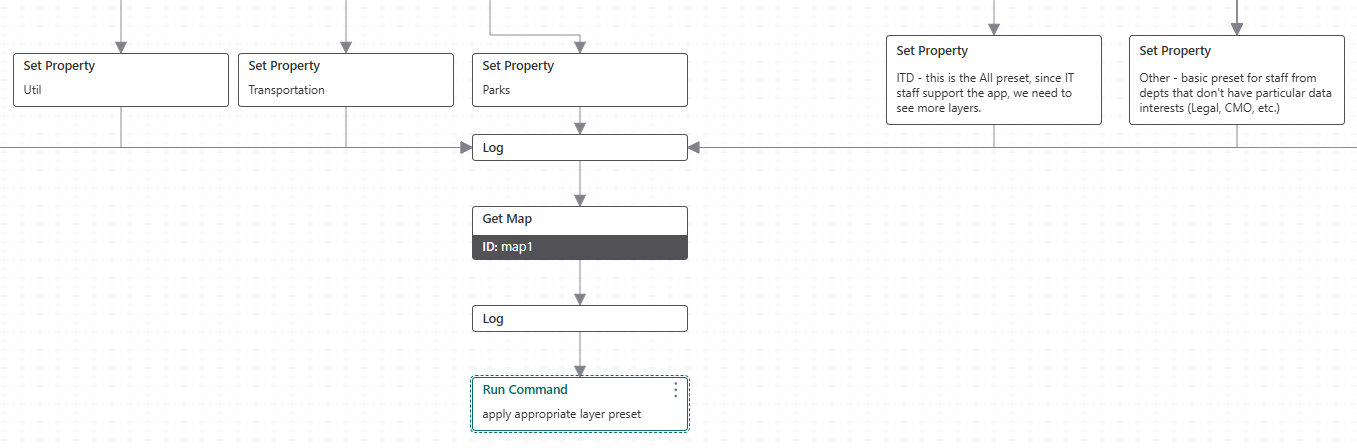
We got this working with a startup WF. Our approach is a bit different from that article, as we configure the WF in the ‘application initialized’ event - Services > App. Our WF determines which portal group a user belongs to and then loads a corresponding layer preset when the app launches.
For the command to load the preset, it's like this, with the $layerPreset value referencing a preset model uri:
command: map.apply-layer-preset
parameters: ={
"maps" : [$map1.map.extension] ,
"layerPreset": $layerPreset.result
}I think I found that the maps property is required for this to work.
Hope that helps
 0
0 -
Thx Zorba Conlen for your input. In the end we found the solution for us and it was quite simple:
In the ‘Desktop Components’ > Under ‘Map’ > choose ‘Events’
Here we could add a custom command which looks like this (with the unique ID for the Layer preset that you want to show on startup where the dots are):
[
    {
        "name": "map.apply-layer-preset",
        "arguments": {
            "layerPreset": "item://layer-preset/....."
        }
    }
]
This way the Map always opens with the defined Layer preset which is what we wanted.
0 -
Ok. It's on the map initialized event, right? Makes sense.
0 -

This would be a neat feature. I am curious why is wasn't implemented straight away. This is logical and much needed functionality in the HTML5 viewer. I do not really understand how this can be overlooked in creating the VertiGIS Studio Web viewer.
Now we had to resort to workflow which looks at a parameter and uses that to apply a layer preset. Although I like to build workflows, my coworkers do not and we do not like to use workflows for every single little functionality which we regard to be standard.
2 -

A work around that I did, was that in the webmap I turned off all of the layers except the ones I wanted to see as default. Using the layer preset would change things for me after if I wanted to access one of my other presets displays.
0
Du måste logga in om du vill lämna en kommentar.
Kommentarer
6 kommentarer