Media layer in VSW

Hello everyone
I wonder if media layer is supported in VertiGIS web or not?
I was trying to use VertiGIS workflow to create and add media layer to the map but it didn't work and providing some example around that would be great, although I was able to create media layer but it didn't add to map.
Sample object for media layer
{ "georeference": { "controlPoints": [ { "x": 100, "y": 936 }, { "x": 100, "y": 100 }, { "x": 2050, "y": 100 }, { "x": 2050, "y": 936 } ], "spatialReference": { "latestWkid": 3857, "wkid": 102100 }, "coefficients": [ 0.9550395624291059, 0.0001084260411528842, 16149168.535742536, -7.28242950753814e-7, -1.0793411976735023, -4547633.155398967, 1.6007391223633025e-13, 6.714018839290478e-12 ], "height": 1036, "width": 2150 }, "url": "https://www.arcgis.com/sharing/content/items/0bef4649284143ef8fa38a0be8d42875/resources/media/b196c954-5fef-4ba6-ac26-761e34a9b388.png", "mediaType": "image"}
Also I create a simple map including a media layer but it doesn't show the media layer in map?
any documentation or sample around how to utilize media layer in web and workflow would be great
-

following this also, as this is key for us as well.
0 -

Hi Davood Kazemi & Gareth Finney there is not yet support for media layers in VertiGIS Studio Web.
I had previously filed a user story to track this need, on the behalf of my fellow Gareth here. We are tracking this need as item 242252 - “Add MediaLayer basic support”.
I had described the user story as follows, I am wondering if I could have you two read this and assess whether it is accurate. If this resonates or needs adjustment, please let me know:
“As a GIS administrator in an organization using Esri's GIS software, I want to be able to consume basic images I've added to our web maps using the MediaLayer configuration. I need to be able to set the geographic location of the image using the extent and rotation, corner points or control points, and specify the coordinates in any spatial reference. I want the content to be stretched linearly between the coordinates, so it is important that the image matches the view's spatial reference to align correctly, especially for content covering large areas like the entire earth. By using the MediaLayer, I can easily overlay scanned paper maps or images to visually line-up with other layers in our web maps.Studio Web should display any arbitrary image I've added to my Media Layer.”
0 -
That looks about right Gareth. If possible, if we could get the ability - as a parameter/argument to be able to set the transparency also - that would be awesome. The support of MediaLayers would be a game changer for us here, as we're currently looking at ways to do this via custom code - as we'd done previously in Essentials/GVH
thanks again.
0 -
That's correct, and supporting Media layers in Vertigis Web would be great functionality for us.
by the way while it's not supported in VertiGIS web I'm curious to understand what the use case of ‘Create Media Layer’ Actitivty in vertigis workflow is?
1 -
Hi Davood Kazemi you had me curious!
I was not aware of this Create Media Layer activity. I've done some research and found a helpful example that demonstrates its usage, which expands our capabilities more than we initially thought.
The Create Media Layer activity is referenced in a sample workflow in the Studio Workflow designer. You can view this workflow here: https://apps.vertigisstudio.com/workflow/designer/#workflow=fe9bed6dd7764654a07b09f9666816ad
and here in VSWF designer, under File > new > Samples:
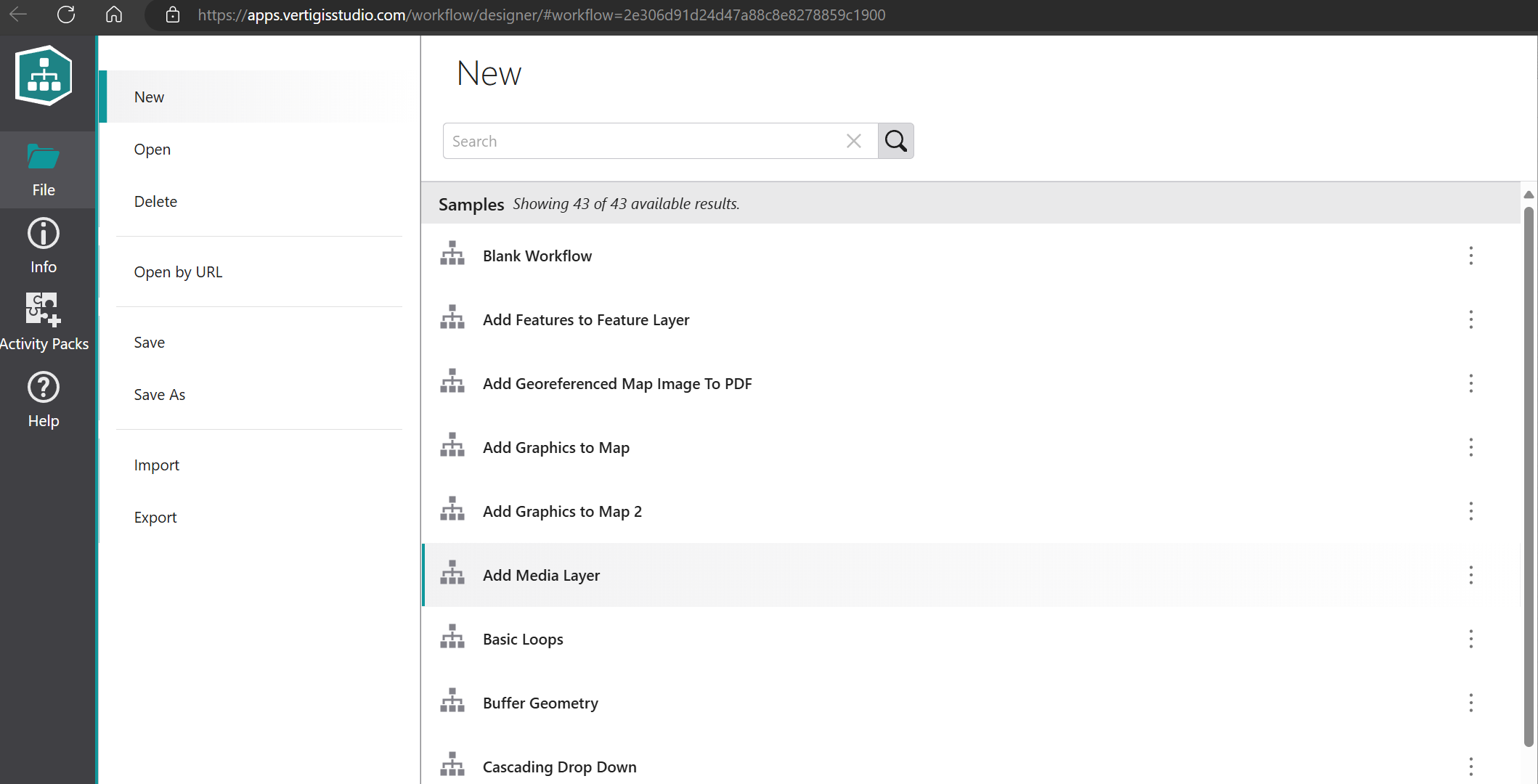
I tracked down the workflow it is used in, this is the same thing: https://apps.vertigisstudio.com/workflow/designer/#workflow=fe9bed6dd7764654a07b09f9666816ad
This, when run in the sandbox, successfully adds an arbitrary media layer image to the map: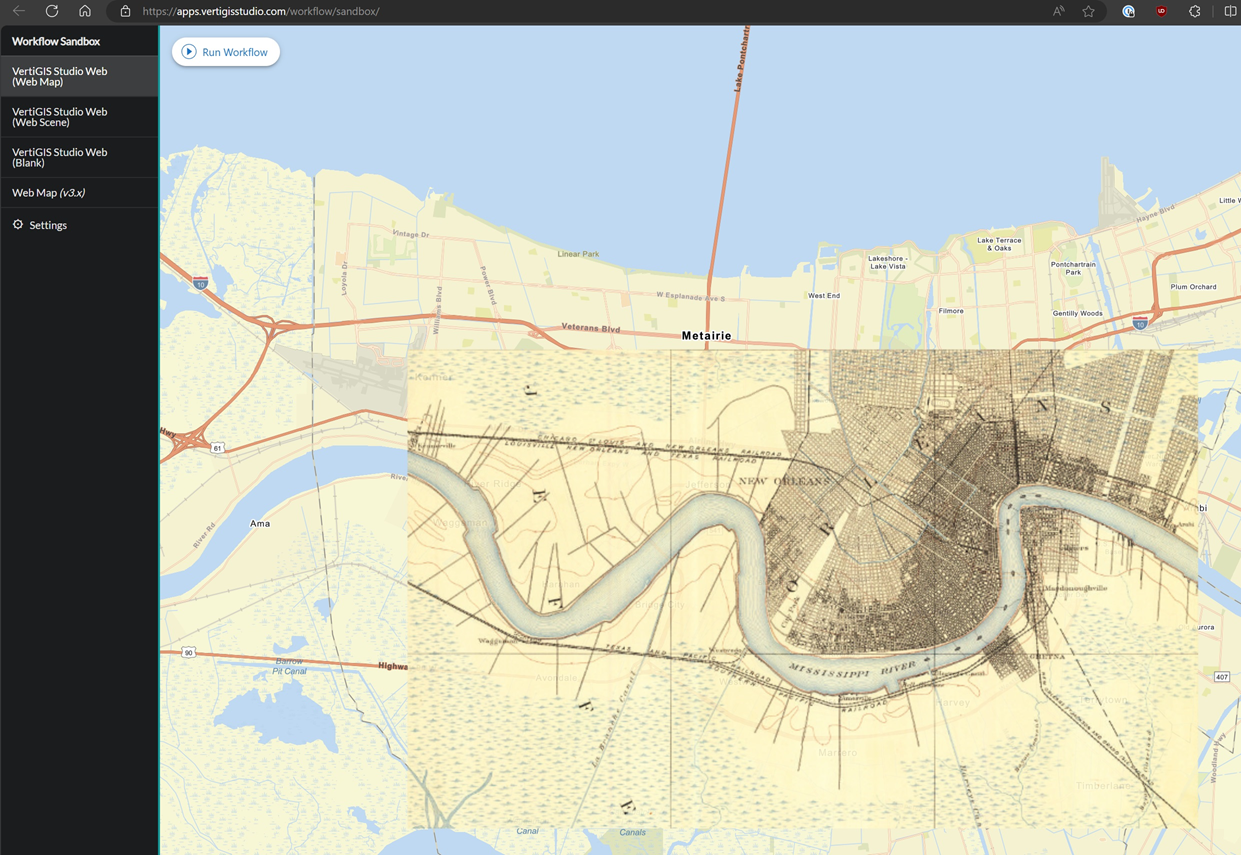
When executed in the sandbox environment, this workflow successfully adds an arbitrary media layer image to the map. For those without SaaS access, I've exported the workflow and made it available here:Example - Add Media Layer - VSWF.json
The workflow comprises the following activities:- Create Value: $imageUrl1
- Get Geometry From JSON: $imageExtent1
- Set Map Extent: $setMapExtent1
- Create Media Layer: $mediaLayer1
- Add Layer To Map
Important notes:
- This workflow requires the ArcGIS Maps SDK for JavaScript activity pack.
- It uses a MediaLayer to add a georeferenced image to the map.
This example workflow provides a good starting point for your specific requirements and reveals some additional tools we can use in our projects. Feel free to adapt it as needed for your use case. If you have any questions about implementing this in your project, please don't hesitate to ask.
cc Gareth Finney
1 -
@... - thanks for the example on this. Much appreciated. I'm sure we can make good use of it!
BTW - is it possible to get a place to download any VertiGIS-created example workflows as json files - rather than the SaaS location?
cheers
Gareth
0 -
Hey @...
Certainly it would be helpful. Much appreciated for sample. Now I have some clear insights around that.
0
Du måste logga in om du vill lämna en kommentar.
Kommentarer
7 kommentarer