Results\Map tip configurations

Hi. I'd like to configure may GVW app so that when a user clicks on any map feature, the result details are displayed (in the left-hand panel), rather than the popup that is anchored on the map. I know it's possible, but not finding where that can be configured.
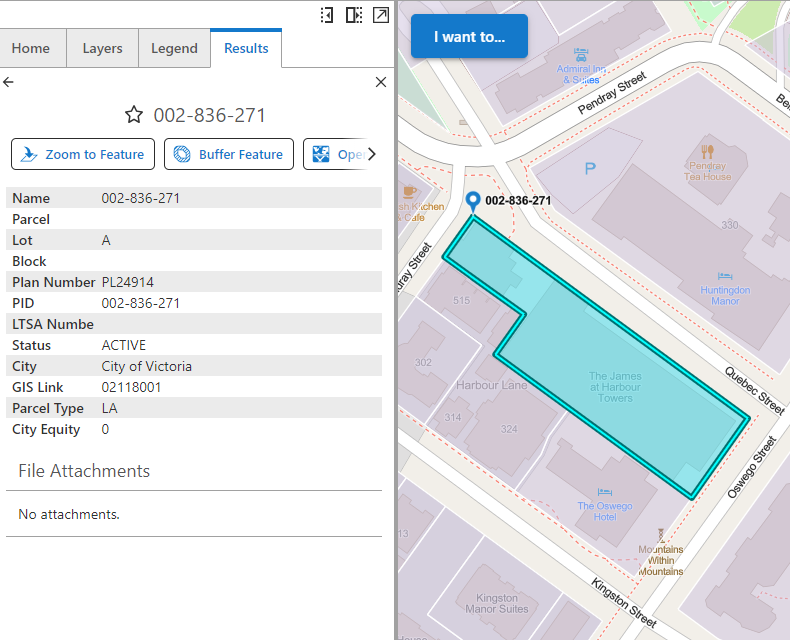
So, after the user click, it would display like the below screenshot.
Thanks
-

Howdy,
I'm no expert in all of this, and yeah, find the whole UI thing with results a little confusing - but, in my case, I just removed the Result Summary (or any other Result* component) from the Map component itself (this will stop the popup) appearing

and, then I added another Panel component (Add Component → Layout), into the Tabs section, and dropped the 2 Results components into this new area, so as that the results now show in a dedicated tab, as your screen capture shows. There's probably more to it than this, and there's probably other expert ways of doing it, but I'm still learning this also!

hope that helps.
1 -
Hi Gareth,
Thanks for the suggestion. I should have mentioned that my app is using the web sample app that VertiGIS has made available - meaning that I imported that like a template and now configuring it. The default config has the map tip like this, which seems a bit different from your app:

And, it has the left panel configured much the same as your screenshot, by default. Like you, I removed the map tip (the ‘Map Tip Panel’, which removes the child components), and as expected, I no longer get a map tip. The problem is, I'm not seeing anything in the Results Panel.
So, I'm still missing something…
0 -

You should change the Map Clicked event and change results.display-summary to results.display-details.
 0
0 -
Yes! That's it. Thanks.
0
Du måste logga in om du vill lämna en kommentar.
Kommentarer
4 kommentarer