Viewing GDB Attachments in VertiGIS Studio Web

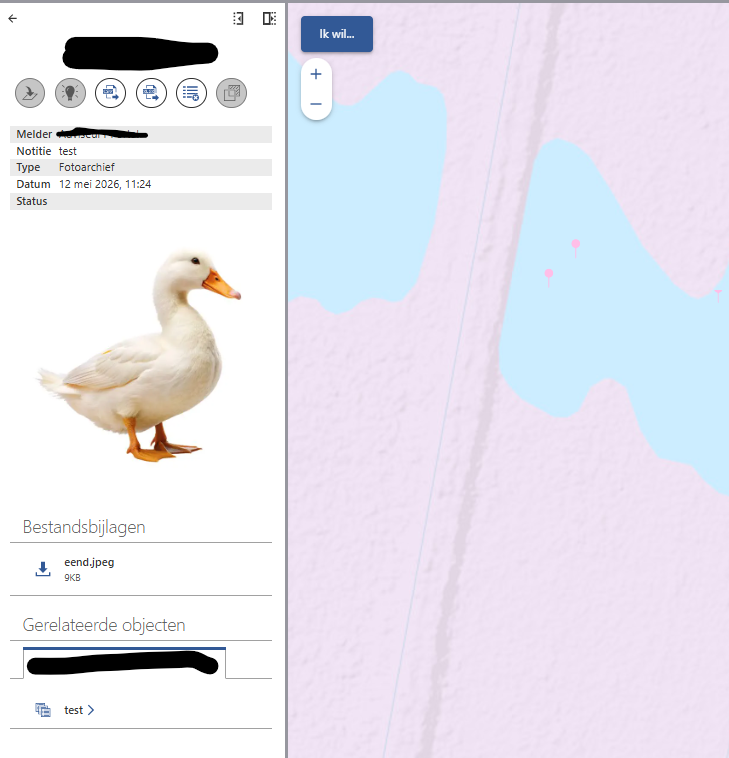
Hi there, and apologies if this has been asked before, but I'm in the process of building a new VSW application, and would REALLY like the GDB Attachments to show in the result details, not just as a link, but the image opened. Is this even possible?
We managed to get this working in the old-school HTML5 viewer, via a datalink and it was really useful - it gives you a nice preview of the image itself, rather than having to click on the link and open up a new tab. We have thousand of attachments for fire operations, and need to be able to quickly preview a whole area of images that have been captured, and we dont particularly want someone having to click on a whole bunch of similar attachment links and hope they open a decent image. Hope that makes sense?
Any thoughts, and tips welcome!
thanks as always
Gareth
-

Hey Gareth Finney good to hear from you.
To confirm, you're looking for a way of showing images that are feature attachments (aka GDB attachments) in the Results Details, is that right? I recall in that meeting we'd had a couple weeks ago you'd demonstrated your existing viewer showing imagery in a map tip, and I imagine you're looking for a method of replicating that behaviour.
0 -
Hi Gareth,
That's correct. Just wondering if it's possible out of the box now, as I can't see where I can do this in Web designer, or via Datalinks, or if it's in any list of future enhancements?
I can probably muck around with trying to set up the same thing via a datalink. I'm pretty raw to the whole designer thing! But yeah, even if it can be added as an enhancement request that would also be great.
cheers
the other Gareth
0 -

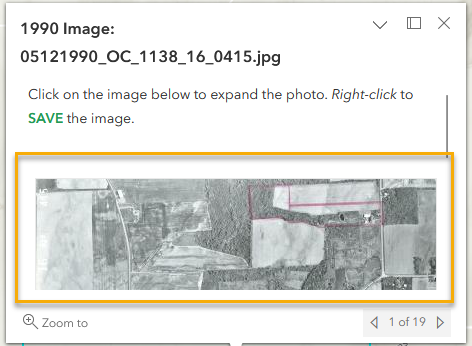
We have a very similar issue with a series of indexes of historic aerial images that have many attachments. Would love to see a thumbnail of the images rather than just a list of the attachment image files.
Here is what Studio Web shows:
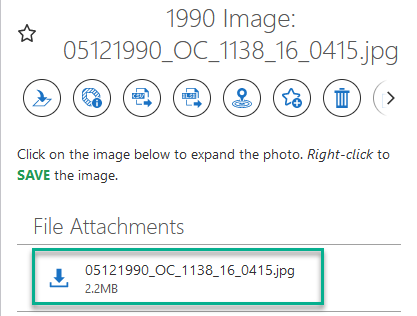
Compare this to the pop-up designed in the ESRI web viewer used in Web: Notice the image is visible.
 0
0 -
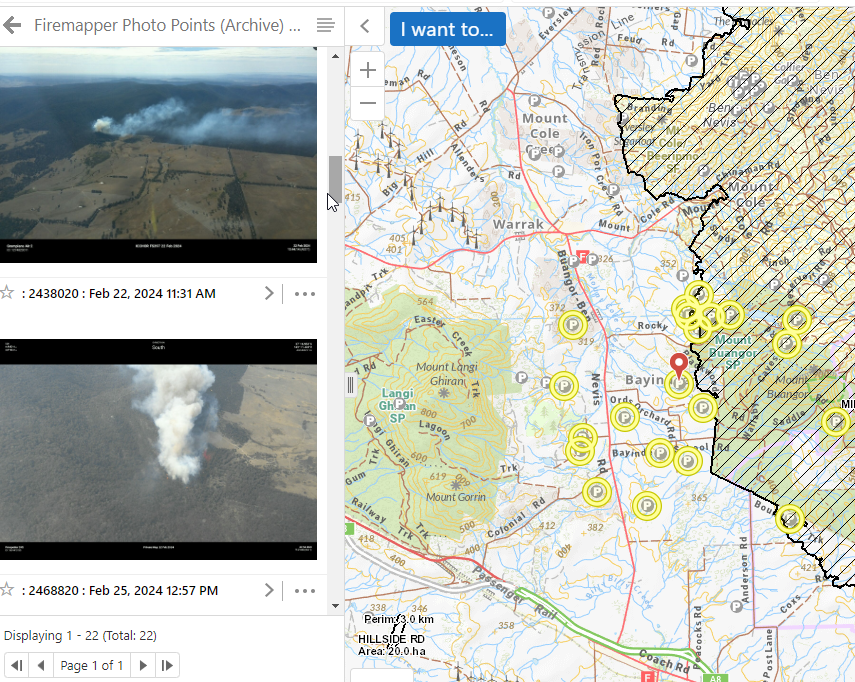
Just to give another example of how we use this is the HTML5 viewer - the image preview is presented in a map tip, but even more importantly, in the result list from an Identify (by rectangle for example).
This is key for our fire mapping officers who need to quickly ascertain what photo (attachment) is useful to their fire edge interpretations. We get literally hundreds of photos per incident (flood, fire etc) and it's imperative they have some sort of process to delve further into the data, without having to click on a link and open it.
In one quick identify process, I can essentially get a list of a hundred+ image previews on which to then select a useful image, to then click on and open.
Hopefully this can be done in a future version of VSW?
I'll add this to the Ideas page, if it hasn't been done already.
 1
1 -

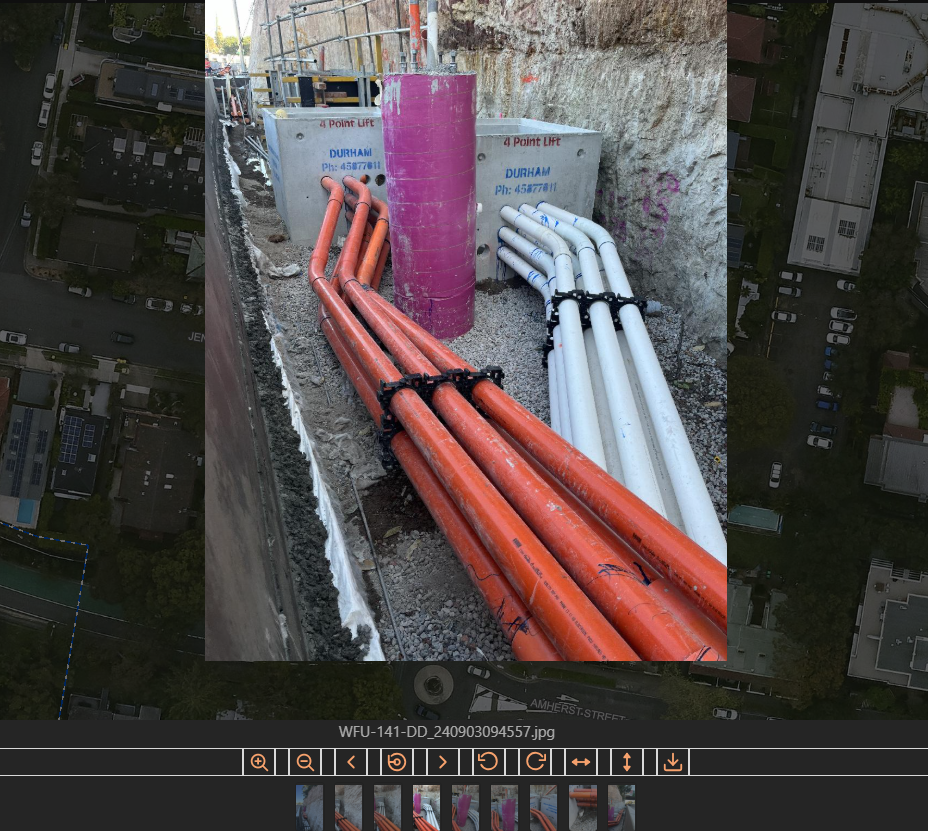
I was expecting similar functionality and ended up creating a custom workflow activity to show the photos.
 1
1 -

Hi, we thought of a work around!
1. We added the link to the attachment as an attribute to the service using Workflow.
2. We added a media group in the pop-up of the service.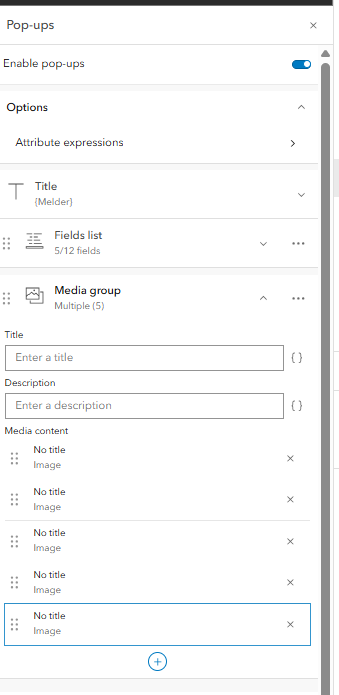
3. Every image in the media group refrences one of the links of the attachmentsments that we added as an attribute.
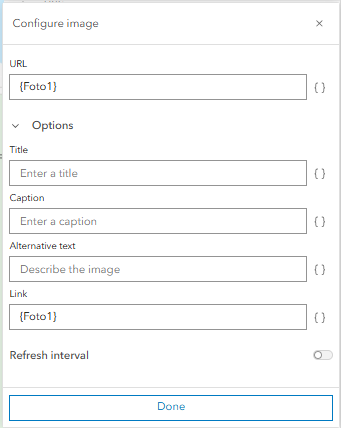
Tada!
 0
0
Du måste logga in om du vill lämna en kommentar.
Kommentarer
6 kommentarer