How to add Upload Data tool to toolbar

We have upgraded to the latest versions of the HTML5 viewer and Essentials but there is no Upload Data tool that shows up in the tool list. For that matter Plot Coordinates either. So How do you add these tools to your toolbar? This website shows the Upload Data tool added to the toolbar... https://gis.geosciencebc.com/esv/?viewer=esv&run=ZoomToReport&fid=GBCR%202016-03
Thanks!
Terry
0
-

Terry,
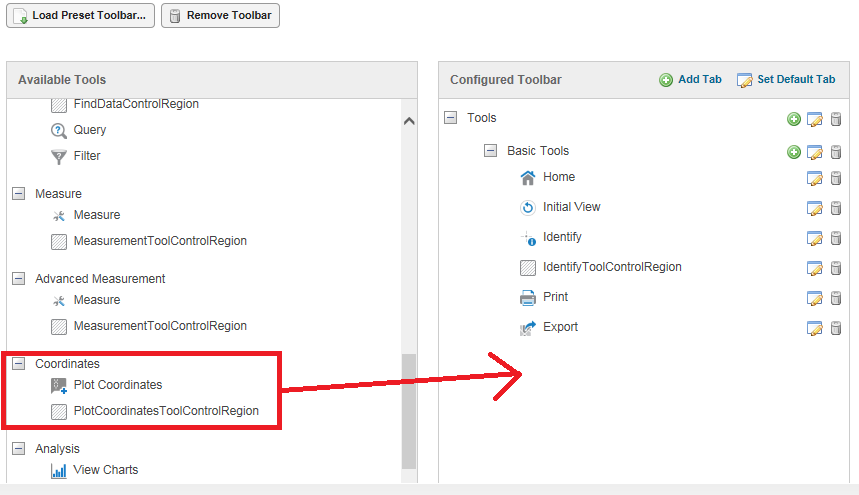
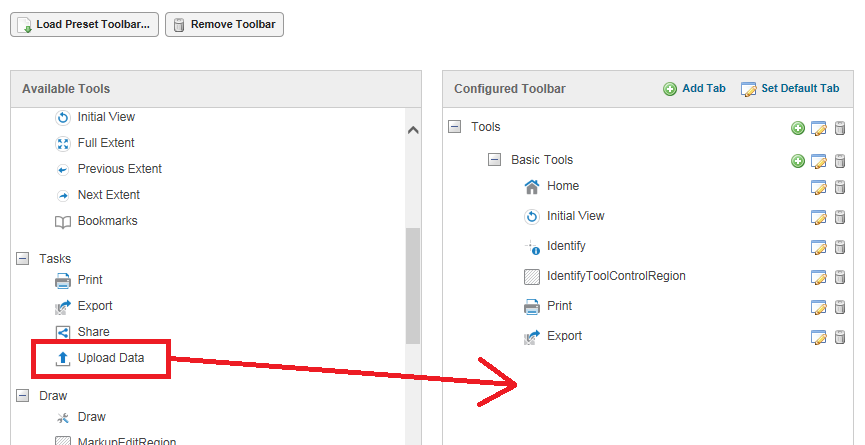
The first thing I do when a new upgrade is installed is to create a new viewer, then I load the preset toolbar "Web GIS (Full)" to explore the new features. Once you know what the new tools can do, edit your existing site's toolbar by dragging and dropping the tools on the left side to the right side.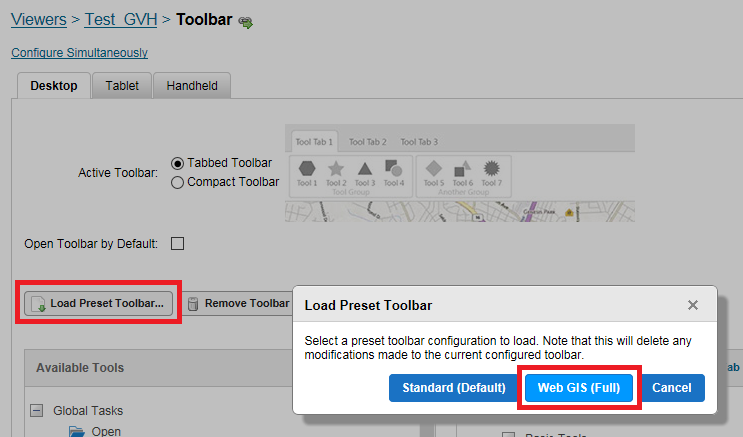
 0
0 -
Rick,
First its great to hear from you and I hope all is well. I did actually try this already but none of the new tools show up from the latest release except for Linked Maps and Analysis tools. I'm not sure what the issue is but what we really want to do is add these tools to an existing site that was upgraded and so far can't figure this out. My guys are so busy with other items I'm just trying to assist (I know enough to be dangerous). I really do appreciate your response!
Thanks,
Terry0 -

Soemthing is up with your viewer upgrade I was about to suggest looking under Toolbar--->Available Tools where you can find the newbies but if you don't see them something else is up. Are you lookking under the Tabbed Toolbar View? 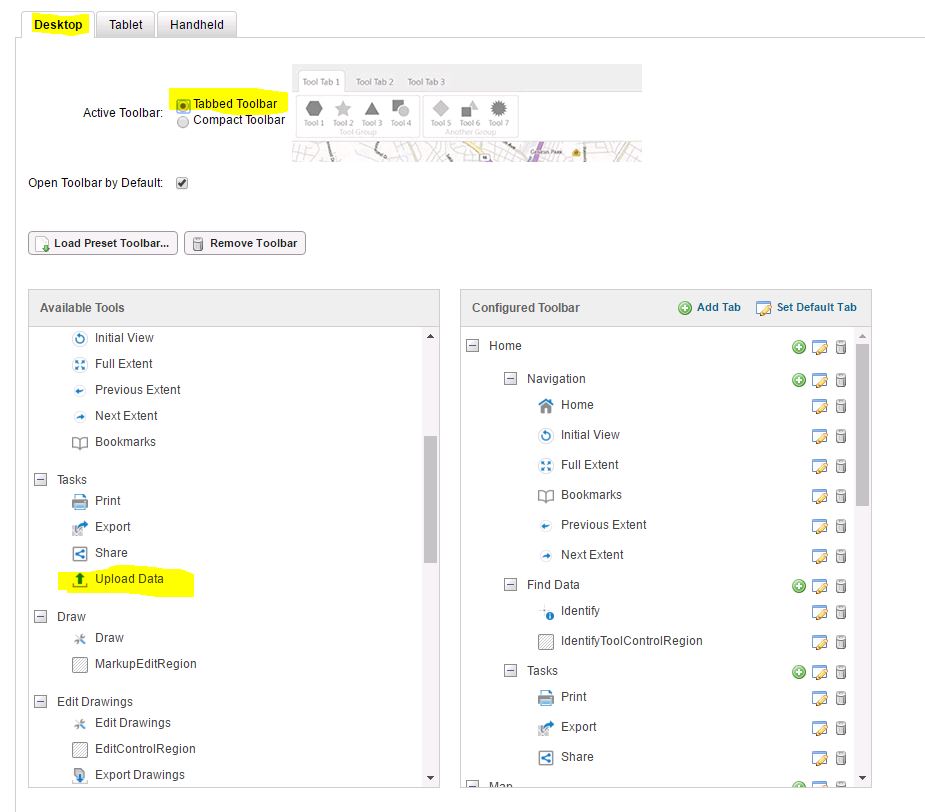 0
0 -
Cattyann,
Here is my screen print - as you can see the Upload Data tool does not exist.... and its the same for Plot Coordinates etc. Please advise.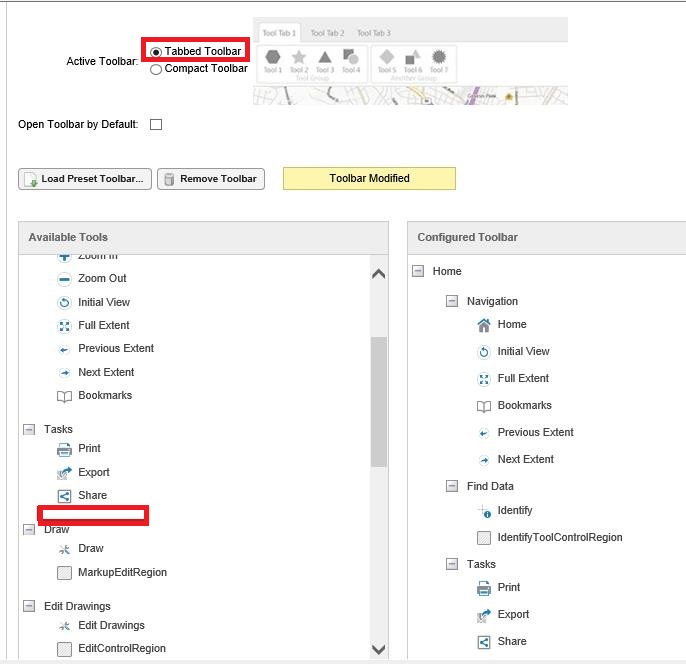
Thanks,
Terry0 -
Hey Terry,
Can you please try clearing your browser cache and then check to see if the new tools appear?
Thank you!
Danny0 -
Also, be aware that IE may not clear its cache sufficiently. If this persists after clearing your cache, and you're running IE, try this: 1. In your browser, edit the viewer and navigate to the Toolbar page
2. Hit 'F12' to launch the browser's developer tools
3. Switch to the Network tab and ensure that 'Always refresh from server' is set to 'On' (for IE 11) or click on the 'Cache' menu and select 'Always refresh from server' (IE 10).
4. Refresh the browser window displaying Manager.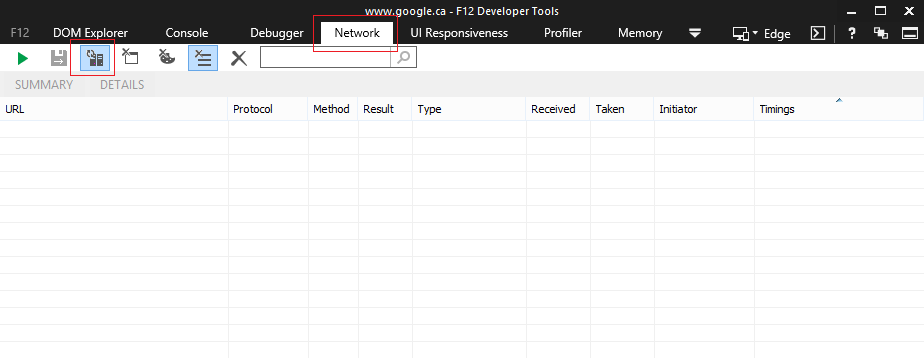
Having done this once, you should see those tools appear in the 'Available Tools' and can close the developer tools window.0 -
Danny/Jordan,
Thank you guys for the tip - Jordan it took your extra little tip to get it all working!
Many Thanks,
Terry0 -
Hello, is the upload data tool available with the HTML5 viewer version 2.5.2? I do not see it in the toolbar tools list. If not is there a workflow sample option I can use? other than upgrading to 2.6.
Thanks!
Oscar Cerritos0
Du måste logga in om du vill lämna en kommentar.
Kommentarer
8 kommentarer