Dont allow users to "X" out Layers Tab in Home Panel

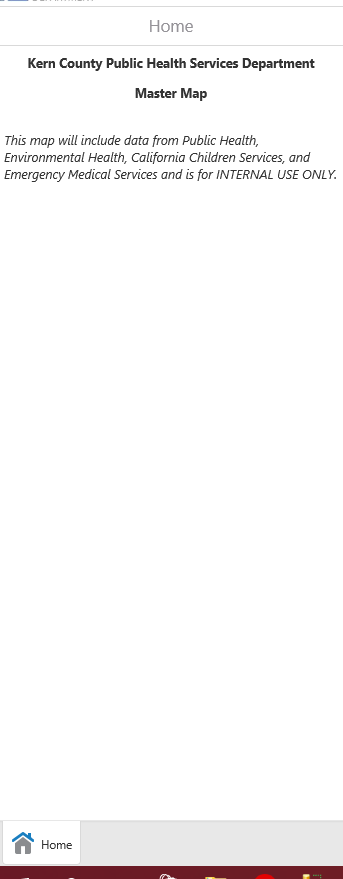
This seems like an straight forward question, but is there a way to not allow users to completely close the layers list in the home panel. When a user hits the 'X' to close the layer list, the tab is completely removed and there is no way to open it again...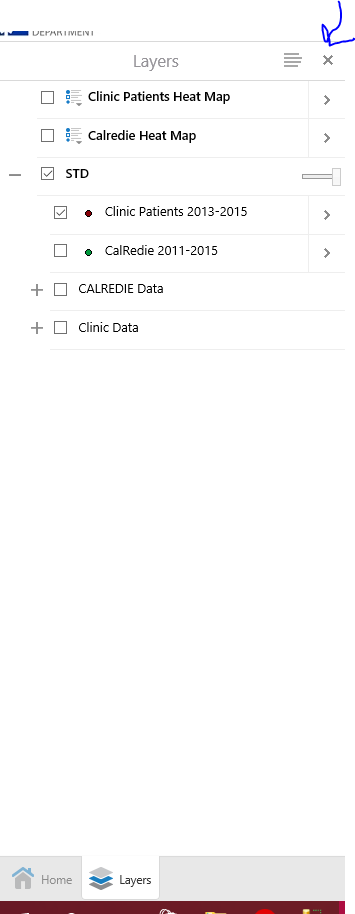
0
-
Hi Lisa,
You should be able to recover the layer list from the 'I Want To...' menu by selecting 'Change Visible Map Layers'.
Regards,
Seth Greylyn0 -
To add what Seth wrote,
here are few things to experiment to understand what it is going on.
1) GVH command document says 'Using ActivateView and pass the ID LayerListView.' to display the Lyare list. There is a command called 'ShowLayerList' which is the depreciated in 2.3. Check all commands doc on your GVH delivery package linked as 'Geocortex SDK for HTML5 API Reference' which will show the API doc
2) Open Desktop.json.js file , find "id": "LayerDataContainerViewModel" block, set "backButtonOnRootView": false,
"showBackButtonAsX": false,
Not sure if there is any side effect with those change since the LayerDataContianerRegion is used for another view (see "ordering' part where another view used the same region is listed. So you may test little more after changing above.
wish it helpes you out to understand and where you need to find out GVH commands.
Munhwan0
Du måste logga in om du vill lämna en kommentar.
Kommentarer
2 kommentarer