HTML 5 viewer issue - Base image display blank when scale is set below 1000

We recently switched from silverlight viewer to HTML 5 viewer(version 2.5) and noticed some issue on HTML 5 viewer The viewer uses a tile cache map service as the base image map. When zooming below 1000 scale, for example 500, the base image will not show on the map. The map shows up fine on silverlight viewer.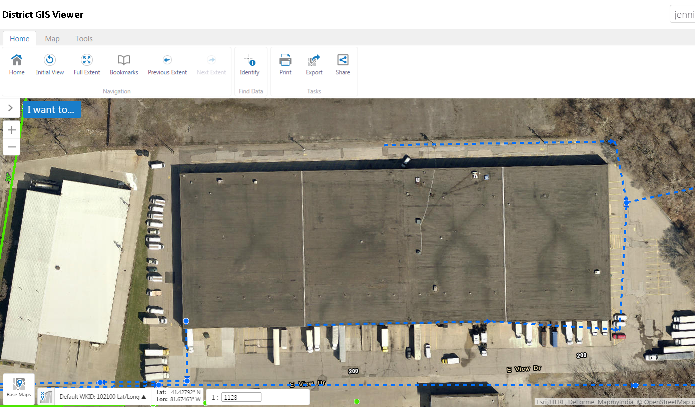
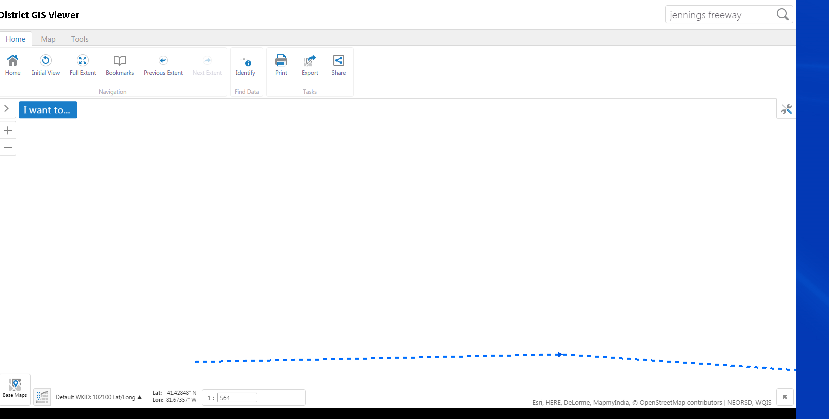
Has any one encountered same issue?
map display blank below 1000 zoom scale
0
-
Sure - if the aerial is not cached at 1:500, then you will not be able to view it at that scale. This will likely change with later releases, I believe, but for right now, in HTML5, you can only view the map at cached scales. In Silverlight, it would re-render the image for other scales, allowing you to view in-between scales, or further in then the highest resolution cache. 0 -
Mike, the aerie is actually cached at 1:500 and 1:250. The following is the screen shot of the tile cache map service property shown on ArcGIS server manager.
Thanks, Jin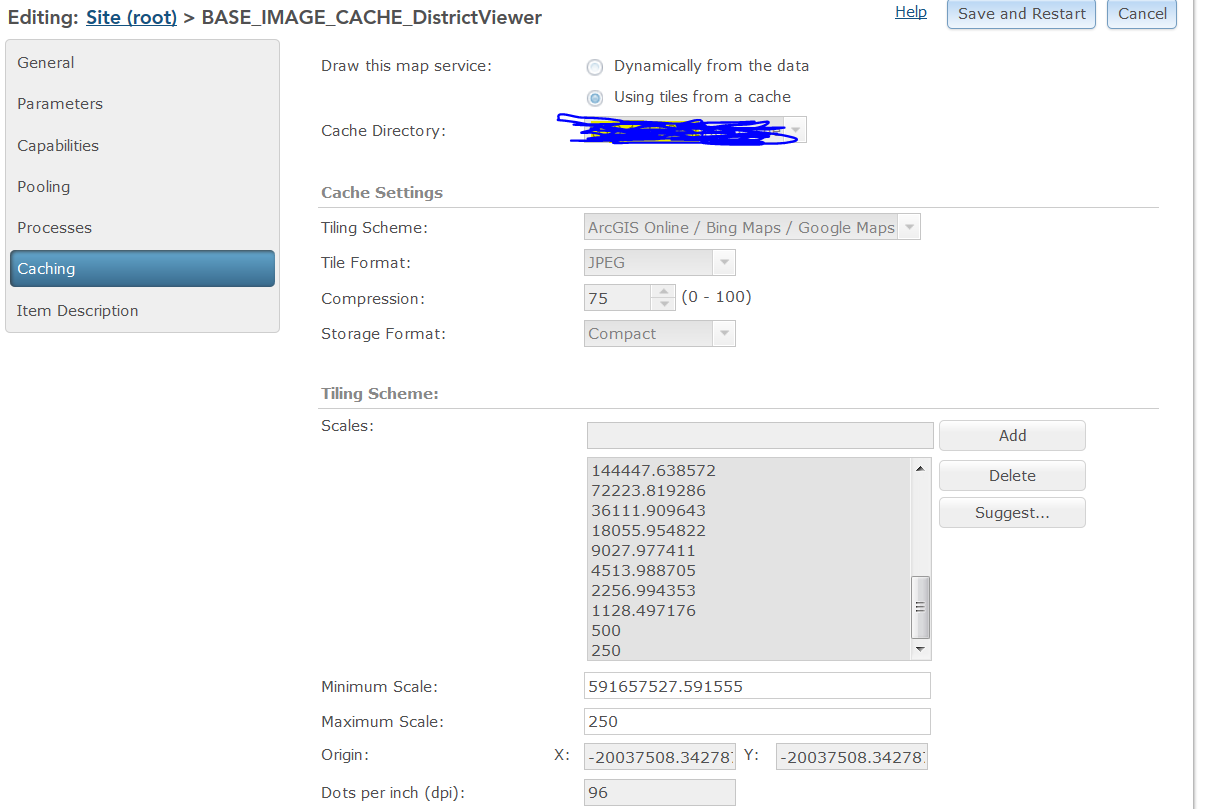 0
0 -
hmmm, that makes it harder to figure... Have you put anything into the map service display tab "Override maximum scale" that is greater than 500?
when you zoom in to 500, what does your scale input box say - 500, or something else close but not exact (in which case the aerial will not display)?0 -
Mike,
In silverlight, when i put 500 in the scale input box, that number stays the same when the map zoom in to 500, however, i noticed, when i put 500 in the scale input box in HTML 5 viewer, the number changes to something like 564, vert strange. Also, where do you speficify "Override maximum scale"?
Thanks, Jin0 -
Yes, I had heard about the viewer going to the wrong scale, but I don't remember what the cause was. If you do a search, it should still be out there. My guess is you need to open a request...
The override maximum scale is on the Display Settings tab when you edit a map service. I often put in something like 249 there if me max cache is at 250 - seems to help.0 -
Jin, can you share the aerial REST endpoint? 0 -

That service can't be your viewer's base map if the viewer is zooming to different scale levels than that service has.
The viewer's base map controls the scale levels of the HTML5 viewers and is set by the service at the bottom of the list of map services when editing your site in Essentials.0 -
I moved the base image service down to the bottom of the list. That seems to be the fix. Thank you so much Dan!
Regards,
jin0 -
No problem. Just keep in mind that whatever the old base map was will no longer be visible at the lower scales. 0 -
Thanks Dan, I will make note to it. Very much appreciated.
Kind Regards,
Jin0
Du måste logga in om du vill lämna en kommentar.
Kommentarer
10 kommentarer