Tickbox to select all values in a Listbox

I am trying to add a tickbox in a form to automatically highlight and select all values in a listbox. What's the easiest way to do this?
0
-
Hi Tomar,
I think the easiest way is to tell the user that if they want to select all the values in a listbox, then they should click and hold the SHIFT key + click first and last values to select all.
The other option is to add 2 radio buttons that allows the user to choose whether they want to select all values or pick values from a listbox. If they select the "Pick Values" radio button, then you can set the listbox to visible Otherwise, it stays invisible. In order to use this function, the list box must be contained within a group or group box container because only these 2 features have the "Visible When" parameter in the properties.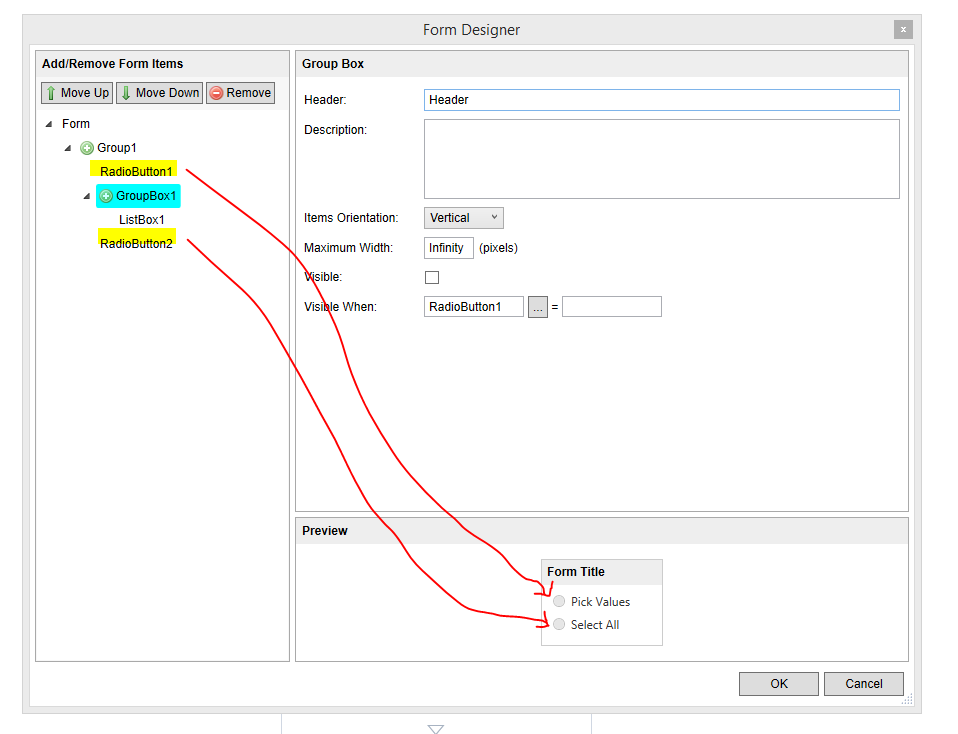
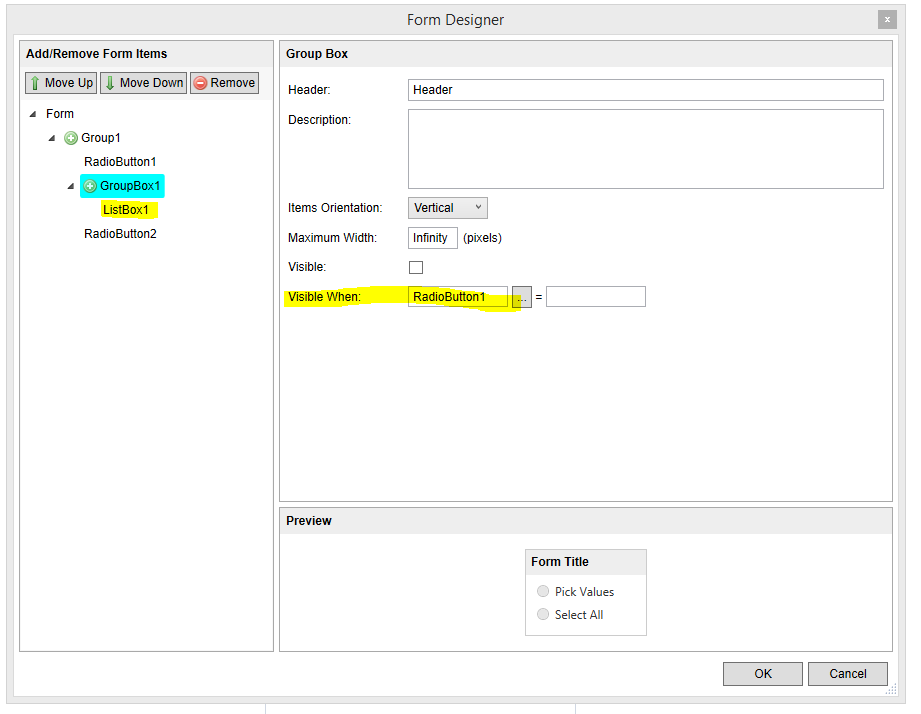
So it is hidden if you select "Select All"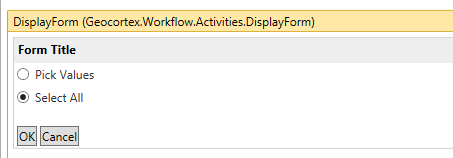
But the listbox will show if you select "Pick Values"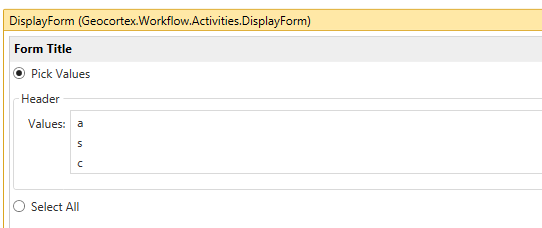
The reason why I am suggesting these options instead is because you cannot have the form perform any action unless the user clicks on a button. So if you want the user to just check the tickbox and then the listbox above it highlights all its values, it is impossible to do with the display form activity. The user has to check that tickbox, hit a "submit" button, and then you can set the listbox to higlight all the values.
I hope this helps.
Regards,
Carmen0
Du måste logga in om du vill lämna en kommentar.
Kommentarer
1 kommentar