Multiple Layer Report unable to show data information in report

I am using the MultiLayerReport code sample to generate a report on over 30 layers. I am able to spit out a report however the information in the report is not showing the attributes that are within the buffer. It is just showing the field name I assigned. How do you get the "buffered" area to show the features within that buffer?
0
-
Could someone explain this activity what the command parameter means? 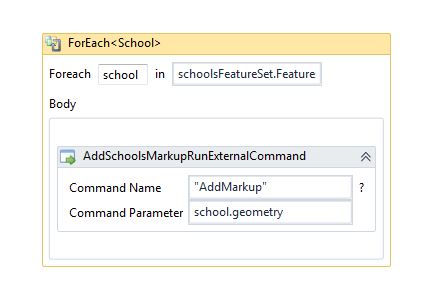
I am also having to add Get Map Service ID activity as it errors out otherwise in the Get Nearby Features sequence.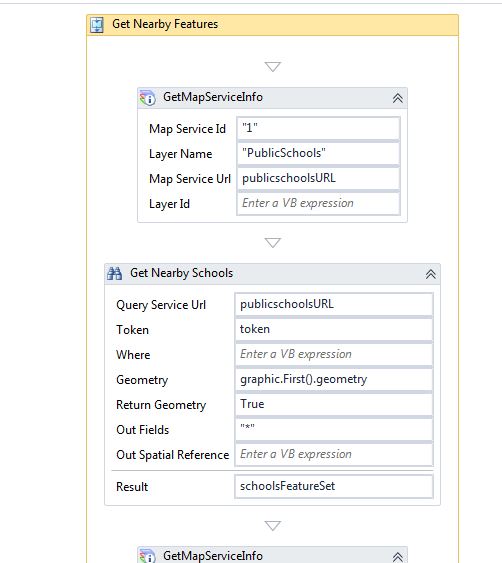 0
0 -

Hi Claire,
I just wanted to post the answer here as well so others will know what to look for the next time they encounter something similar.
The issue here was token related. Since the services were all secured, we needed to pass the correct token in order to access the REST endpoint for querying. We retrieved the token using the "Get Map Service Info" activity, and assigned it to the Query Task activities. After that, everything worked as expected.
I hope that helps.
Regards,
Carmen0
Du måste logga in om du vill lämna en kommentar.
Kommentarer
2 kommentarer