Permission Issues & Portal

I have users in 3 groups. Admins, Company Employees, then External Investors they are all managed via Portal. Within GE I denied some very deep layers in the tree for the External Investors group. All other user groups had "Inherit" and even External Investors had Inherit at the top site level, except for this now denied layers at the very bottom of the tree. This worked as expected for External Investors but blocked Admins and Company Employees to the whole site. Huh why? I then made Admins and Company Employees "Allow" at the site level. That granted admins access to the site but now my Company Employees group is getting a straight up application denied but clearer message from portal. Before it just said "Access Denied"
Sign In
The operation resulted in an error: The ArcGIS Portal sign-in succeeded, but the user 'RLivezey@RIVERBEND' is not authorized to access the app/item 'b32afd4e98d7473593e7b17ac593e532'.
0
-
Issue Discovered & Work Around Created: Within Portal 10.4.1 within "Geocortex Products" folder the Geocortex Essentials application was only shared with the Admins Group I created. Since install all groups had no issues accessing the Geocortex HTML5 viewers until I put those permissions on via GE. Even then only select users had issues only with the HTML5 viewer I adjusted permissions on within GE. Not the other 5 HTML5 viewers already built.
I searched 'b32afd4e98d7473593e7b17ac593e532' within Portal and it brought me to the Geocortex Essential Item. I Shared it with the Organization vs just a group, and access was re-granted on that HTML5 viewer in question.
We can close this case but I wanted to document in the event this was not intended behavior.0 -

Hi Dylan,
Thanks for your feedback. I asked one of our developers about this issue and he said that when you sign-in to the Essentials REST API with Portal, the user must have access to the GE app item. When we create this GE app item in the Post Installer, we grant everyone in the organization access to it.
I hope that information helps.Stefan
0 -
Stefan,
I upgraded to GE 4.6.2 from 4.5.1 and HTML5 2.7.1. It forced the install of Geocortex Core 3.0 as a result. As a side effect, it disconnected my Portal Authentication identity store and the registration of the Geocortex Post Installer with Portal.
This subsequently bumped my identity store back to Windows AS and Anonymous Access. It then corrupted all my special Site permissions.
I have now fixed it all but thought this was worth documenting.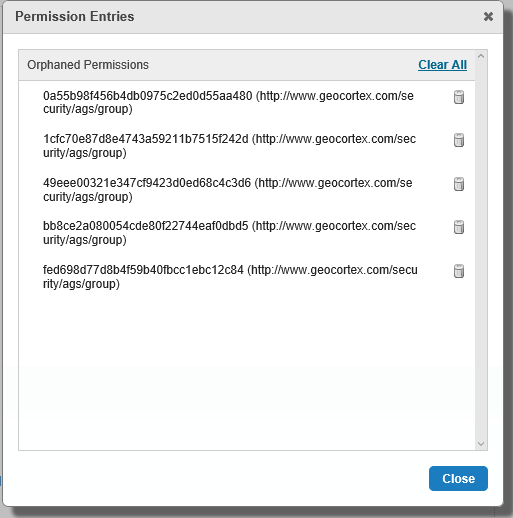
Cheers,
Dylan Kennard
www.pixeltrailgeo.com0 -
Hello Dylan,
Thank you for letting me know. I will create an issue for our developers to look into this.
Thanks, Stefan
0 -
Greetings,
For what it's worth: I was receiving a similar error message ('The operation resulted in an error: The ArcGIS Portal sign-in succeeded, but the user ['...'] is not authorized to access the app/item ['...']') while testing signing in with an ArcGIS Online Public Account (https://www.arcgis.com/home/signin.html) and was able to resolve this issue following the steps in the following article:
(https://support.geocortex.com/essentialsGSCkba?sub-nav=kba&main-nav=essentials&feedtype=SINGLE_ARTICLE_DETAIL&criteria=BESTANSWERS&id=kA3600000008QUWCA2) How to setup ArcGIS authentication for users outside of the organization
Regards,
-SJE0
Du måste logga in om du vill lämna en kommentar.
Kommentarer
5 kommentarer