Can you label features from an uploaded shapefile?

Is it possible to apply labels to a shapefile that has been uploaded into the viewer? I am using HTML viewer version 2.7.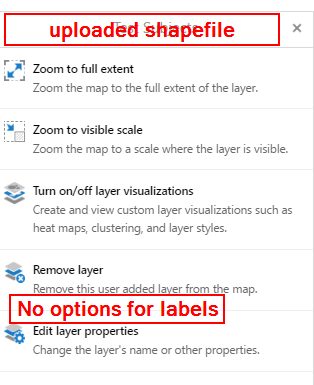
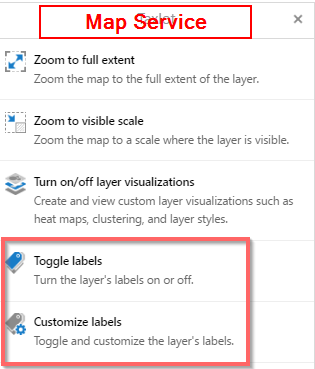
I can toggle labels on/off and customize them for a map service, but not when I upload a shape file.
Thank you in advance for any help on this one.
Best,
Aaron
0
-

As far as I know, all attribute data is lost when a file is uploaded with the standard button. So labelling is not possible at all. 0 -
I have the same question re. other uploaded data from one of our uses. In our case it is an example from an Excel sheet, but the issue is the same. I have verified that the attribute data are imported, so no data lost... 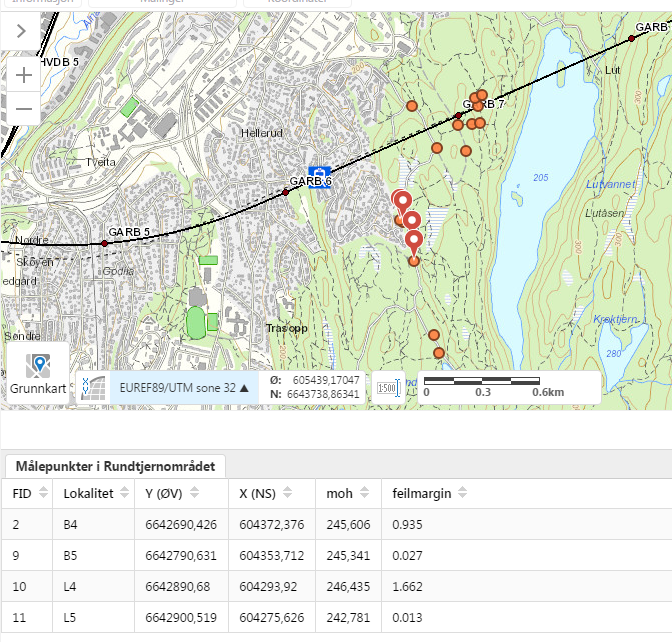 0
0 -
Also, if I may add to the above: When you upload data, you can pick an opacity, but not adjust this later as you can for other layers. It would be nice to be able to adjust thsi as well... 0 -
Hi Aaron,
I am afraid it is not possible currently to apply labels to shapefiles that have been uploaded to the browser. Shapefiles are uploaded with the full attribute data in place and can be search and identify enabled, as well as included in map tips. It would be a very useful feature to be able to apply labels to shapefiles, however, and I would encourage you to submit this as an idea in our 'Ideas' section in the Support Centre. Ideas can get voted on, and the more votes an idea gets, the more likely it will be implemented.
https://support.geocortex.com/GSCIdeas?c=09a6000000008RsAAI&filter=1&categ=all&sub-nav=ideas&main-nav=essentials&page=1
Similarly, Håvard, there is no transparency level available on the viewer with uploaded shapefiles and I would encourage you to enter this as an idea too.
Thanks,
Marion.0 -
I'm using GHV5 2.10.1, If I zip up the shapefile and the associated files first, then upload the zip file, I could keep full attributes. However, seems there's still no way to set label on the uploaded data.... 0 -

I discovered that if you have the attribute "name" in the shapefile and upload the zip file of the shapefile and the associated files (.dbf,.prj etc) to upload the attributes, then by default the feature label will grab the name field and label it as such. (Currently using GVH5 2.11.0) 0 -
Hi Jennifer, I'm unable to replicate that with a 2.11.2 HTML5 site. Did the ability to label the uploaded shapefile appear in the properties of that layer? Here's what it looks like after I uploaded a zipped shapefile with a Name field. 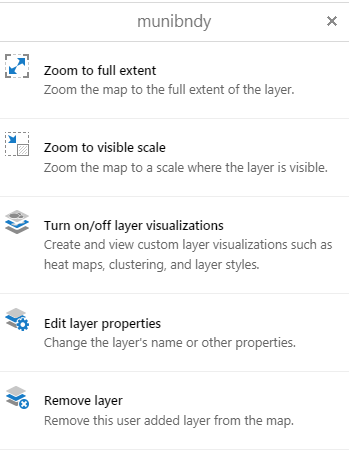 0
0 -
Hello, I'm sorry I should have clarified a bit more. I'm not too sure about labeling on the graphic of the feature itself...but the pop-up or map tip feature label of the uploaded shapefile will display the "name" field instead of a generic "Shapefile Name, FID". Ex. 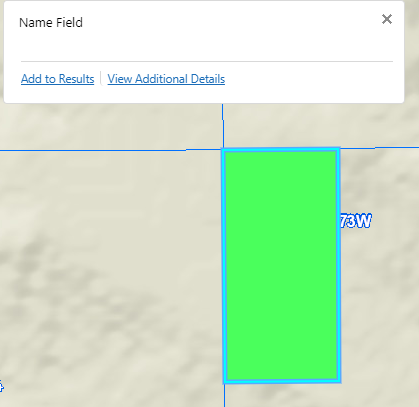 0
0 -

I tried this with a XLSX file that I uploaded with geocoding. If the XLSX has a field 'name', it will use this in the map tip. 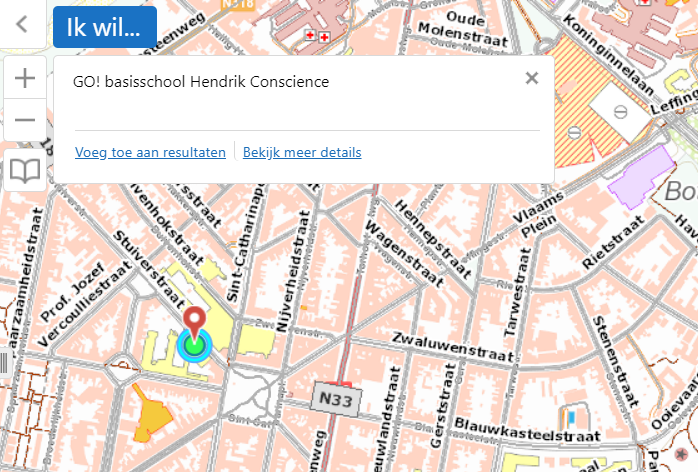
For shapefiles, this doesn't work.0 -
Well to clarify, it does work for shapefiles as well if they have a field 'name'. But if the attribute value is empty, it will return "Shapefile Name, FID" as map tip. 0 -
Argh, I've tried both a shapefile with 'name' and an excel file with 'name', and it does not label as described above. We're running HTML5 Viewer 2.12.1 0 -

I don't believe it was ever possible to label uploaded data.
It was mentioned above to have worked with the maptips, but maptips and labels are two different functions.0 -
Any update on this feature request? We are also interested in having the option to label imported shapefiles.
0 -
We also need the ability to label uploaded shapefiles or drawings in the drawing layer. Our use case is a workflow that is calculating statistics for different drawn/uploaded polygons, but without a map with labeled polygons, how would the user know which statistics belong to which area.
0
Du måste logga in om du vill lämna en kommentar.
Kommentarer
14 kommentarer