Controlling the scale of Geocortex application starts with

Hi All,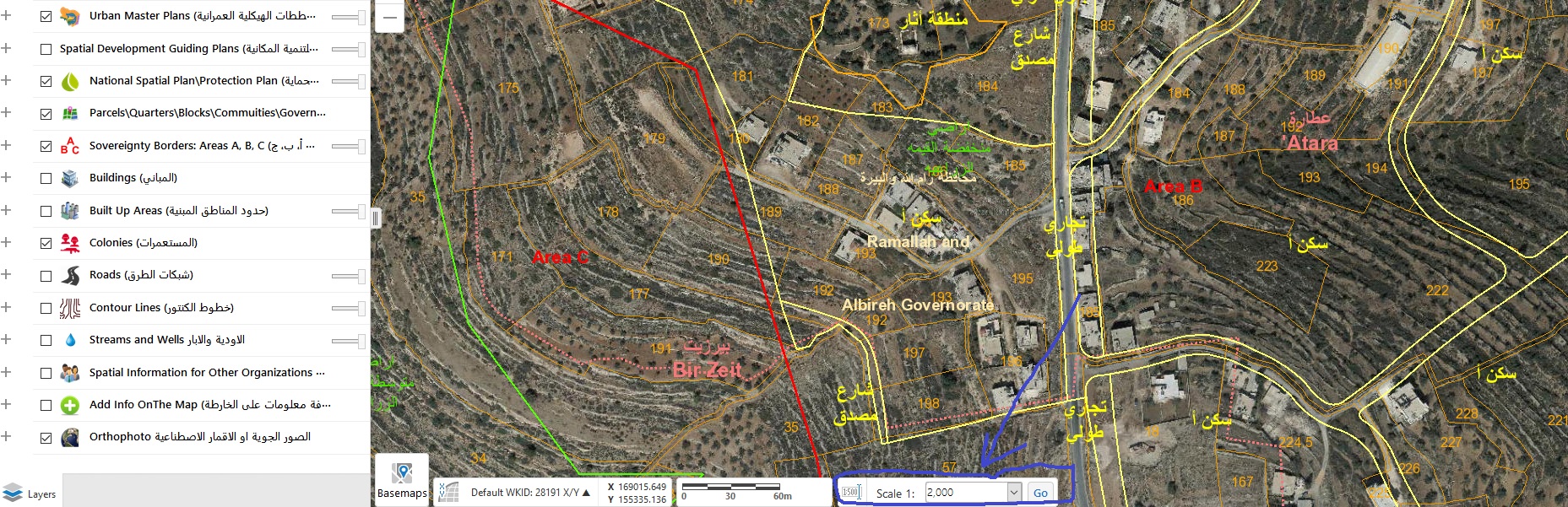
I wondering if there is a method to control the scale of application starts with, For example, how to set the starting scale to be 1:1000?
Thanks in advance,
Rawan
0
-

In the manager you can define an initial extent, but this is indeed not an exact scale.
An alternative is to create a startup workflow and run the ZoomToScale command from this workflow with 1000 as parameter.0 -
Hi Rawan,
You can set the starting scale as Nico suggests (which are easier to implement), or the other option is to ensure that the basemap has tiles at the 1:1000 scale. If you (re)publish your basemap and cache tiles at 1:1000, then the viewer will automatically pick that up and start at 1:1000. The list of scales from that drop down is coming from the basemap's REST endpoint; the viewer references the scales at which the basemap will show up.
I hope this helps
Carmen0 -
Thanks Nico & Carmen
But I still need to configure the scale at manager level as a fixed scale.
Best,
Rawan0 -
You can add an input argument to your startup "zoom to scale" workflow. Then you can set the scale as a workflow property from the manager. 0
Du måste logga in om du vill lämna en kommentar.
Kommentarer
4 kommentarer