User name and Password in the site.xaml refer to?

Hi All,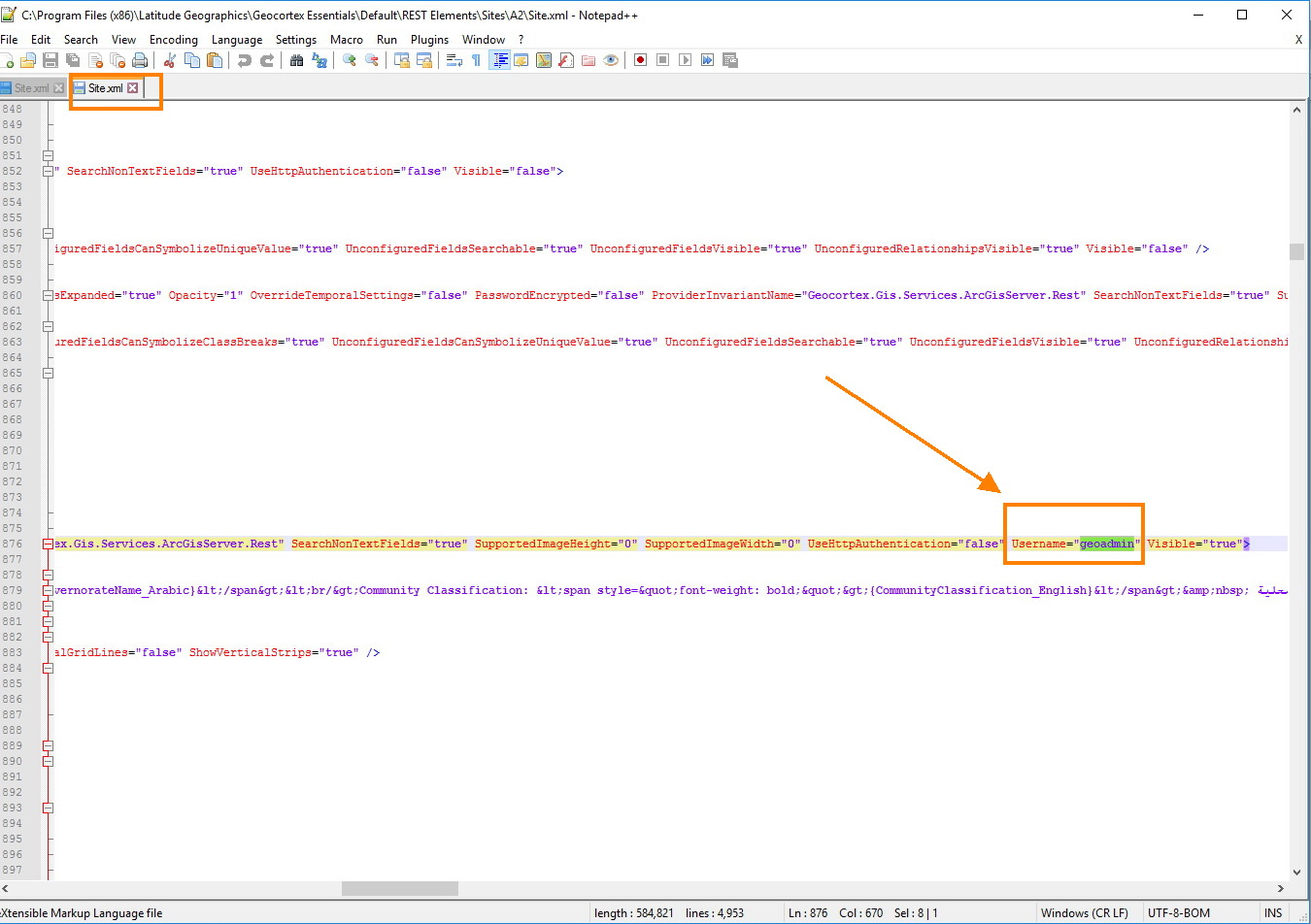
I would like to know the user name in the site.xaml file refer to the Arcgis server or the Geocortex manager, also do I need to change it manually when we change the credential of the Geocortex manager and the Arcgis server? Attached
Best,
Majdoleen
0
-
Hi Majdoleen,
The username attached to the map service that you see in Site.xml is part of the credentials required for Essentials to access that map service. Those credentials would need to be updated if they had been changed in ArcGIS Server for the user configured to access that service. So, in this case, if geoadmin's password has changed in ArcGIS Server, then you would have to edit that map service's connection settings to enter the new password.
I would advise caution when editing the Site.xml file directly, as typos can cause the site to fail and your changes may get overwritten by Manager if the site is currently open for editing in Manager.
You can test and update the map's connection settings in Manager by editing a service from the Map Services tab on the map page. On the Details tab of the map service, the Edit Connection Settings button brings up the Service Requests Connection Settings dialogue box. Clicking the Test Connection button will allow you to ensure that Essentials is currently able to access the service with the credentials it has. If the test fails, you can enter the new credentials or a token.
_img_ alt="The "Service Requests Connection Settings" dialogue box showing the "Test Connection" button." src="https://latitudegeo--c.na53.content.force.com/servlet/rtaImage?eid=90760000000Cg93&feoid=Body&refid=0EM600000001Qte" _/_img_
_img_ alt="The "Service Requests Connection Settings" dialogue with the options for adding secured credentials.." src="https://latitudegeo--c.na53.content.force.com/servlet/rtaImage?eid=90760000000Cg93&feoid=Body&refid=0EM600000001Qtj"_/_img_
Does that help?0 -
Thank you Jordan, it is very helpful, I will try it and get back to you.
Best,
Majdoleen0
Du måste logga in om du vill lämna en kommentar.
Kommentarer
2 kommentarer