Failed to initialize site. The error was: JSON.parse: unexpected character at line 1 column 597764 of the JSON data

Failed to initialize site. The error was: JSON.parse: unexpected character at line 1 column 597764 of the JSON data
We got the error below:
Failed to initialize site. The error was: JSON.parse: unexpected character at line 1 column 597764 of the JSON data

What might be the issue here?
0
-
If you checked the site logs by pressing (Ctrl+Shift+~) you will find something like this error:
error 11:13:33.325 Failed to initialize site. The error was: Invalid character
error 11:13:33.401 Error occurred while retrieving the bookmark values: SiteInitializationFailedEvent/SyntaxError: Invalid character
Probably this issue is associated to a corrupted map service, the Geocortex manager (4.6.2) will not give any indication for this type of errors!!!!
To Identify the corrupted service open the manager choose Map>Map Services> then check if one if your services cannot be expanded and delete it.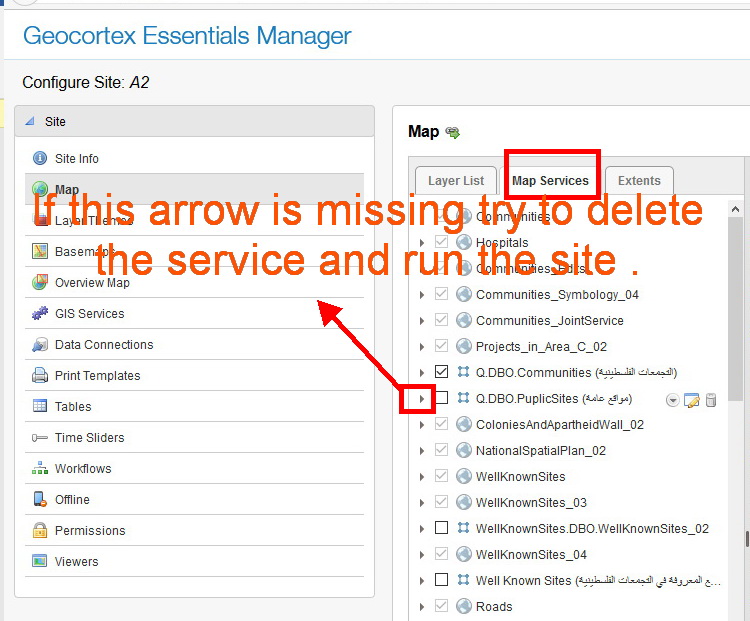
Thanks,0 -
this is very confusing. but why the gvh doesn't say this in an easy way so that we can figure it out? generic error are not of much help
best
Jamal0 -
Hi Jamal,
That error makes me think that there may have been a manual modification to your desktop.json.js file, which lead to a typo. You might want to try running the contents of your site's viewer configuration through a JSON validator such as http://jsonlint.com/
The desktop.json.js file can be found here (substituting the name of your site and viewer for the examples):
C:\Program Files (x86)\Latitude Geographics\Geocortex Essentials\Default\REST Elements\Sites\YourSite\Viewers\YourViewer\VirtualDirectory\Resources\Config\Default\Desktop.json.js
Make sure to back up your Desktop.Json.Js file before making any changes to it!
I hope this helps,
Danny0 -
I agree that it's not a viewer error that is all that helpful to the end-user. The problem is that, where the error occurs, that's as specific as it can be: the viewer can't initialize the site because it can't parse its json due to a character it doesn't like at the location it specifies. To troubleshoot further, you'd need to look at the site's json to see what that character is and where it comes from.
I do agree that Manager should provide better feedback, though. Is the service that was the problem still available and still causing the error? If we knew exactly what was in it that caused the issue, we might be able to have Manager handle the issue more gracefully.0 -
Hi Jordan,
As my colleague Ahmad reported in the second post of this thread, there is nothing to do with the json file! All what we needed to do is to go and find out what service is broken! As we found it out and deleted it, it worked fine!
I think that the GE\GVS used to highlight errors that is associated to broken services. Am I correct?
Hi Ahmad,
Can you please tell how we can re-generate the error?0 -
Dear Jordan, Danial, Jamal,
I have re-generated the error on a fresh site, please have a look at this document (http://www.mediafire.com/file/xg3s9s71kl3qyiq/Re-generating_JSON.parse_unexpected_character_error.pdf) which shows that the error message is related to a service not to Desktop.Json file. This error message is very misleading and for the first time you will think that there is something wrong with the Jsons files, but you end up with a corrupted service.
Thanks,
Ahmad0 -
Hi Jordan,
it would be great if you enhance the error message for such issue
best
Jamal0 -
Thanks for the steps, Ahmad; those are helpful. I've reported this to the Essentials team to have a look. 0 -
The Desktop.json.js error is back. What could be the issue here?
An error occurred.
ConfigurationLoadFailed/RequestError: Unable to load http://geomolg.ps/Geocortex/Essentials/REST/sites/A3/viewers/V1/virtualdirectory/Resources/Config/Default/Desktop.json.js status: 500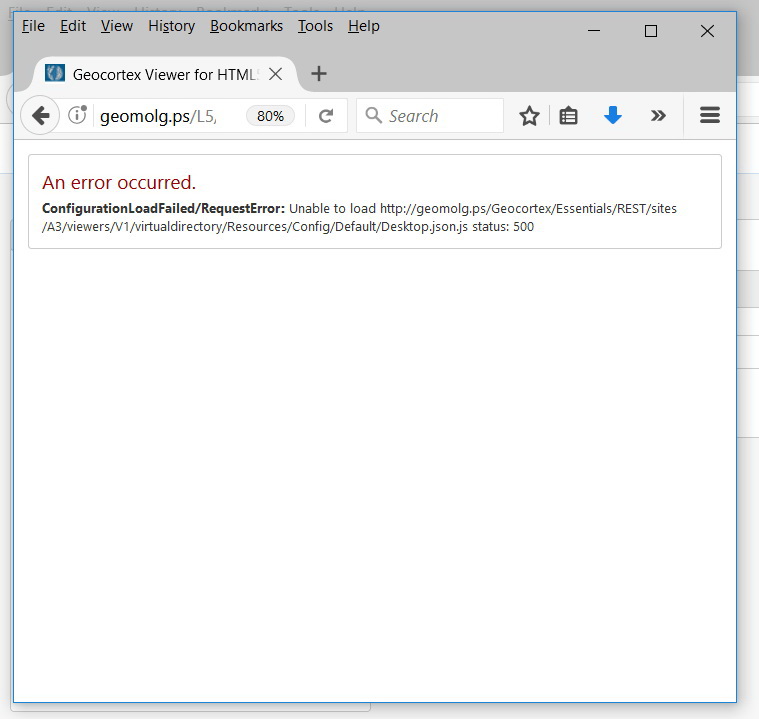 0
0 -
Services looks fine at the level of ArcGIS Server and no warning messages in the geocortex manager!! Very frustrating 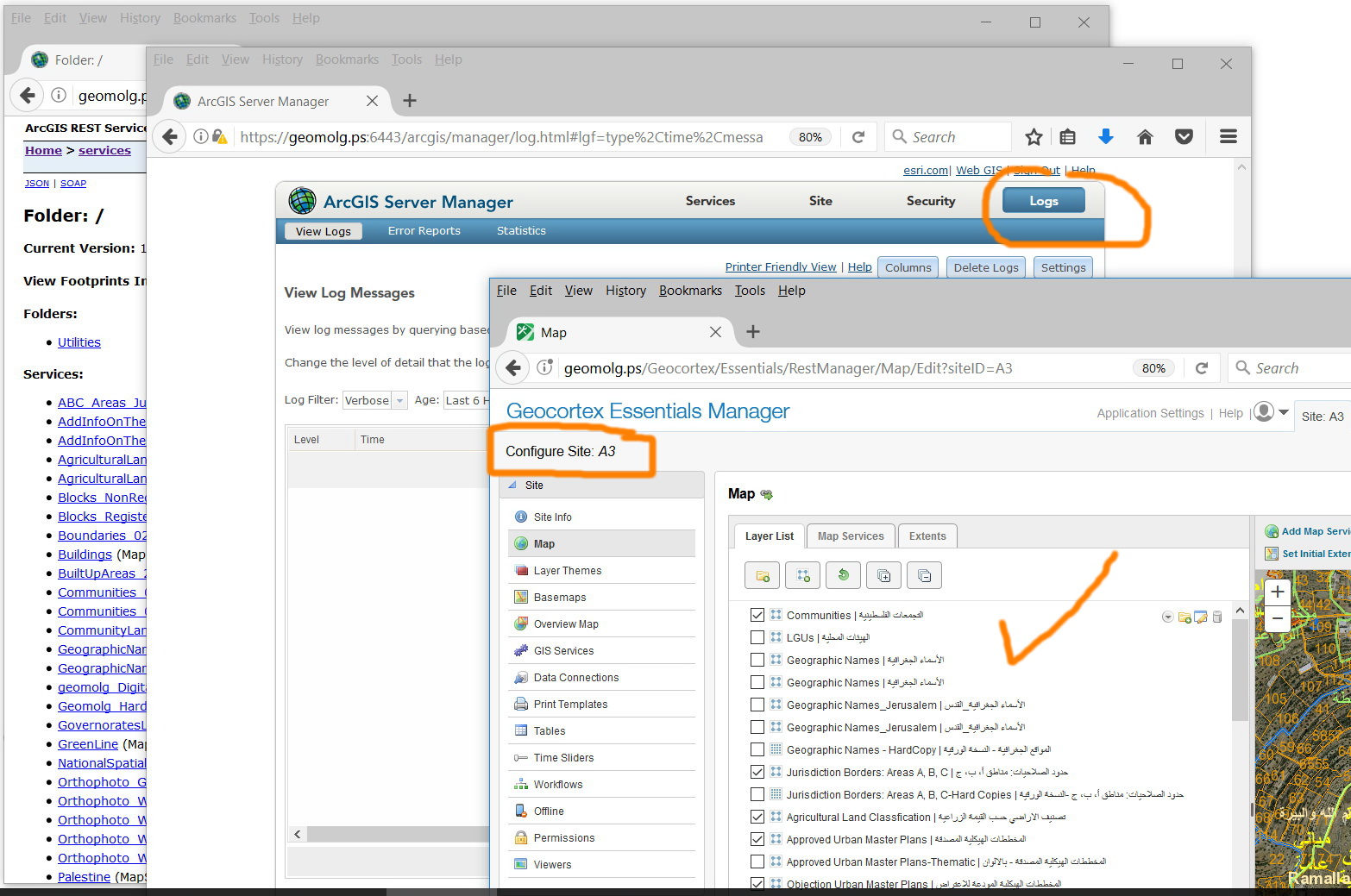 0
0 -
We just experienced a pretty much same error: 
All map services are checked good, and there is no custom workflow configured on the site. What could be the cause and how to fix?0 -
Hi Jamal and Jie,
Jamal, your error looks like something on the server side, and not necessarily with the viewer itself. A 500 error is a server error, so I would start by checking the server logs (the REST logs, and the Event viewer). It's possible this may be related to the app pools, so please try recycling them, and/or restarting IIS on the server.
Jie, if all your map services are OK, I would suggest you run your desktop.json.js file through a JSON validator, as I suggested previously (especially if you made a recent change to the desktop.json.js file, or the viewer configuration!) You can also use a text editor that will let you jump to the position that the error mentions, and (242822), and see what's there. That might give you a clue as to the source of the issue.
I hope this helps!
Thanks,
Danny0 -

Also got this error after editing site.xml. Restoring to backup did not fix it. Loaded site.xml into VSCode to find errors and could not find any. Essentials administrator loads site fine and will allow changes, but site still won't load. Had to create a new site and reconfigure from scratch. Is there an easier way to diagnose?
ConfigurationLoadFailed/RequestError: Unable to load /Geocortex/Essentials/REST/viewers/../sites/Prescott/viewers/h5v/virtualdirectory/Resources/Config/Default/Desktop.json.js status: 5000
Du måste logga in om du vill lämna en kommentar.
Kommentarer
13 kommentarer