Override Cached Scales

I know how to overide the minimum and maximum scales of the basemap, but is there a way to allow users to zoom to any scale, with the understanding that the basemap would turn off when the scale is outside of the service levels of detail. We have users that need to print at specific scales.
0
-

Have you tried adding custom scales to the print templates? While you can't zoom to the scale in the viewer, you may still be able to print from it. 0 -
Hi Shana,
You can set a new maximum scale in the "Map" module in the Viewer configuration in RestManager.
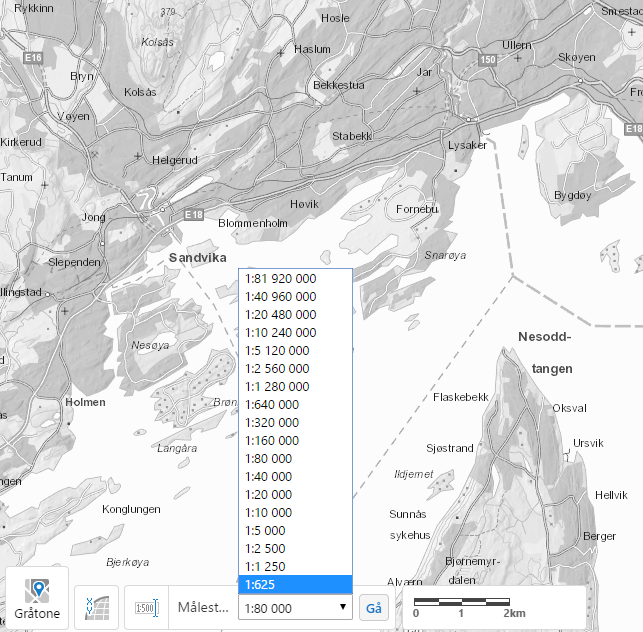
Here are a few screenshots of how to set this up. My HTML5 Viewer was originally configured to the ArcGIS Online maximum scale of 1:1250. I changed this to 1:625 as my basemaps support this level of detail. As you mentioned, the basemap will dissapear beyond that threshold.
Hope this helps!0 -
Scott: I have the max and min overide set and this works great for the min and max scale. It does not help with all of the scaled in between, though.
Dan: How do you set a custom scale in the print template? Would I do this is a workflow or can you actually set it in the print template itself?
Thank you both!0 -
Essentials>Site>Print Templates>your print template>Map Scales
We had to do this to account for the WGS84 skewing everything (along with the custom print templates from the Code Gallery).
Our print dialogue shows 1:1200, but the Scale set in the print template is 1:1601 so everything gets printed at the correct scale.
And our viewer will only show 1:1128 and all the other standard basemap scales, but everything prints fine.0 -
That worked! Awesome! Thanks so much! 0
Du måste logga in om du vill lämna en kommentar.
Kommentarer
5 kommentarer