Post Installation fails to show the names of all added viewers but it gives them the last added viewer name;

Hi All,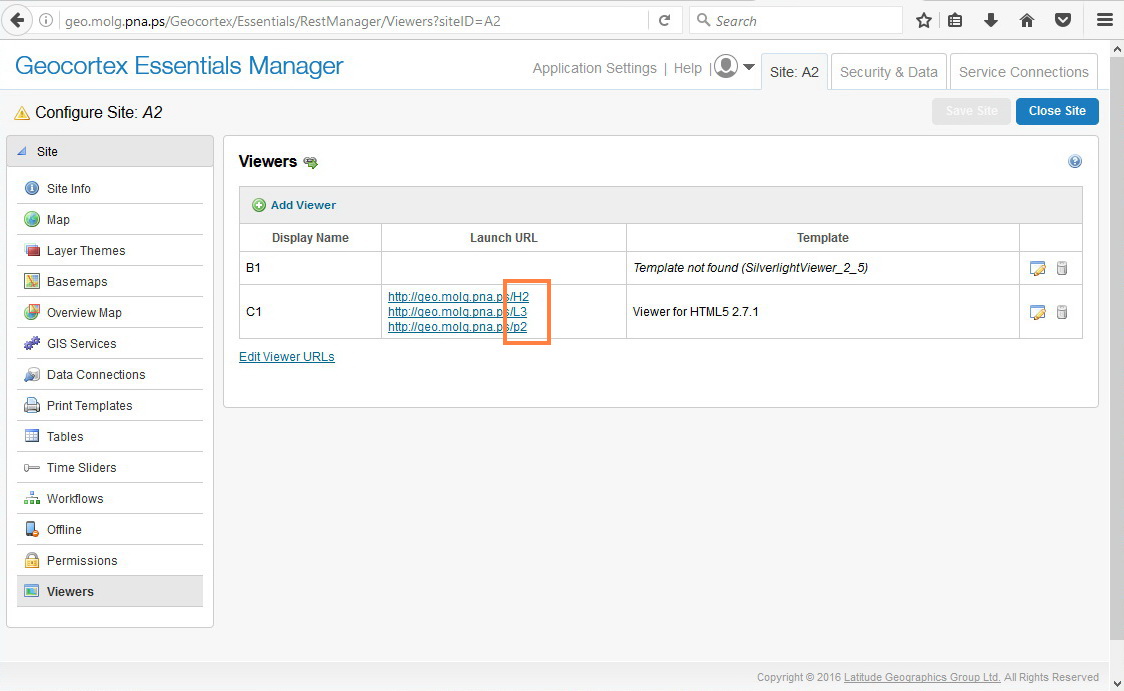
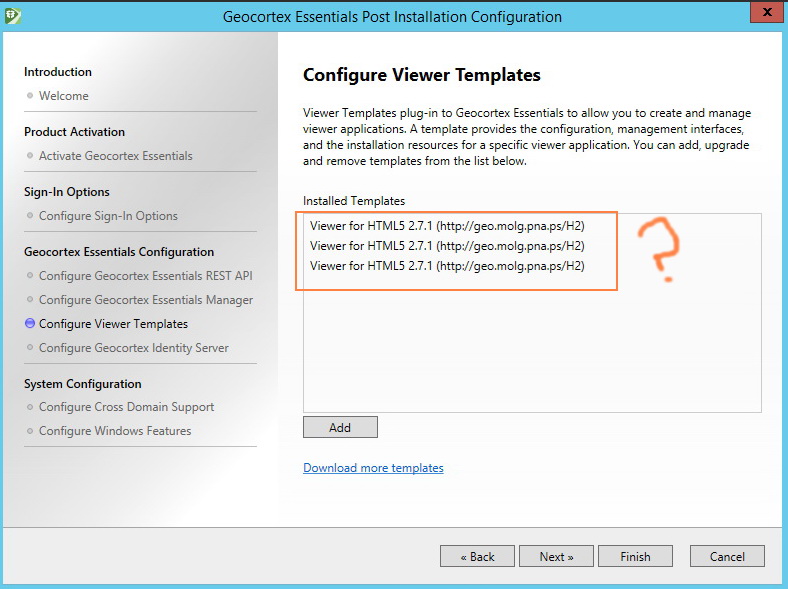
Post Installation fails to show the names of all added viewers but it gives them the last added viewer name.
For example, I have 3 viewer H2/ P2/ L3 as below
In post Installation I have 3 viewers but with the same name H2 which is the last added viewer
What might be the issue here?
Best,
Lubna
0
-
Hi Lubna,
I would have a look in the following folder -
C:\Program Files (x86)\Latitude Geographics\Geocortex Essentials\Default\REST Elements\Sites\Templates\
I believe you will see multiple copies of the same template causing it to be displayed multiple times in the Post Installer. In Essentials Manager you are seeing the contents of the file -
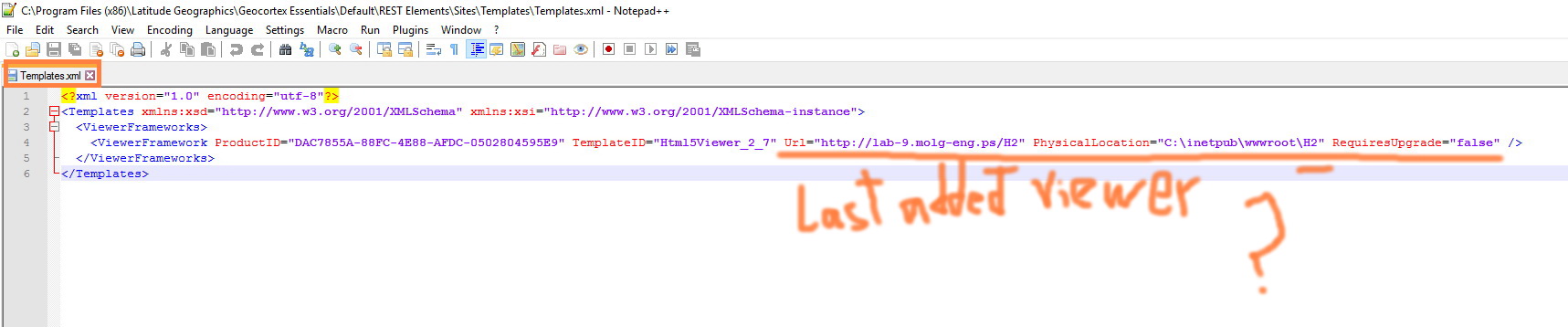
C:\Program Files (x86)\Latitude Geographics\Geocortex Essentials\Default\REST Elements\Sites\Templates\Templates.xml
I hope this helps, please let me know if you have any further questions.
Wayne Richard
Latitude Geographics Group Ltd.
Head Office: 300 – 1117 Wharf Street Victoria, BC Canada V8W 1T7
Tel: (250) 381-8130 | Fax: (250) 381-8132 | wrichard@latitudegeo.com
Developers of Geocortex web-based mapping software | www.geocortex.com
An Esri Platinum Business Partner0 -
Hi Wayne,
Happy new year :)
Thank you for your answer. Yes, you are right there is 3 template as below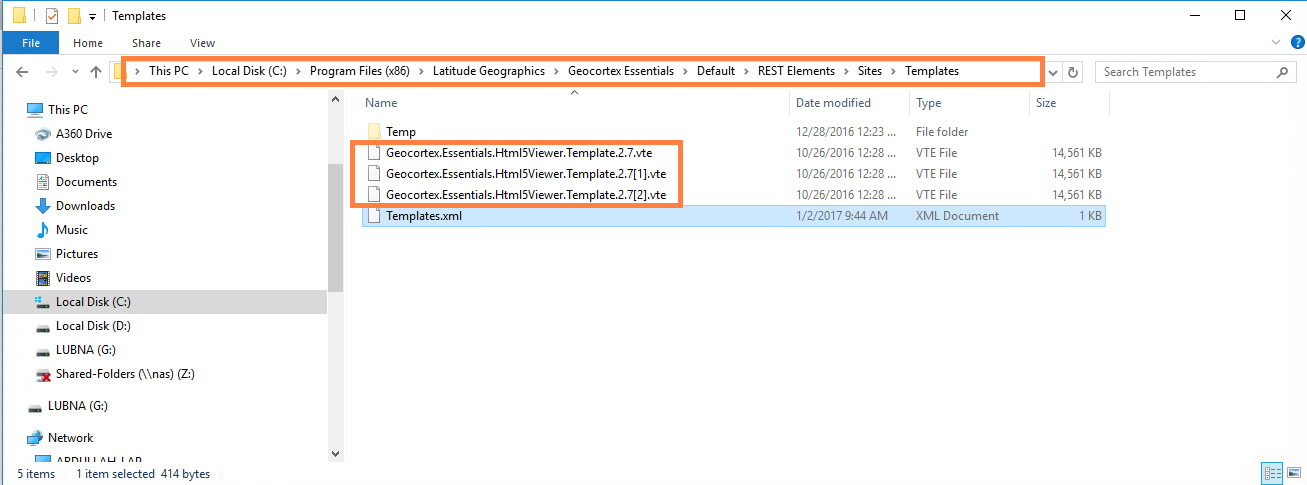
But when I tried to delete the latest added viewers’ templates (repeated viewers) in this path:
C:\Program Files (x86)\Latitude Geographics\Geocortex Essentials\Default\REST Elements\Sites\Templates
those viewers will be deleted from post installation which this I don’t want to have as below: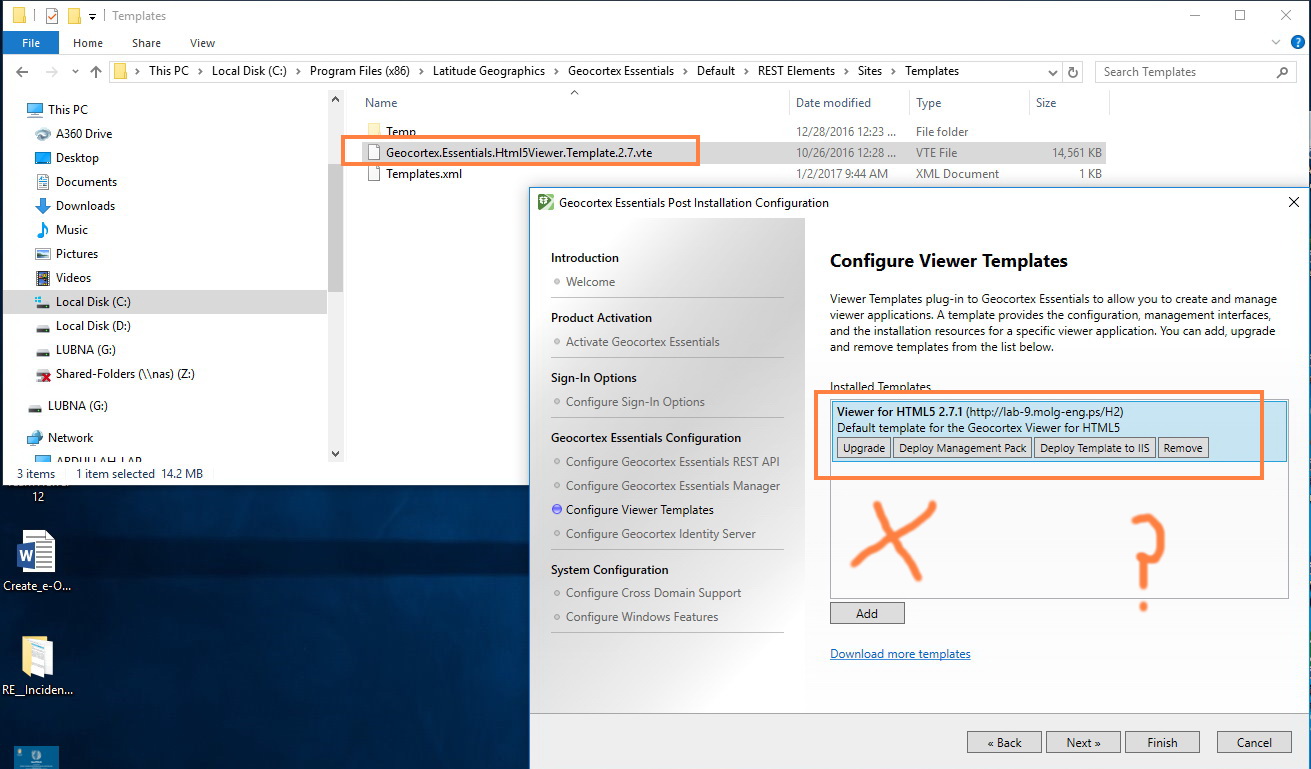
In my case I want to keep those viewers in post installation (some time I need to upgrade one of those viewers or delete it) but with their real name that I added not the last added viewer
There is a way to edit on the template.xml file so I can distinguish these 3 viewers that I added by their name?
Best,
Lubna0 -

Hi Lubna,
I reproduced this, it does look like a bug. The Post Installer reads the templates.xml and if there are duplicates of the same version of the viewer, then the first entry is the one used.
Example:
I deployed two HTML5 2.7.2 viewers name Html5viewer and Html5viewer2. The name will be Html5viewer2 for both templates in the Post Installer if it's entry is the first in the templates.xml.<?xml version="1.0" encoding="utf-8"?> <Templates xmlns:xsd="http://www.w3.org/2001/XMLSchema" xmlns:xsi="http://www.w3.org/2001/XMLSchema-instance"> <ViewerFrameworks> <ViewerFramework ProductID="E7A9CE23-E047-4732-B8B7-DEB7F694B696" TemplateID="SilverlightViewer_2_5" Url="http://mketler-2012/SilverlightViewer" PhysicalLocation="C:\inetpub\wwwroot\SilverlightViewer" RequiresUpgrade="false" /> <ViewerFramework ProductID="DAC7855A-88FC-4E88-AFDC-0502804595E9" TemplateID="Html5Viewer_2_7" Url="http://mketler-2012/Html5Viewer2" PhysicalLocation="C:\inetpub\wwwroot\Html5Viewer2" RequiresUpgrade="false" /> <ViewerFramework ProductID="DAC7855A-88FC-4E88-AFDC-0502804595E9" TemplateID="Html5Viewer_2_7" Url="http://mketler-2012/Html5Viewer" PhysicalLocation="C:\inetpub\wwwroot\Html5Viewer" RequiresUpgrade="false" /> </ViewerFrameworks> </Templates>I will file a bug ticket for this issue.
Thanks,
Mike Ketler0 -
Hi Lubna,
Have you reported this to the reseller?0 -
Hi Jamal,
Yes, I had reported it to the reseller. They back to me that It seems to be a bug.
Best,
Lubna0 -
This issue's ID is GE-6521. I do not have any word on its status currently. 0
Du måste logga in om du vill lämna en kommentar.
Kommentarer
6 kommentarer