Workflow error: User cannot access the desired resource

This has occurred since the upgrade to GE 4.6.1 and HTML V 2.7. Along with the upgrade, we implemented the Single Sign-on for Manager and Viewers (Windows Authentication).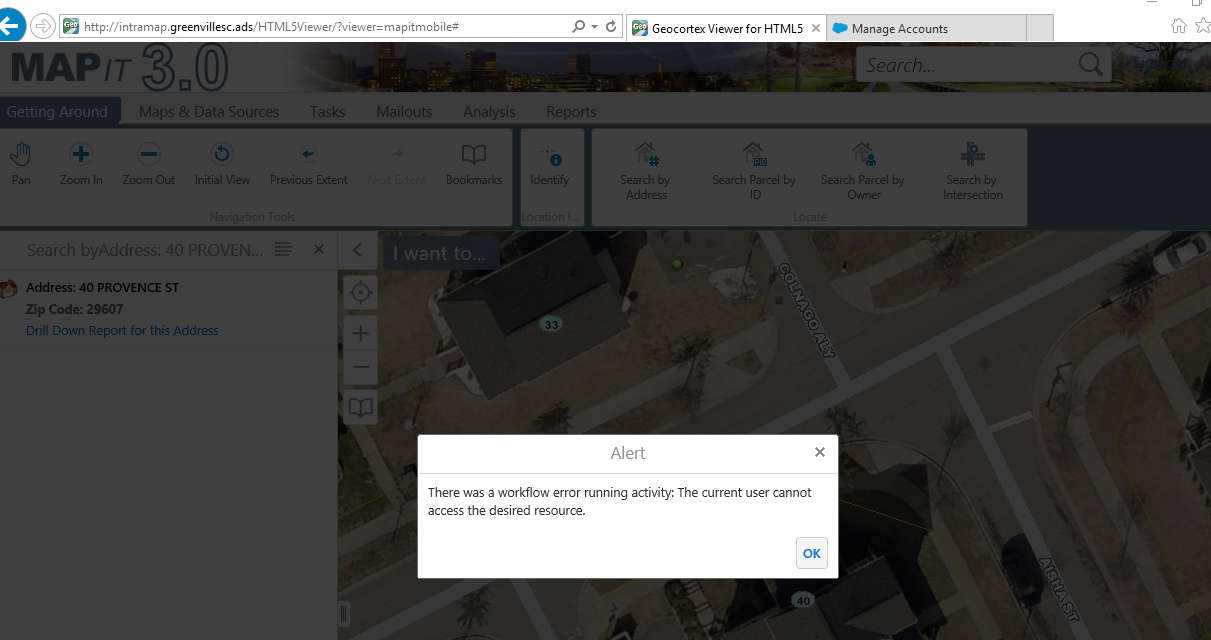
The user sees the error below when running the "Search By Address" button (which is our Search by Address Workflow)
This is an intermittent error. I have seen it once but didn't think much about it. We have two users that see this at least once a day if not more. They are using Windows 10 but with IE11.
They also use the same computer. Person 1 logs in in the morning but Person 2 comes in mid-day and logs in as herself. I thought it might have to do with single sign-on. But I tried to recreate their process and error but I have had no luck.
Has anyone seen this?
Thanks,
Carmen
0
-
Additional Info: One person in the above scenario uses two computers. When she uses the one with windows 10, she has the error. On her computer that is still Windows 7, she never has the error.
Thanks,
Carmen0 -
Anyone? 0 -

Hi Carmen,
I would double check and confirm that SSO is working on the workstations that are reporting this issue. It sounds like the user may not be authenticating properly. If you go to the site REST endpoint on the affected workstation, and manually sign in, then try to run the workflow again, does it work?
Thanks!
Danny0 -

We have this same issue when users attempt to access the Pictometry resources through the third-party app window. It does not work in IE11 but does work with Chrome. Affected users are running Windows 10. Unfortunately switching to Chrome is not a viable solution. 0 -
I'm also getting this error and I just upgraded to 4.7.1. On one screen I am looking at the REST endpoing and on the other, Workflow Designer is telling me I don't have access. 0 -

I'm getting this error now too today, but mine is since upgrading to GVH 2.8.1. GE is still at 4.6.3. My error happens in QueryTask and I can't figure out what's wrong there. It worked fine before the GVH upgrade, so I suspect there's nothing wrong in QueryTask because it worked before. 0 -
Hi All,
Here's a couple of things you can check:
1) What user are your app pools running as? Did that change when you upgraded?
2) Try changing the app pool users to run as the Network Service user, and see if it helps.
3) On the user's PC, navigate to the ArcGIS REST endpoint, and see if you can execute a query. Do you need to sign in?
Issues like this can be a little tricky to troubleshoot over the forums, so if all else fails, please open a support case so we can assist you directly!
Thanks, I hope this helps!
Danny1
Du måste logga in om du vill lämna en kommentar.
Kommentarer
7 kommentarer