Identify the parameters in the Geoprocessor activity in Geocortex Workflow designer (Utility Network Analyst Tool)

Hi All,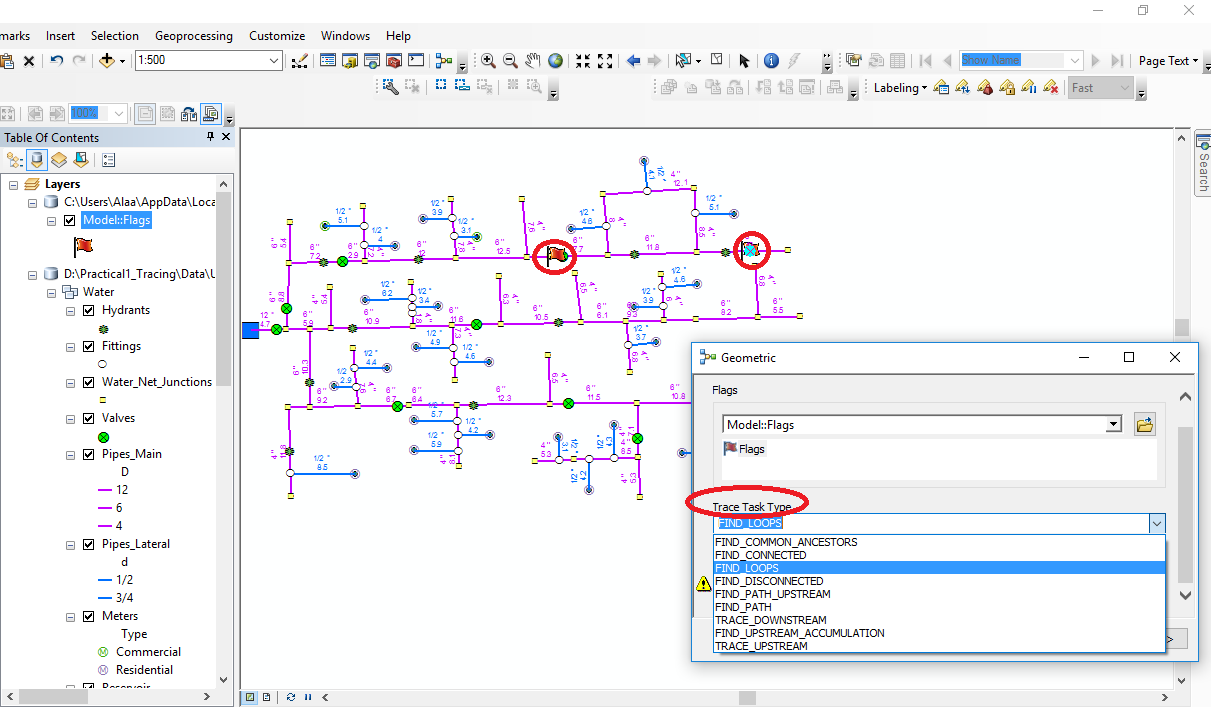
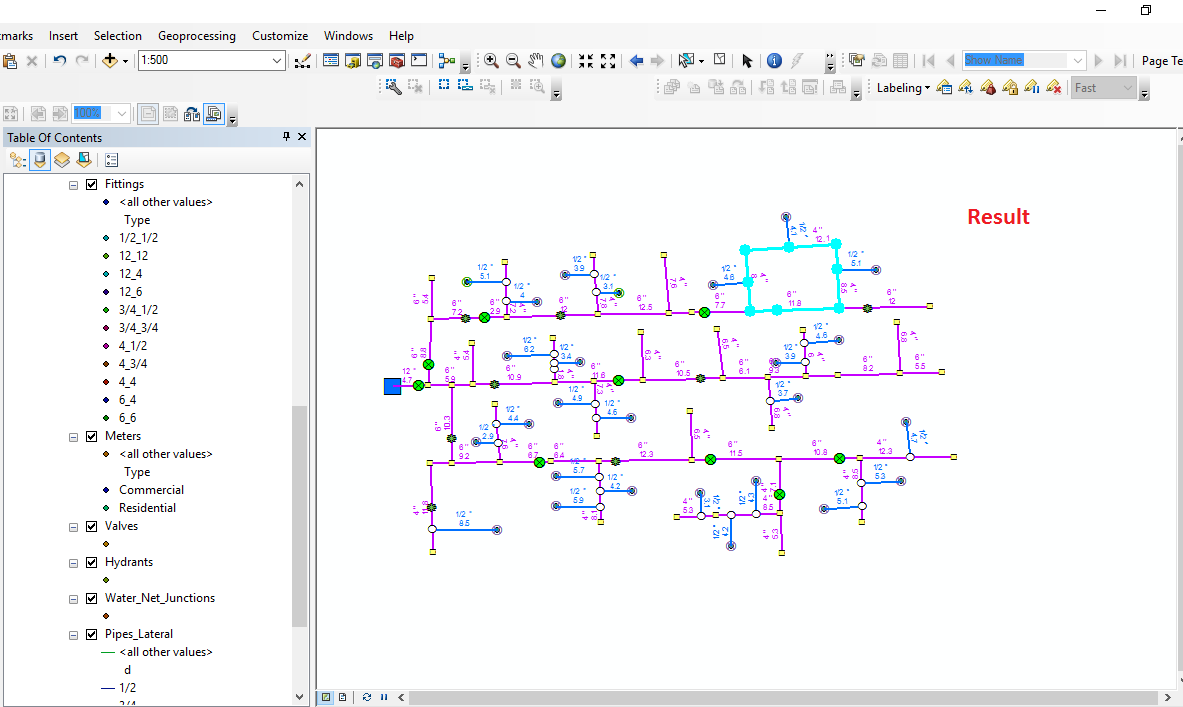
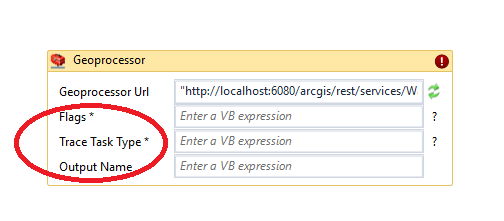
I’m in the process of deploying Utility Network Analyst ArcGIS Tool in geocortex. I prepared a model & published it as a geoprocessing service (with a result map service) and I’m trying to build a workflow and include a geoprocessor activity. The question is how to identify the parameters in the geoprocessor activity.
For more clarification, here’s what each parameter indicates:
Flags: to identify where the process is taking place in the network (by identifying two points)
Trace Task Type: select the required task from a list
Output Name: Output Group Layer Name
What do you think?
Thanks!
0
-

It seems to me that you've already identified those parameters swimmingly... so do I not understand what the problem is? Are you wondering how to pass values into those parameters? 0 -
Yes, exactly. This is what I'm asking about. I'm trying to explore how to pass values into those parameters.
Best0 -
You may be able to pass strings into those parameters, otherwise you will need the GPString class found in ESRI.ArcGIS.Client.Tasks. You can construct these easily enough using "New", for example "New GPString("parameterName", "parameterValue")" 0 -
Thanks Zack,
Here’s what I have done:
For each parameter in the geoprocessor activity;
Flags: I used captured geometry as an output and used [ New GPFeatureRecordSetLayer("Flags", geometry) ] to pass it’s value to the geoprocessor.
Trace Task Type: I retrieve the choice list from the task service using List To Data Item List activity,[ New GPString("Trace_Task_Type", "TraceTaskTypeOutput") ]
Output name: I used a Gpstring variable type expression [ Results].
When deploying the workflow in geocortex, I received the following error:
'The geoprocessor operation did not complete successfully and returned the job status 'esriJobFailed'.' in activity '1.4: Geoprocessor'.
What might be the issue here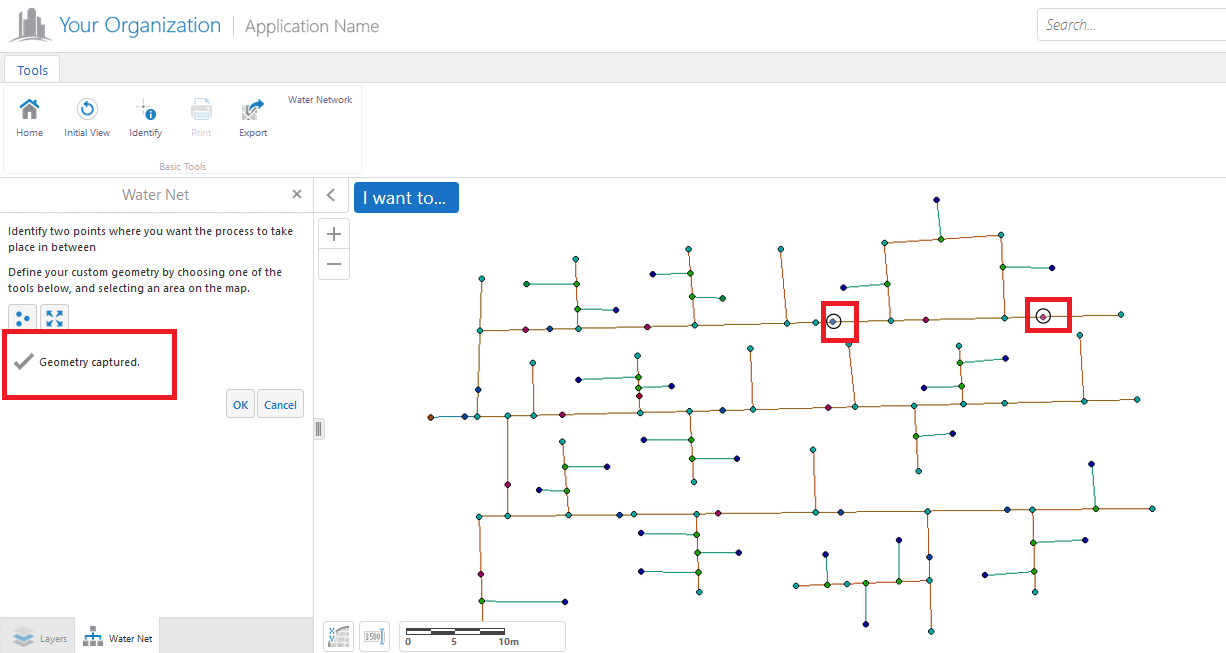
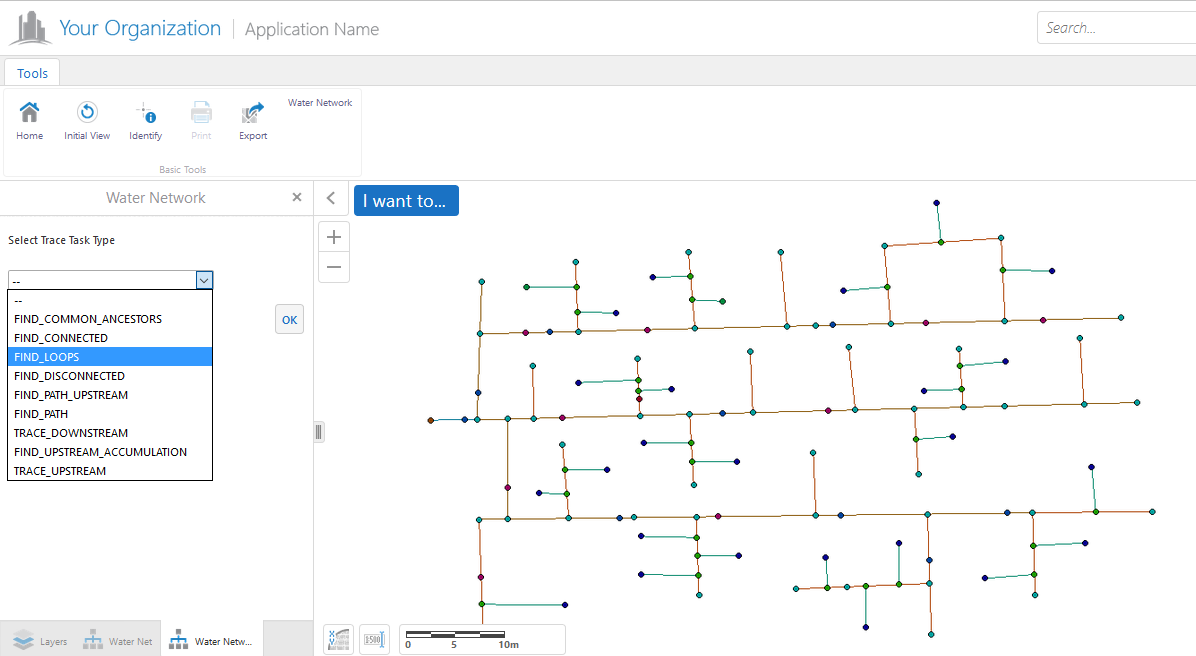
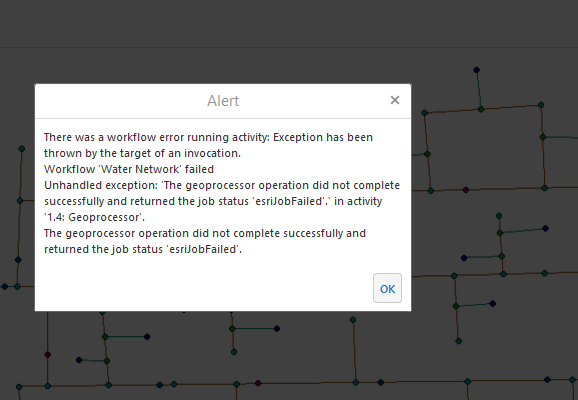
Any help would be appreciated.0 -
Majdoleen, I apologize for not responding sooner. If you still haven't resolved this, I would try making a request directly to the rest endpoint for the geoprocessor using the same variables that you're sending from the workflow. If you're comfortable with tools like chrome's network dev tool or fiddlr then you may be able use them to record the call to the geoprocessor and strip the variables from that request, otherwise you can generate them in the workflow and have an alert activity report them to you. The second variable is just a string, but the first looks like a geometry which you're probably bettor off haveing the computers build for you than trying to write the json yourself.
After you've acquired the two variables, navigate to the rest endpoint for the geoprocessor task and use them to run it. Hopefully, it will fail and give you a useful error message which you can use to move forward from there. If not, you could have the server administrator look at the log for that service and report what they find to you (or, if you are one such admin, you can look for yourself!). If it works from here, then you have a head-scratcher. Might be a typo in a parameter name or something.0 -
Thanks very much for your valuable help Zack.
I will take this into consideration.
Best,0
Du måste logga in om du vill lämna en kommentar.
Kommentarer
6 kommentarer