ScriptError

Every once in a while, I get these ScriptErrors appearing prior to my viewer starting. I can't seem to get Shift <ESC><ESC> to display at this time. 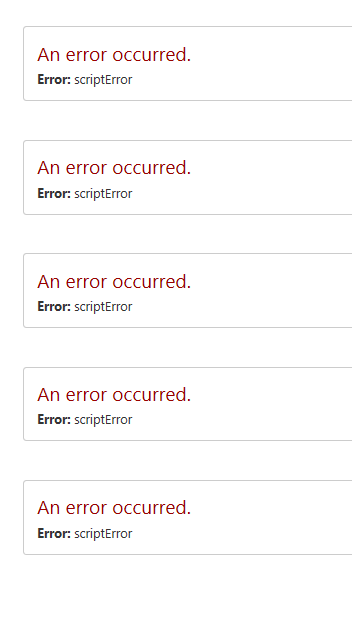
Odd enough, the errors just disappear without any changes to the site or viewer.
0
-
Hi Walter,
If the viewer hasn't loaded, the log view won't be available. That looks to be the case here, although I should point out that for the HTML5 viewer, the keyboard shortcut for the log view is CTRL + SHIFT + ~ . On touch devices, you can launch the log by pressing and holding the banner with a finger (this also works with a mouse, if you forget the keyboard shortcut).
The next time it happens, you can try bringing up the browser's developer tools (F12) to see if the error is reported in the console. You could also check Essentials' logs to see if anything is reported there. The default location for those is in C:\Program Files (x86)\Latitude Geographics\Geocortex Essentials\Default\REST Elements\REST\App_Data\Logs.0 -
Jordan,
There are no entries made in either of the log files on my server where my site exists. I also tried to short cuts to access the viewer logs, but while the error is appearing on my screen, the short cuts do not function.
As before, without any changes to my site, the error disappears and my viewer opens.
I had Fiddler open when the error appeared, but there was no indication from Fiddler that any errors were encountered.
Walter0 -
Okay. And there's nothing more in the browser's console? 0 -
Jordan,
The next time this scripterror happens, I'll be ready to capture more details for you with IE Dev tools.
As of right now, my viewer is working well.
Walter0 -

I'v seen a comparable issue but then a ResourceLoadError. This was logged as bug GVH-11260 in GVH 2.6.1 and was fixed in 2.7. Perhaps the issue is related. 0 -
Jordan,
I've encountered that scriptError again, but this time I had my IE developer tools running.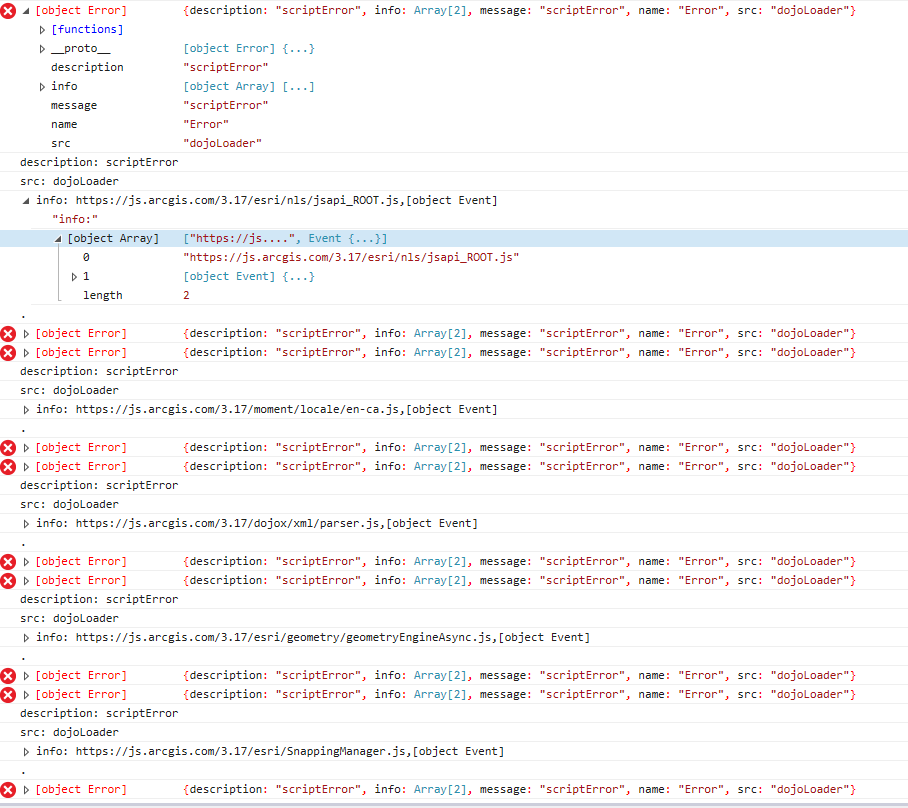
Again, this error is intermitten.
But I'm perplexed that I have not seen any other community postings regarding this script Error.
Walter0 -
Ah, Nico's right; it does look similar to GVH-11260. Is this viewer using Windows integrated authentication? I would open a (To: support@latitudegeo.com) support case for this so a member of the support team can take a look under the hood. 0 -
I would be interested to hear the findings here. I have an end user with this same problem. I have not been able to reproduce the error though. 0 -
Chris,
Am glad now to hear that other users have experienced this. Now I know that it's not site specific.
I was going to make a support case, but it sounds like a bug to me.
Walter0
Du måste logga in om du vill lämna en kommentar.
Kommentarer
9 kommentarer