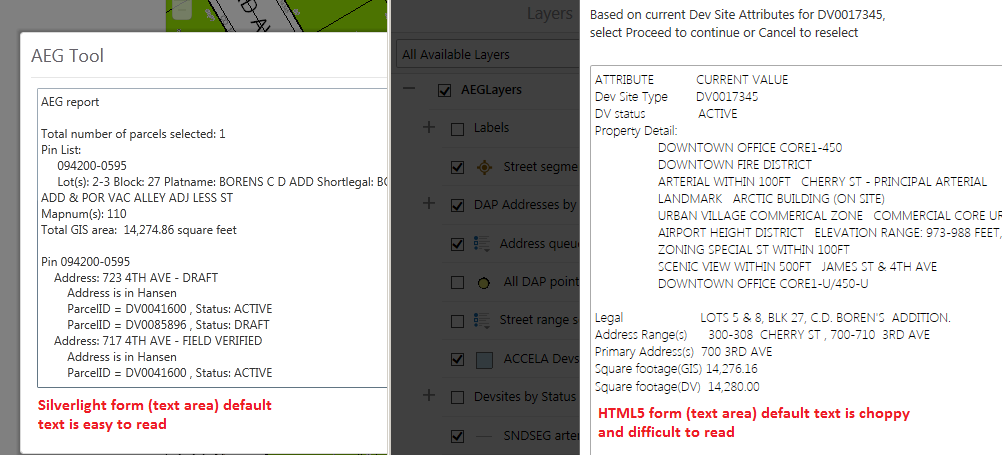
Does anyone know how to change the default text style in the HTML5 viewer 2.7.1? My workflows contains forms, specifically in the textarea box; the default text displays 'crappy' and difficult to read. Thanks for your help.

0
-
Hi Ken,
You can try using a Group form item instead of a textarea box so you can add in some inline CSS styling to format the text. Similar to how the Feature Description in Essentials Manager works. However, this will only work in the HTML5 viewer. If you use the same workflow that contains the inline CSS, the Silverlight viewer will not be able to understand that and just print out the CSS as well.
I hope this helps.
Carmen0 -
That did it, looks just like Silverlight and a bounding box! Thanks Carmen. 0
Du måste logga in om du vill lämna en kommentar.
Kommentarer
2 kommentarer