Pass Variables to Report Title

I'm attempting to pass a begindate and enddate to be part of a title of a report.
Is there are way to achieve this?
Walter
0
-
Francesca,
Thank you for your response. I've used template reports before, but I was hoping to be able to supply a variable to a report, not to be shown in the details portion of the report, but rather the title.
I have a precipitation report and I wanted to put the date beside the title to indicate the date that the client selected at the beginning of the workflow. For example:
Report Title = PRECIPITATION REPORT FOR : {BeginDate} + {EndDate}
Walter0 -

Walter,
This is assuming you are building a Dataset in your workflow to pass to the report.
The example below is adding "addressText" to a datatable and then to a dataset. This was just a small portion of the long workflow so I am only sending snippits instead.
addressText is a variable in my workflow that is capturing what the user entered as an address.
addressDataTable is set as a variable DataTable type and default is
new system.data.datatable("Address_DataTable") --- the name is important for the report.
myAddressList is type IList[String]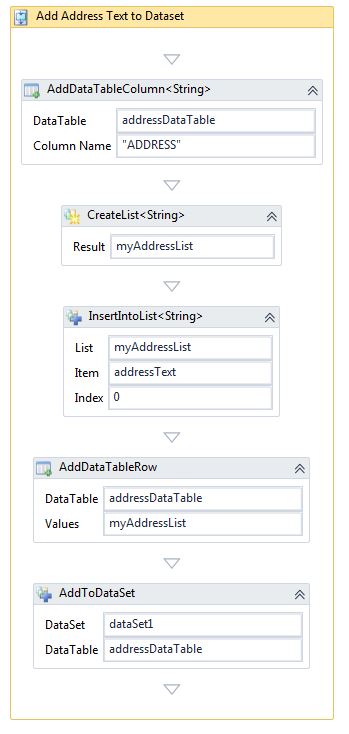
Next, in the Main Report for the title, I am referring to a subreport called Address_SubReport.rpx and passing the datatable NAME that I set above in the variable setting (ie. Address_DataTable)
Below is screenshot of MAIN Report: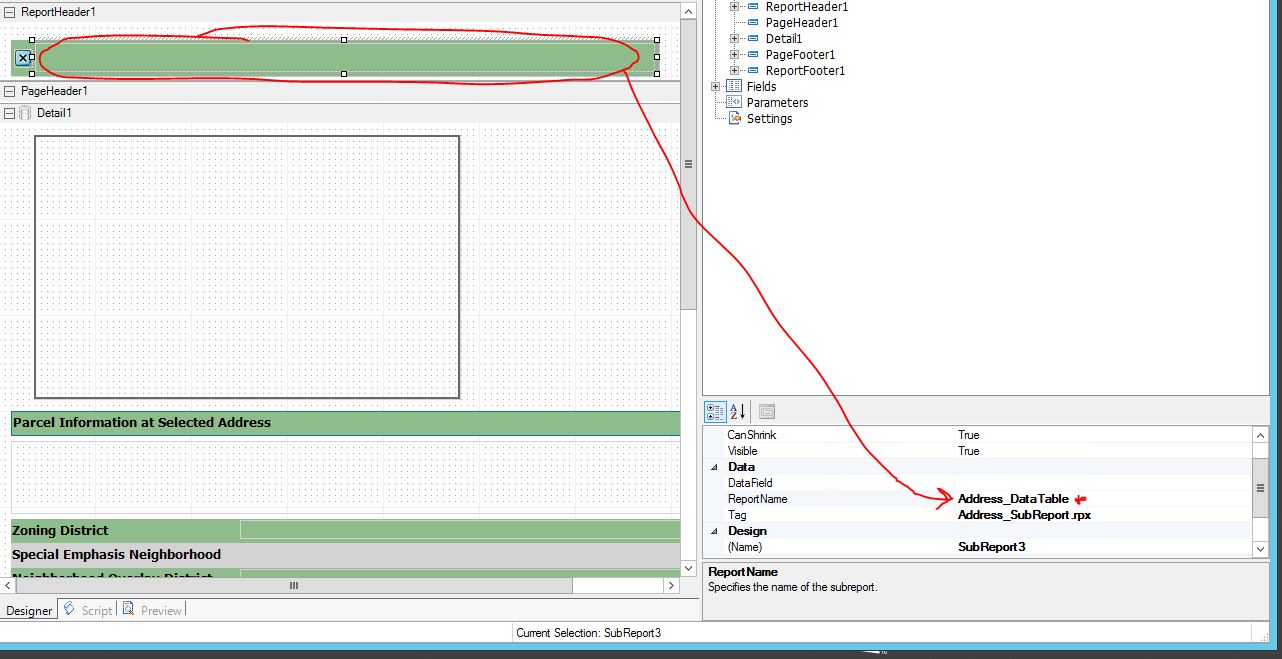
The subreport called Address_SubReport is a simple one liner but the datafield is set to:
"Drill Down Report at " + ADDRESS (where ADDRESS is what I specified when building the table in workflow).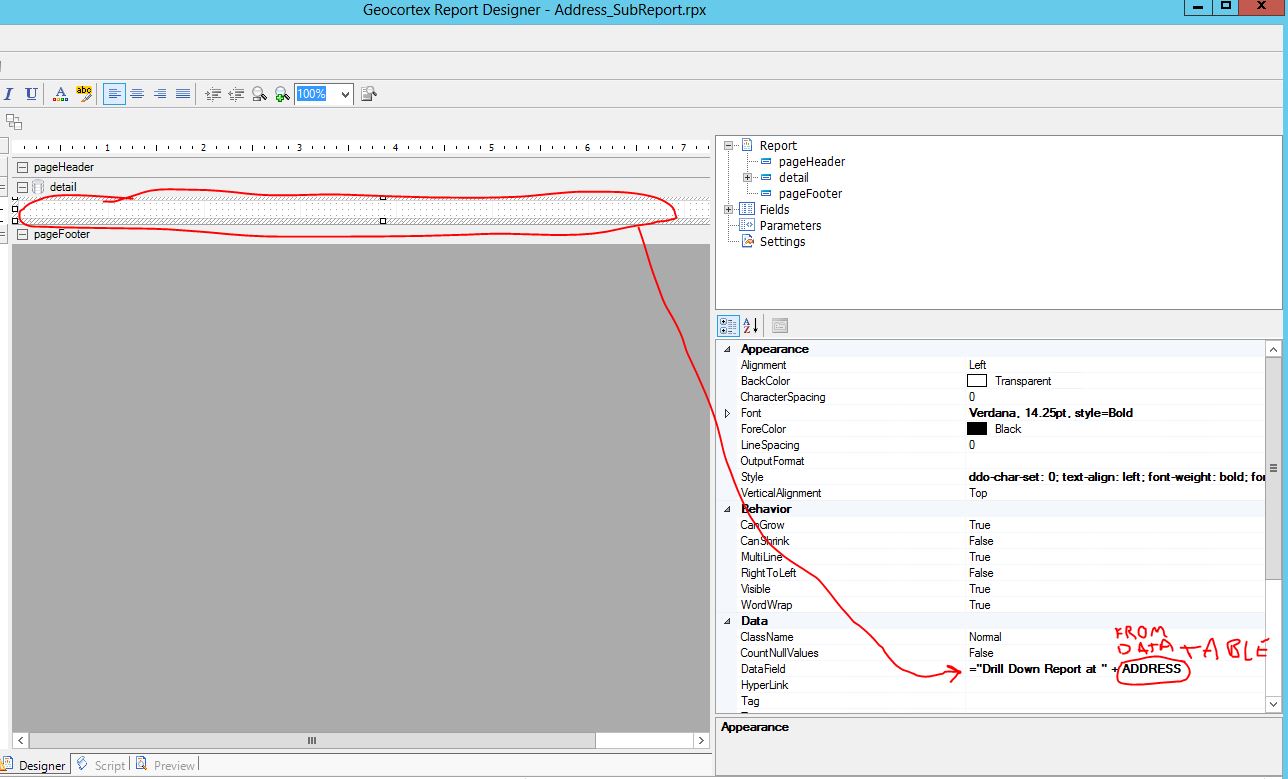
If you want to see this in action, go to:
https://gis.greenvillesc.gov/Html5Viewer/Index.html?viewer=AddressSearch
Choose Search by Address and Create a Report (206 S MAIN ST will work)
Hope this helps some.
Carmen0 -
Carmen,
Thank you for your detailed response.
I appreciate your assistance and will attempt to populate my report with a datatable from the workflow.
Walter0
Du måste logga in om du vill lämna en kommentar.
Kommentarer
3 kommentarer