Show images instead of hyperlinks in data link

I have made a successful one-to-many data link that basically relates a location point to many images. The data link shows the http location of my images on my internal server (no permission problems). I am trying to configure the data link to show the actual image and not the hyperlink to the image. Is this possible?
Here is what the links look like in the Feature Description (they are pretty rough right now, I intend on cleaning these up, but am just testing right now):
_img_ alt="Showing Feature Description" src="https://latitudegeo--c.na53.content.force.com/servlet/rtaImage?eid=90660000000Gu28&feoid=Body&refid=0EM60000000Ujhn"_/_img_
And here is what "drilling down" into one result looks like:
_img_ alt="One Feature result" src="https://latitudegeo--c.na53.content.force.com/servlet/rtaImage?eid=90660000000Gu28&feoid=Body&refid=0EM60000000Ujhs"_/_img_
Obviously, I am trying to configure the viewer so that it shows an image using the <img src> html functionality, but this does not show as expected in the viewer. The http hyperlink works as expected, so I know there is an image to display.
Any advice? Thanks!
0
-

Hi Michael,
Unfortunately applying HTML to data returned from a data link isn't currently possible. If this were a one to one relationship, we could display the image in the parent feature's description using replacement tokens, but that won't work for a one to many relationship.
I would recommend posting to our (https://support.geocortex.com/GSCIdeas?c=09a6000000008RsAAI&filter=1&categ=all&sub-nav=ideas&main-nav=essentials&page=1) Ideas section , requesting that we either allow some basic HTML here or provide (for data links) an equivalent to the configurable feature description that layers and search tables have. That would be applicable to your case, and also help users that want to configure more attractive hyperlinks from their data tables.
Thanks,
Amanda0 -
A simple solution would be to display a preview in a floating window.
When the mouse hovers over a clickable URL defined in a DataLink,
and (if the url ends with .png or .jpeg or .jpg)
then display a popup html5 preview.using arbitrary width defined in the Layer Details tab (height keeps ratio)
Link this:
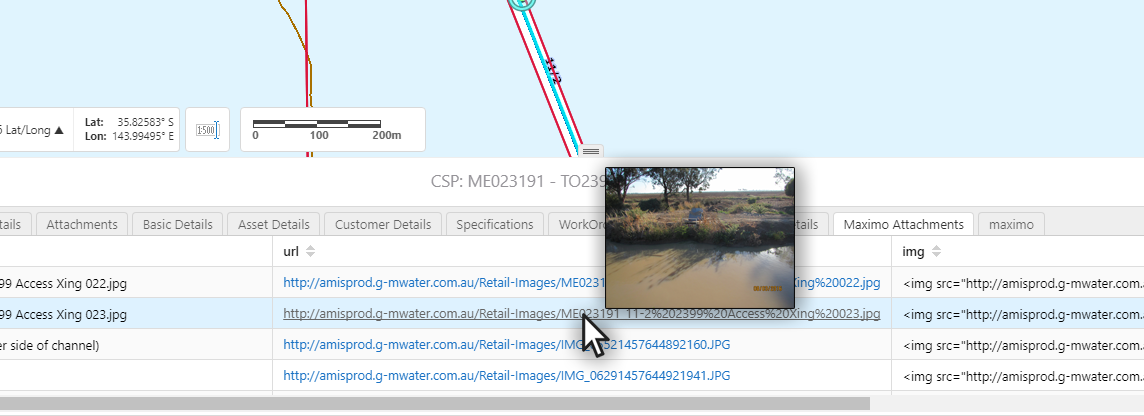
setup with like this: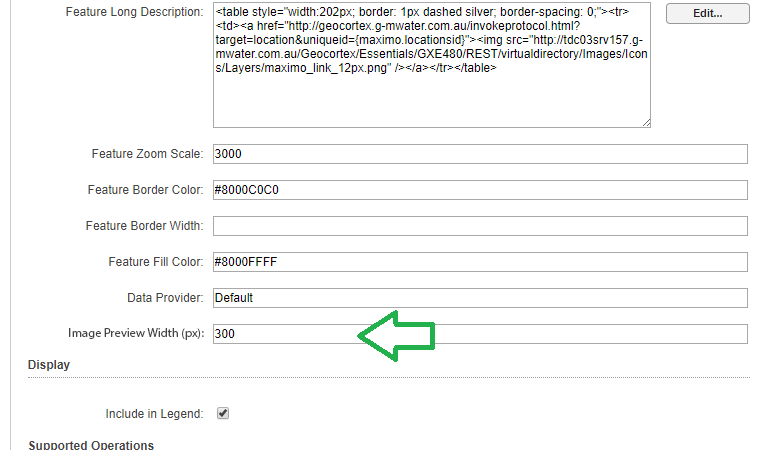 0
0 -
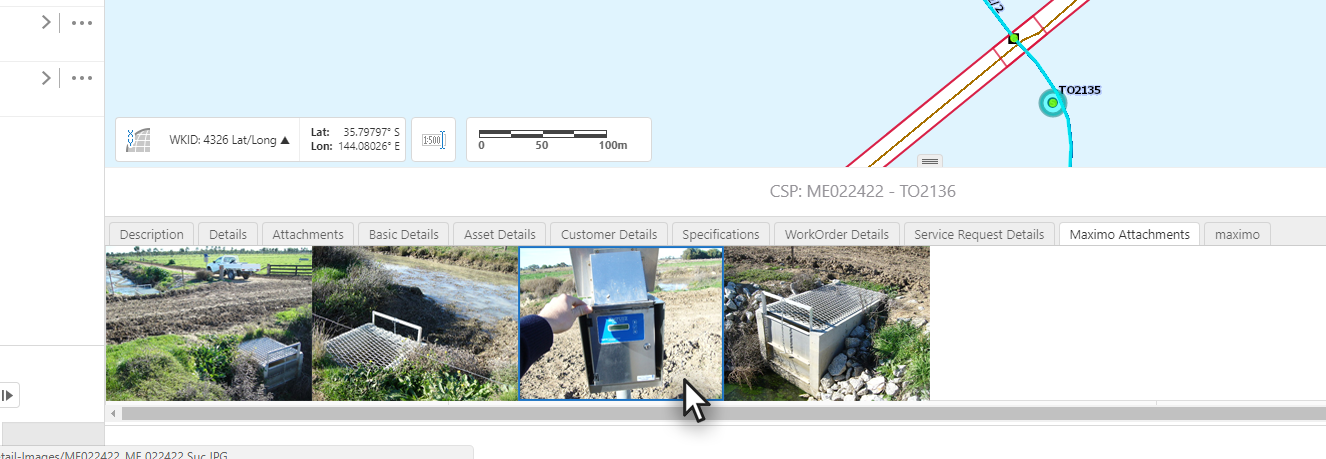
Alternatively, create a new type of DataLink called an "Image Thumbnail DataList" where the GIS Admin fills in a form (wizard-like) to craft a URL to image(s) (one to many). The result would be a new tab in the Expanded View, where images would be listed horizontally.
PDF or other formats could be displayed as simple icon (same height)
Like this:
 0
0
Du måste logga in om du vill lämna en kommentar.
Kommentarer
4 kommentarer