Geocortex unable to sign in

Hi
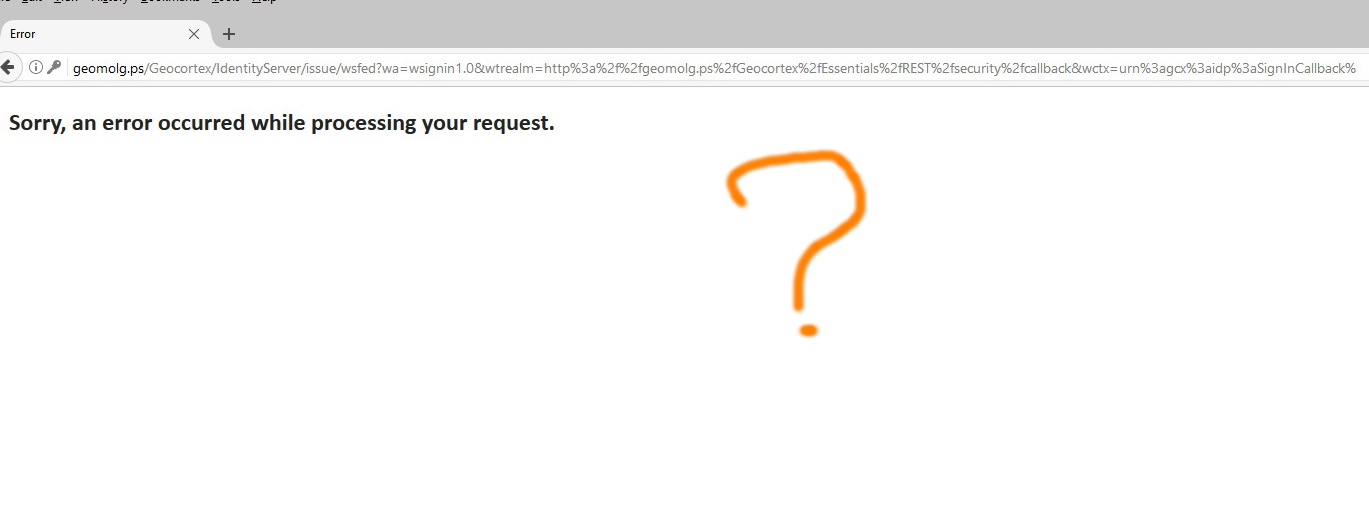
When I try to sign in I found the following message “Sorry, an error occurred while processing your request”
what might be the issue her?
0
-
Hello Abdullah,
Issues like this are difficult to troubleshoot without looking at the server that Essentials is hosted on. Here's a couple of things you can try:
1) Post a screen shot of the error, including the URL that is in your browser when you arrive on the error page
2) Re-run the Post installer
3) Restart the IIS app pools
4) Restart IIS
If all else fails, try opening a support case with your reseller so they can help you with the issue.
Thanks!
Danny0 -
Hi Daniel,
Thank you for the feedback regarding the failure of geocortex to sign in (Sorry, an error occurred while processing your request)
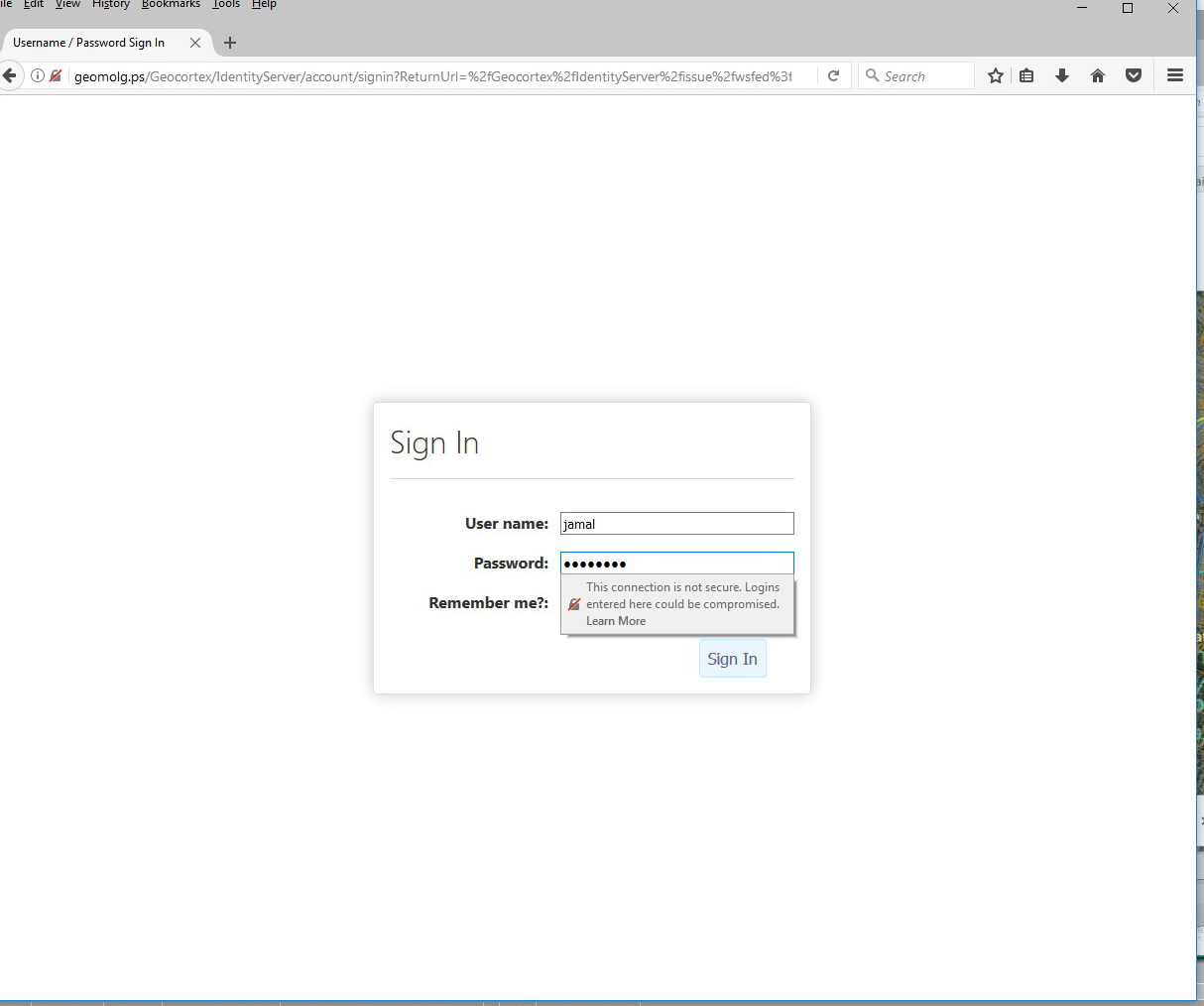
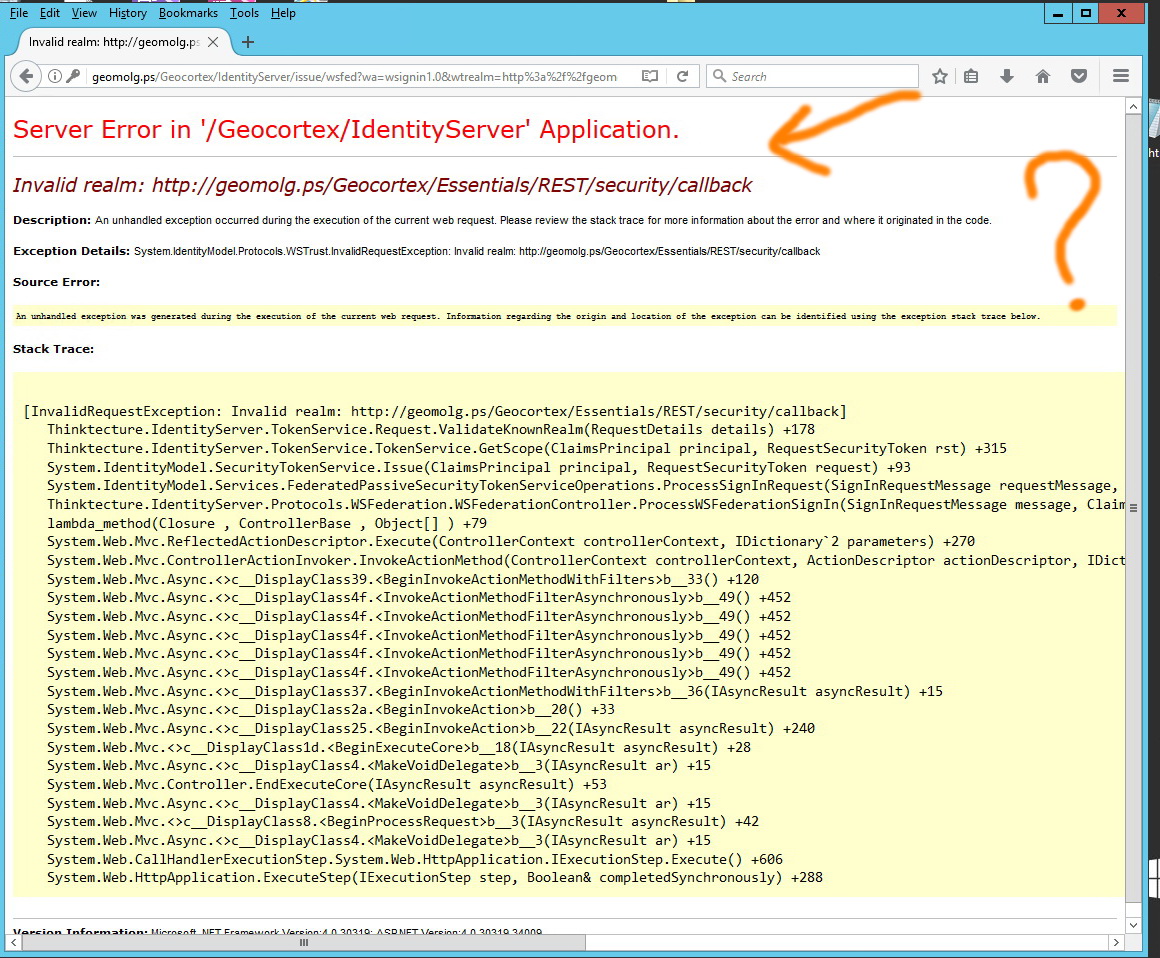
It is very frustrating that all the workarounds you have kindly suggested did not work. I would like to share with you some screenshots. In addition to that I would appreciate if you try to access the application yourself with the logins below:
http://geomolg.ps/
user name: jamal
passwprd: 12345678
Also, we have already contacted the reseller and they are working on it at the moment but with no solution
Have you ever encountered this issue?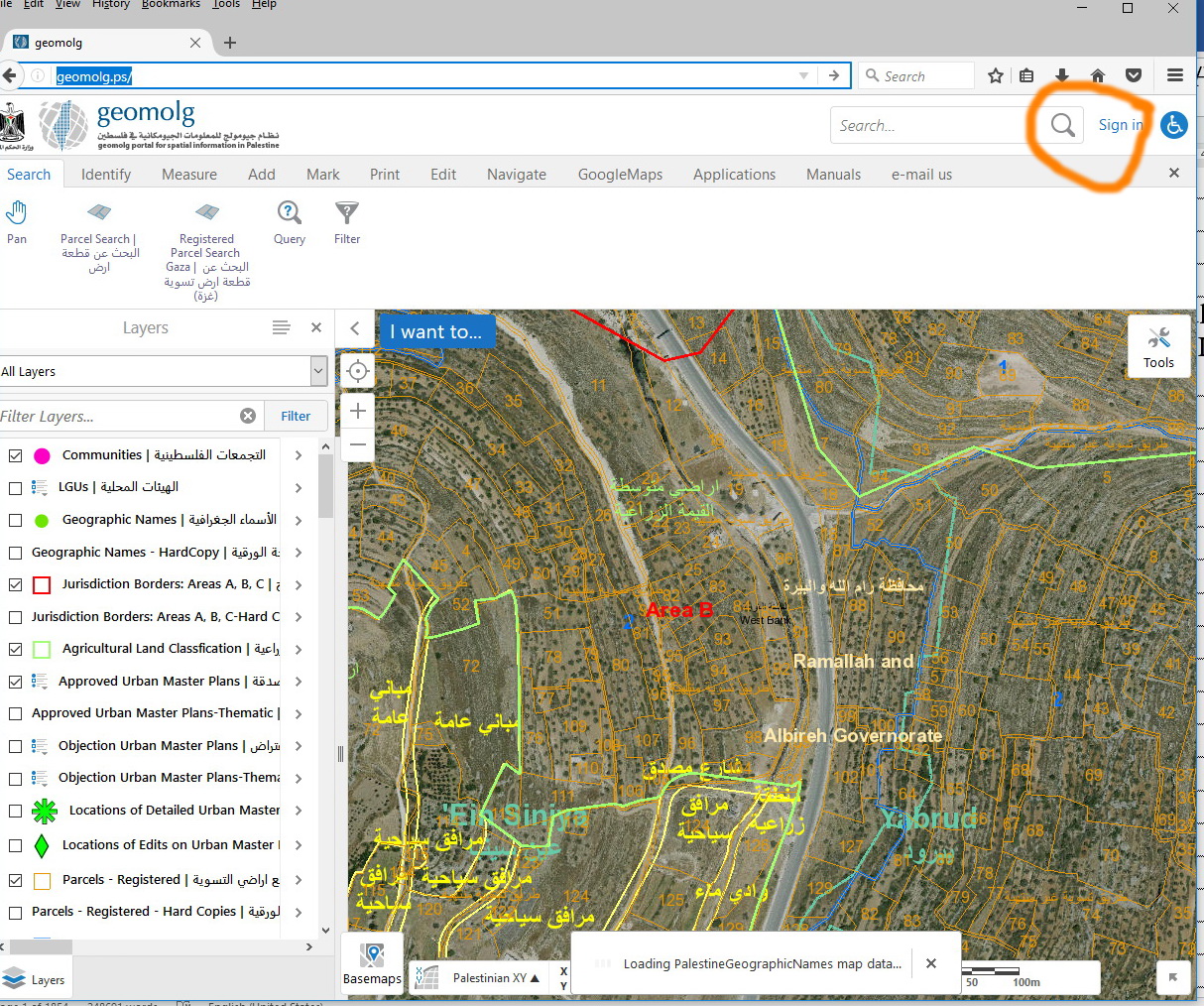
 0
0 -
Hi Jamal,
Thanks for including that last screenshot, that really helps! It looks to me like the domain http://geomolg.ps/ is not a valid realm to be called back to. This realm is populated through the host list in the Post installer. Can you please confirm whether or not that domain is in the Post installer host file?
You might also want to check that the domain appears in the redirects list, per the following screenshot: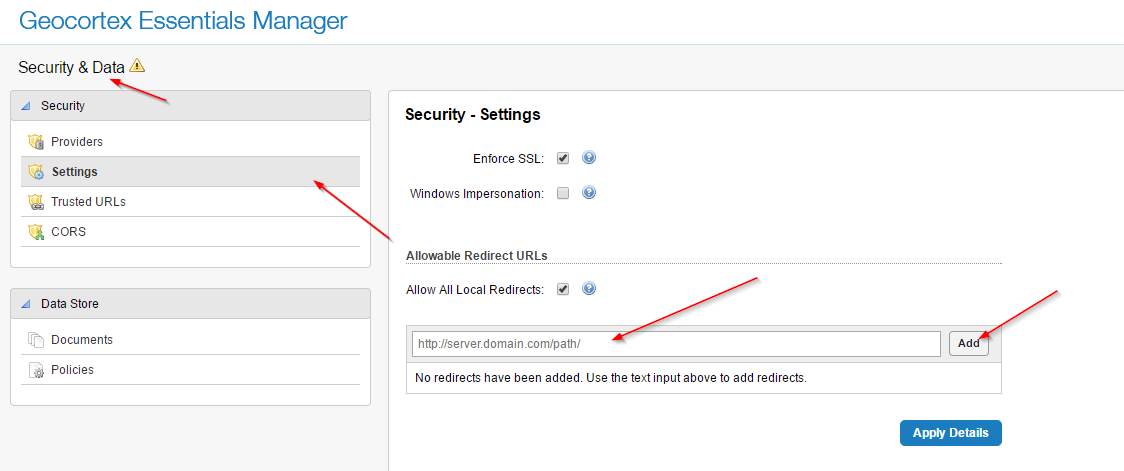
I hope this helps!
Danny0 -
Hi Daniel,
The post install host and redirects are as shown on the screenshots below. Are they correct? What other settings we may need to check to resolve the issue.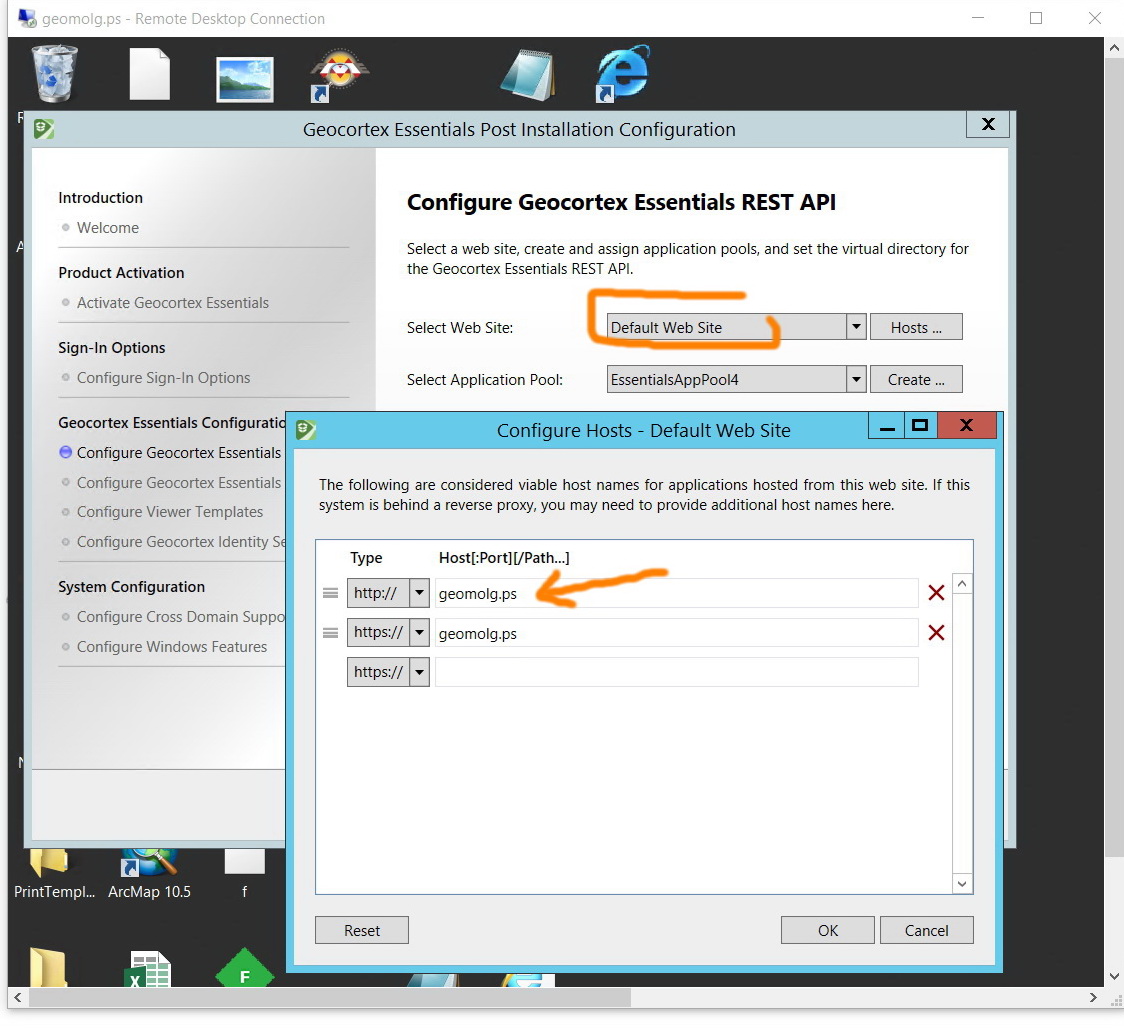
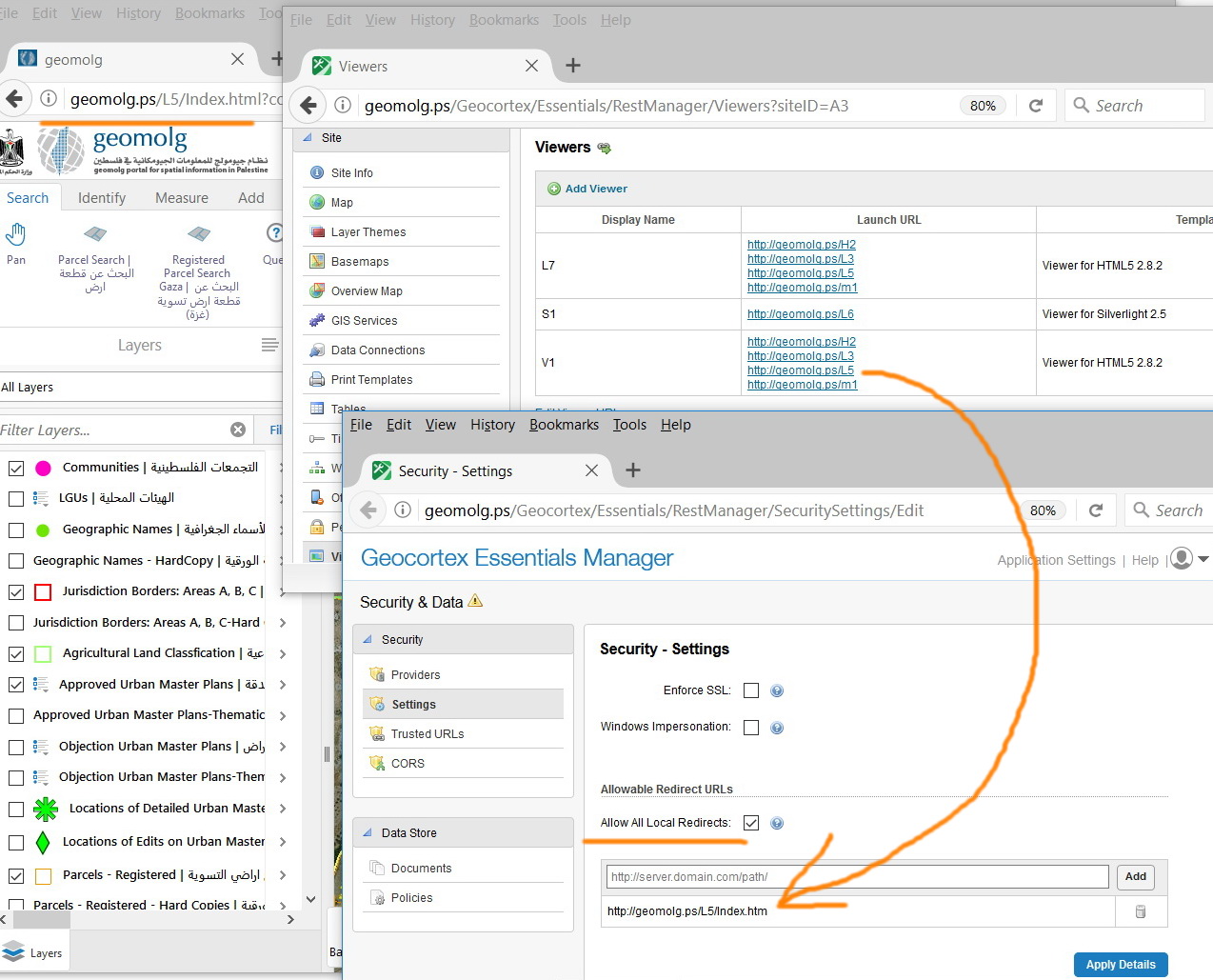 0
0 -
Hi Jamal,
If the entry exists in the Post installer (and it does), then I'm not too sure what the problem could be. Your configuration looks OK from what I have seen so far. I'm sorry to say the next thing I would suggest would be to do a screen share.
Sorry I can't be more helpful here. These types of issues are difficult to troubleshoot on the forums.
Thanks,
Danny0 -
This issue is generated as we are trying to configure https certificate. A colleague has exported the “Geocortex, Signing, GEOMOLG” as pfx and then deleted it. In rerun, as this certificate (pfx) is imported, the “everyone” permission is lost and required to be added. By default, this “everyone” permission is added as the geocortex is installed. However, uninstall\reinstall the geocortex doesn’t get the certificate back. In addition to that, importing the pfx file doesn’t get the “everyone” permission checked.
To reproduce the issue, you can just uncheck the “everyone” permission at your machine, then the same error you got will pops up at your screen.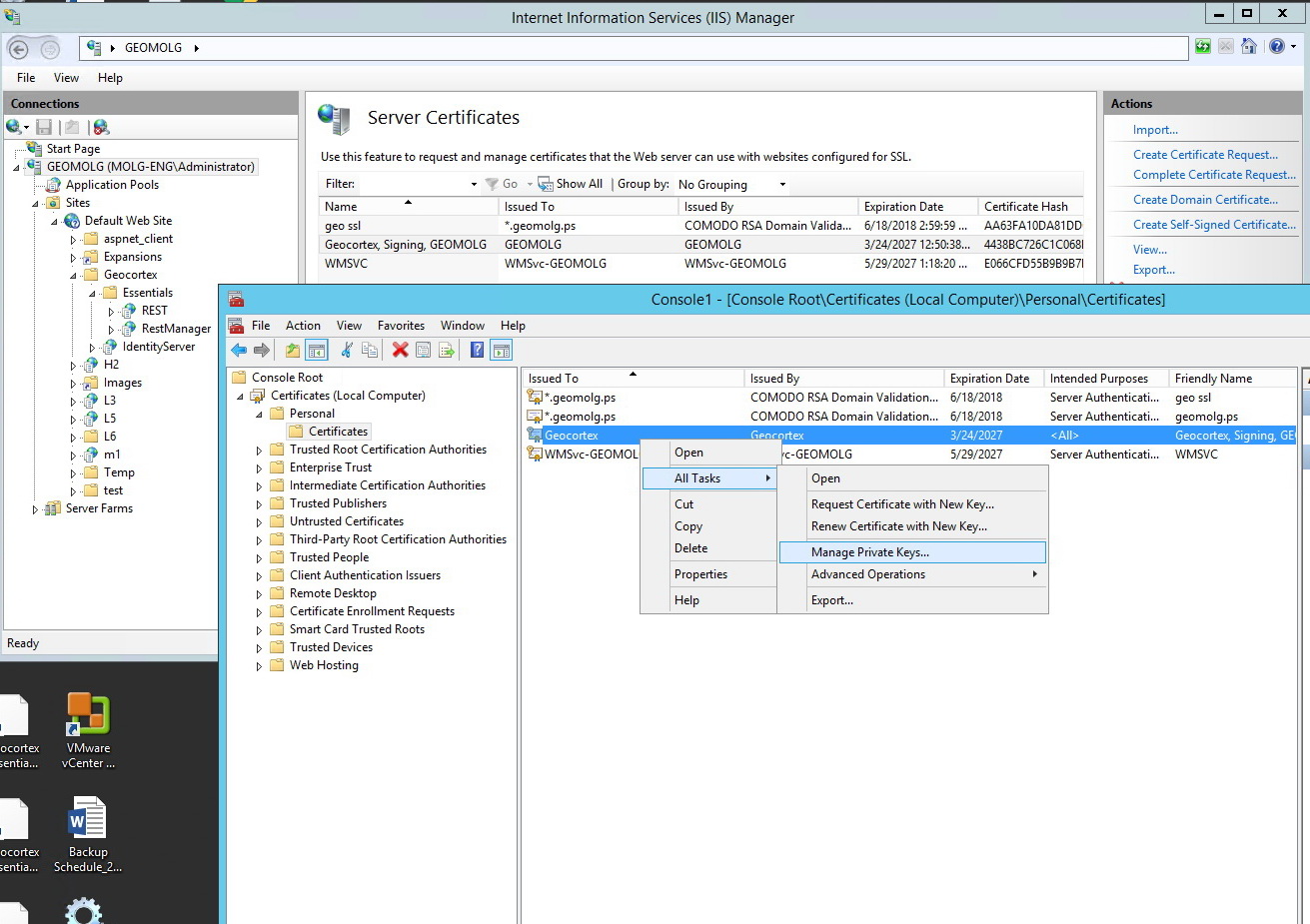
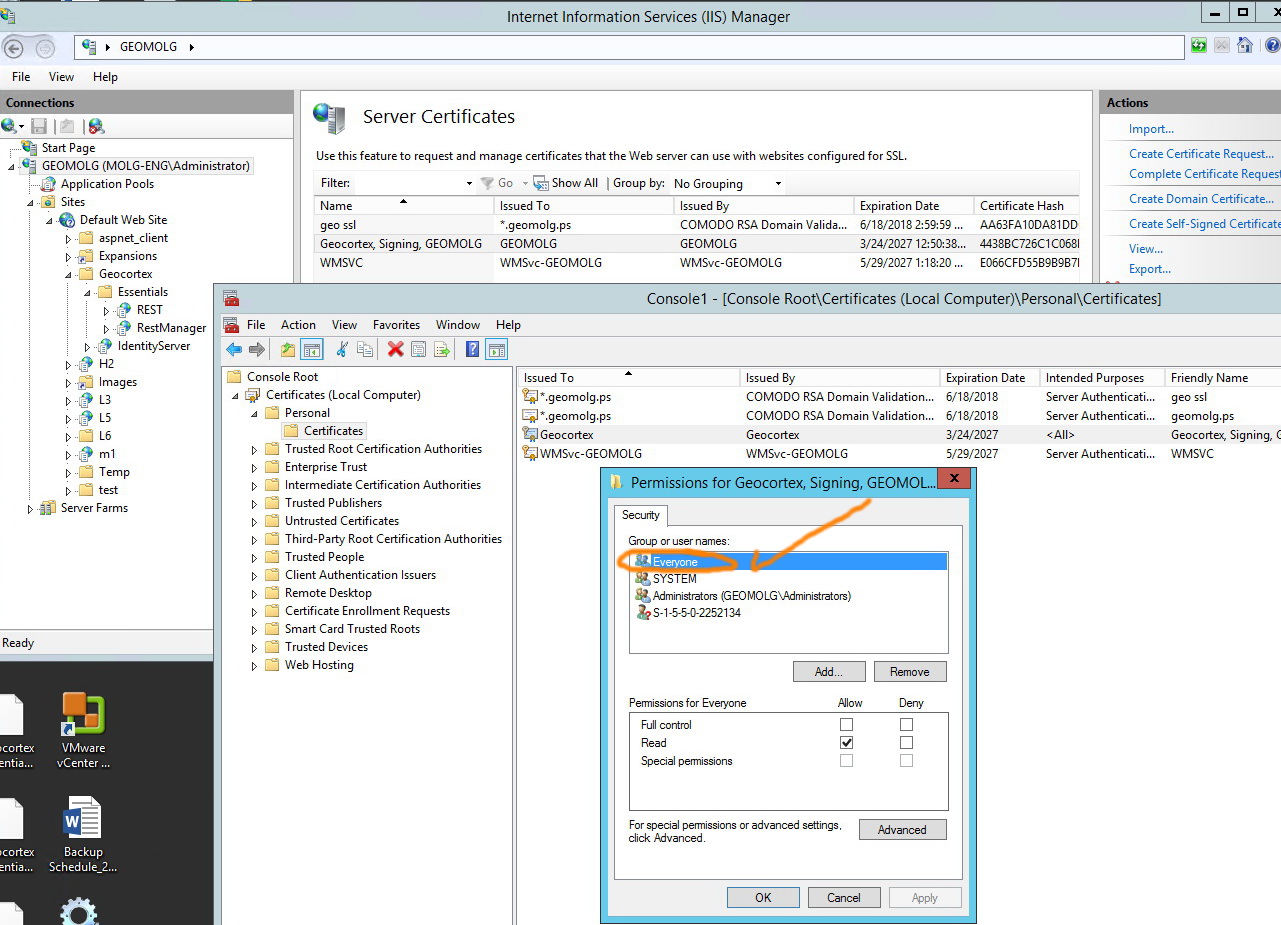 0
0 -
Hi Jamal,
If you accidently deleted the signing certificate, you can get it back as follows:
1) Open a command prompt as an administrator
2) Navigate to:
C:\Program Files (x86)\Latitude Geographics\Geocortex Identity Server\Web\bin
3) In that folder, run the following command:
Geocortex.IdentityServer.Setup.exe SigningCertificateName=null
4) Re-run the Post Installer
I hope that helps!
Thanks,
Danny0 -
Thank you Daniel, really appreciate your input, it works fine with me.
Best,
Majdoleen0
Du måste logga in om du vill lämna en kommentar.
Kommentarer
8 kommentarer