Print error: The current user cannot access the desired resource

We regulary get this print error on a secure HTML5 site. It seems to happen randomly. The error restricts both printing and export. Any ideas what's causing it? The only way to reolve it is to restart the application.
Print error: The current user cannot access the desired resource
0
-

Hi Dan,
I'm working a case where a client has this same issue.
What version of Essentials are you running?
What type of security do you have applied to the Essentials site?
Thanks,
Mike Ketler0 -
Hi Mike,
We're running GXE 4.7 & HTML5 2.8 the site is secure by Windows Integrated Group. There doesn’t seem to be anything in the logs pointing to the issue?
?Dan0 -
Hi Dan,
Did you make any custimizations to your Essentials web.config?
Can you generate a Fiddler trace of this happening? Once you do, open a support ticket with the trace file attached.
https://support.geocortex.com/essentialsGSCkba?id=kA360000000ChxJ
Thanks,
Mike Ketler0 -

Dan and Mike, I'm also seeing this issue after upgrading to 4.7.1/2.8.2. Any updates? 0 -
Hi David,
No, I'm still working on it, can you generate a Fiddler trace and submit a support ticket?
https://support.geocortex.com/essentialsGSCkba?id=kA360000000ChxJ
Thanks,
Mike Ketler0 -
David/Dan,
This issue is filed in Jira under GE-9099 but I need more data as we can't reproduce it.
Anyone who runs into this issue please try and get a Fiddler trace. Confirm that you haven't made any changes to the REST web.config or the Windows Integrated Access/Refresh token setting. Lastly, when this happens is the viewer being left open for an extended period of time? The Essentials Security token is valid for 24 hours by default and it should be updating on it's own.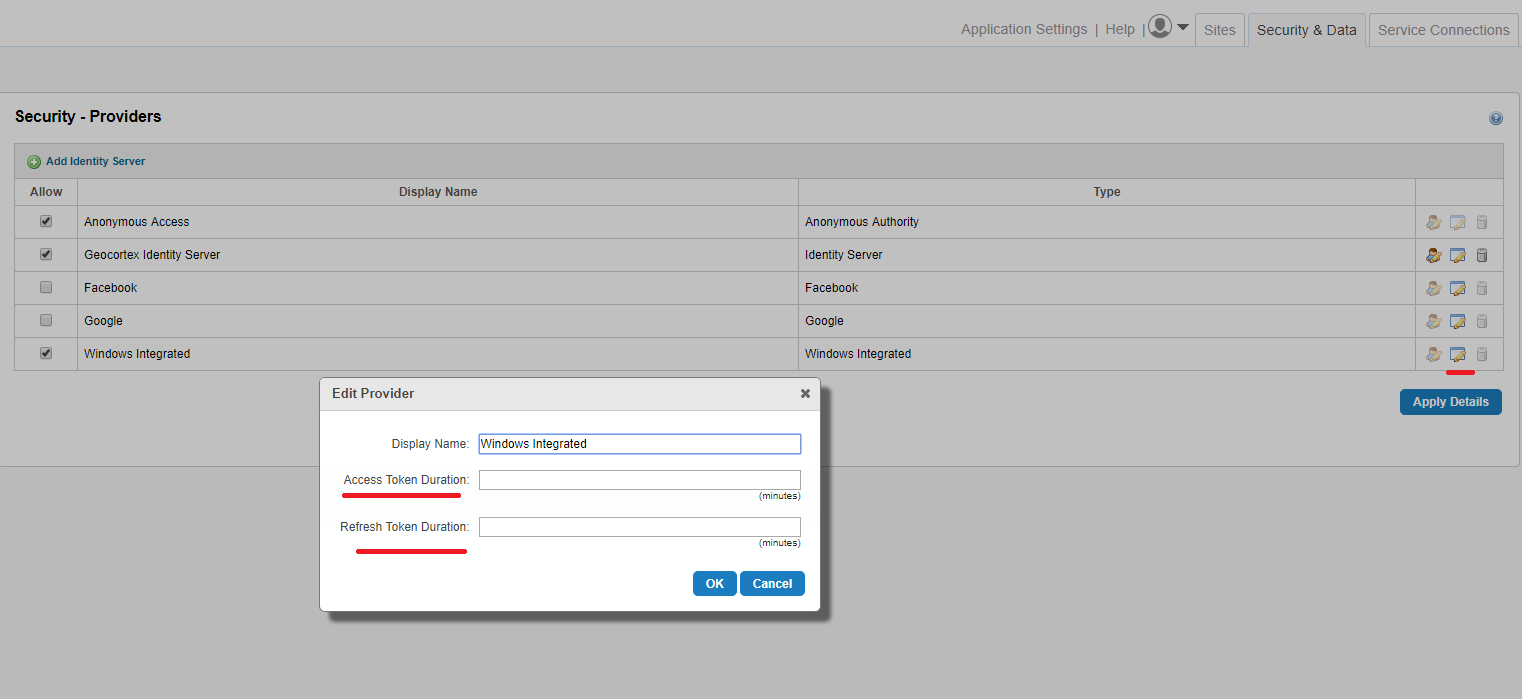
Thanks,
Mike Ketler0 -
Any updates on this? I'm currently experiencing this issue with some of my users. It appears to be completely random. One user may get the error and the person next to them will print without issue. If they refresh the browser and retry it often works. I've been on my version for some time. I've had no complaints in the past, and these print issues seem to be recent from a small group. They are creating simple maps by zooming to create some text labels for several differnt features, zooming to extent, and printing. I have fiddler but have not been able to reproduce to capture anything. GE 4.6.2 and GVH 2.7
Thanks,
Lee0 -
Hi Lee,
Is there a load balancer in play here? If so, you'll need to look into enabling "sticky sessions" or whatever term your load balancer calls it. The previous issue was caused by a load balancer and not maintaining the session info from one request to the next.
Regards,
Wayne Richard
Latitude Geographics Group Ltd.
Head Office: 300 – 1117 Wharf Street Victoria, BC Canada V8W 1T7
Tel: (250) 381-8130 | Fax: (250) 381-8132 | wrichard@latitudegeo.com
Developers of Geocortex web-based mapping software | www.geocortex.com
An Esri Platinum Business Partner0 -
No we are not using a load balancer. I have a single server install of IIS, ArcGIS Server, and Essentials. I have 3 essential instances (e.g. Dev, Test, Default)
-Lee0 -
Hi Lee,
Have you upgraded from 4.6.3? I highly recommend if you haven't.
Thanks,
Mike Ketler0
Du måste logga in om du vill lämna en kommentar.
Kommentarer
10 kommentarer