Copy the common.css file to the site files

Hi All,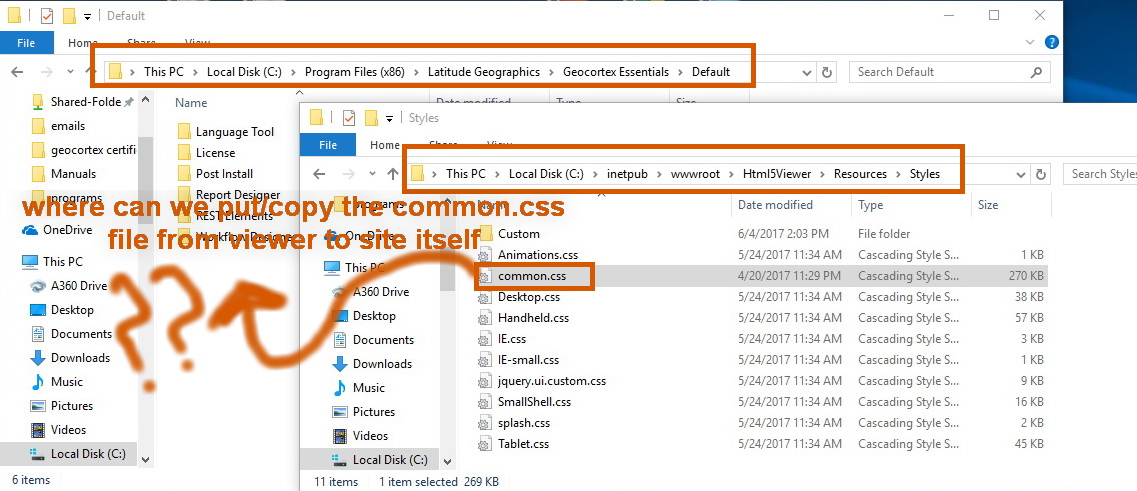
I am trying to copy the common.css file to the site files, so that all setting the must be done at the level of viewer can be reflected to the site itself.
My point here is finding an option to keep all settings from common.css file in case we upgraded the Geocortex(attached).
Is this possible?
How can we keep all settings from viewer level?
N.B: In case we updated Geocortex, all settings will be neglected and the default settings will be displayed.
Thank you in Advance
All the Best,
Fatin
0
-
Normally, you would want the common.css file to get upgraded when you move to a new version of Essentials because they may have changed/removed class names applied to certain elements. The new common.css file would contain those updates.
Any viewer specific css changes can be store in the sites/sitename/viewers/viewername/virtualdirectory/resources/styles/custom folder. These will not be modified when you upgrade to a new version of Essentials. You may need to adjust any settings in these files to accomodate class changes in the new version of Essentials, though.0
Du måste logga in om du vill lämna en kommentar.
Kommentarer
1 kommentar