Draw and Measure.

Is there any way to measure a area of circle when i draw a circle on map.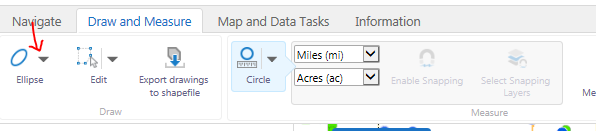
0
-
Hi Aakash,
You can add an action to measure markup in a context menu. For example, here's one I've added to a viewer's map tip actions: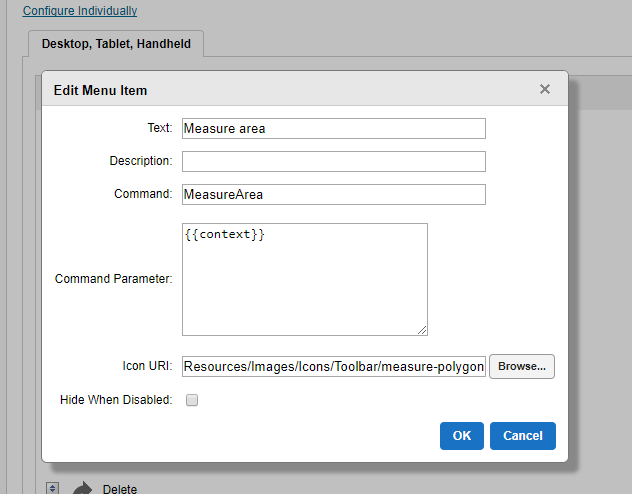
Just in case the image isn't clear, the important bits for the menu item are:Command: MeasureDistance or MeasureArea
Command parameter: {{context}}
If you want icons that correspond to these actions, you could use "Resources/Images/Icons/Toolbar/measure-polyline-24.png" (for MeasureDistance) or "Resources/Images/Icons/Toolbar/measure-polygon-24.png" (for MeasureArea).0 -
Perfect!
Thank you - Jordan.0 -
Jordan,
When i was trying to add a Command: MeasureDistance for a circle it is not showing a distance result but when Command : MeasureArea is shows the area of circle as expected. Any idea how to show the distance of circle.0 -
Yes, that's to be expected. MeasureDistance works with polylines; MeasureArea works with polygons. MeasureArea will give you the circumference of your circle, as well as the area. But because MeasureArea is intended to work with all polygons, it won't provide anything like a radius or diameter. For that, you'd likely have to build a workflow. 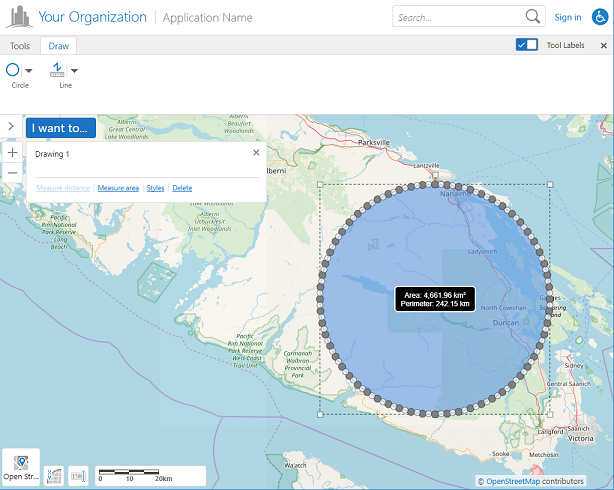 0
0 -
Thanks Jordan!
Is there any workflow out there which i can take as reference to start.
Thanks,
Aakash0 -
I don't have anything like that conveniently available, no. But it's possible that someone here in the community has done something similar. 0 -
Hi Jordan,
I tried to add measure distance but i have an error on this as following screenshot.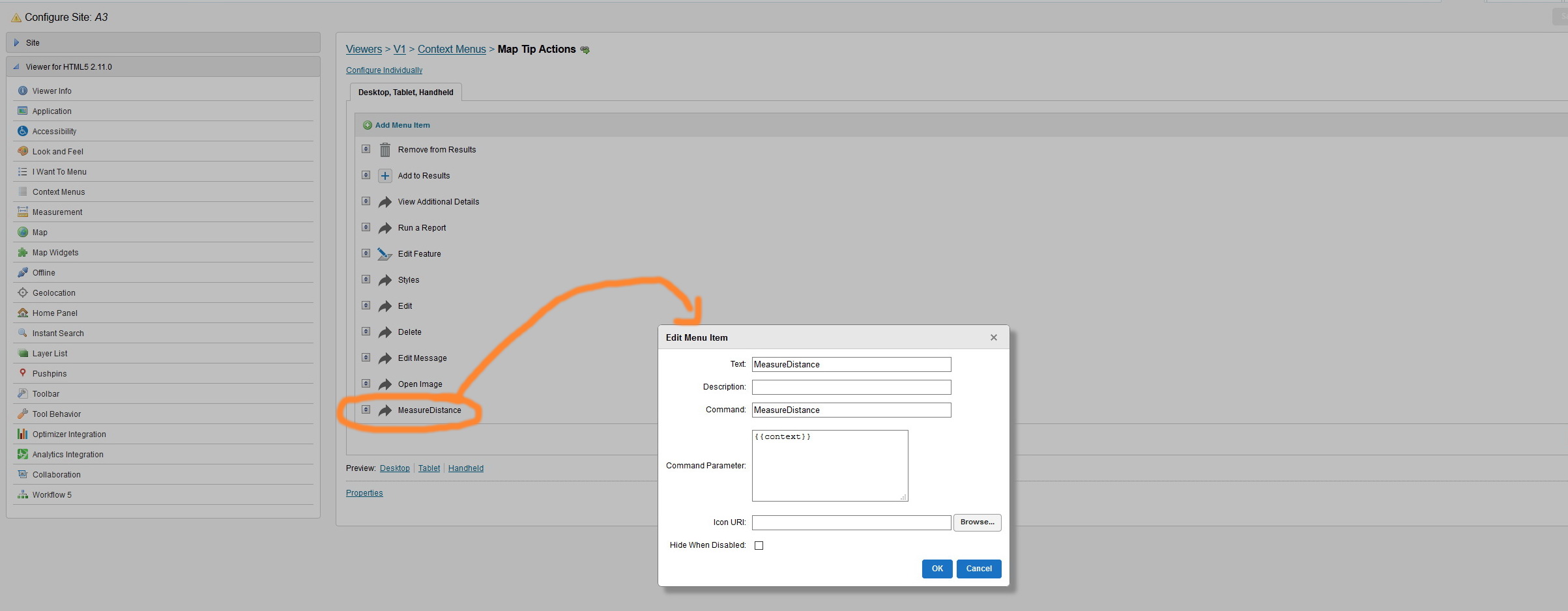
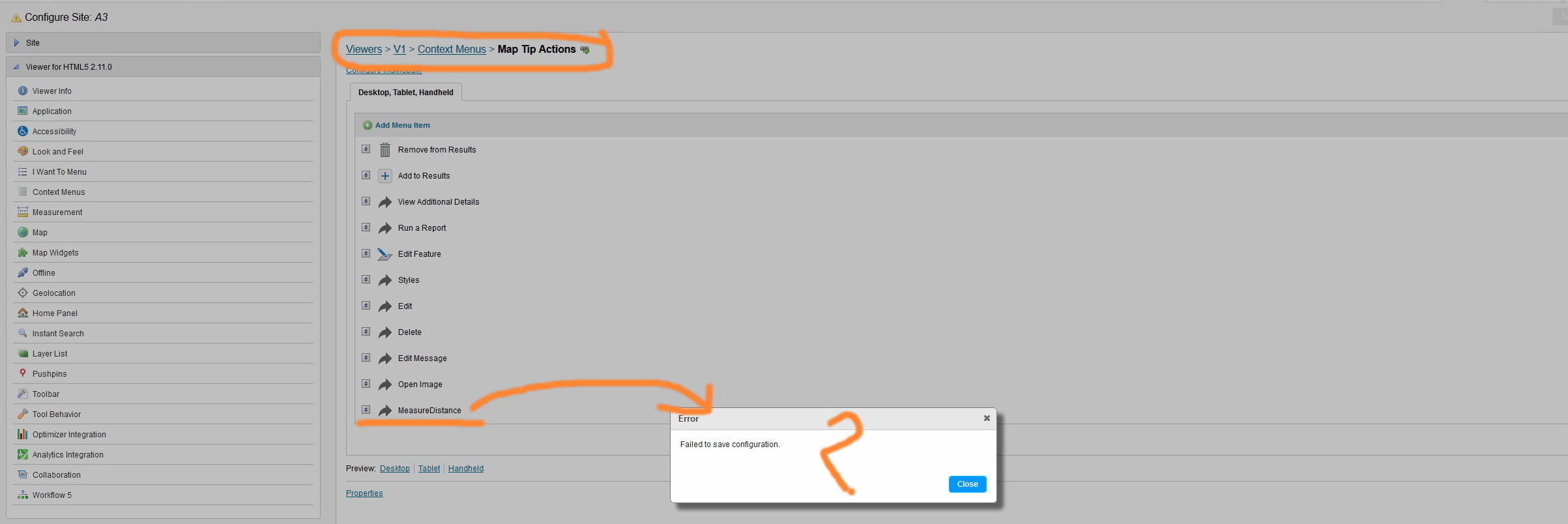
What do you think?
Thank you
Fatin0 -

Hi Fatin,
I'm not able to reproduce that error locally. Could you try and re-add this again?
Is this viewer currently referenced by any other sites?
Thanks, Stefan0 -

clear browser cache and re-access the site, it may work. 0 -
Hi Stefan and Longguang,
Thank you for your kind reply. the issue is resolved as Longguang suggestion.
However, on my site it seems that it doesn't take the effect as attached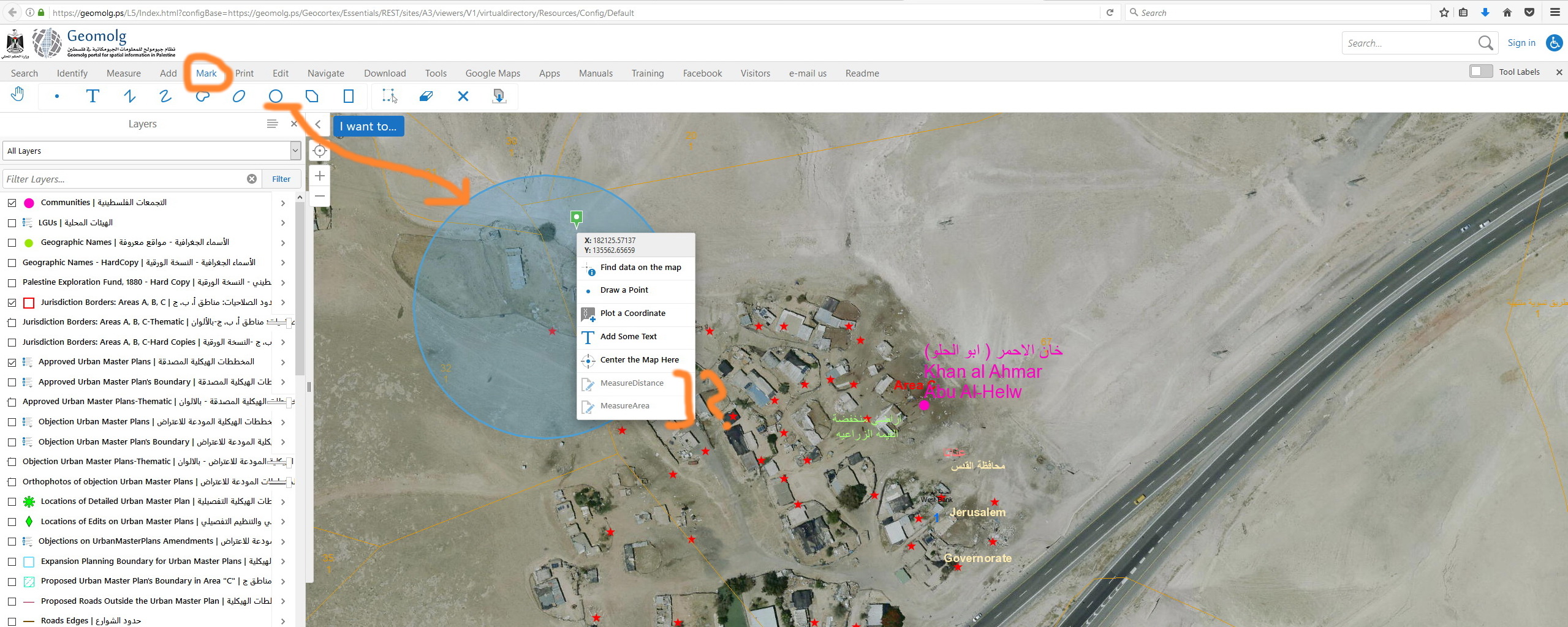
What do you think?
Best,
Fatin0 -
Hi Fatin,
The drawing is circle from the picture. The measure distance only works for the polyline, the measure area only works for the polygon. Please draw a line or polygon, the either of the two options will be available.
Cheers
Long0 -
Hi Longguang,
Thank you for your clarification. However, it seems that both measuring tools are not activated or grayed on my viewer.
Please check the screenshot.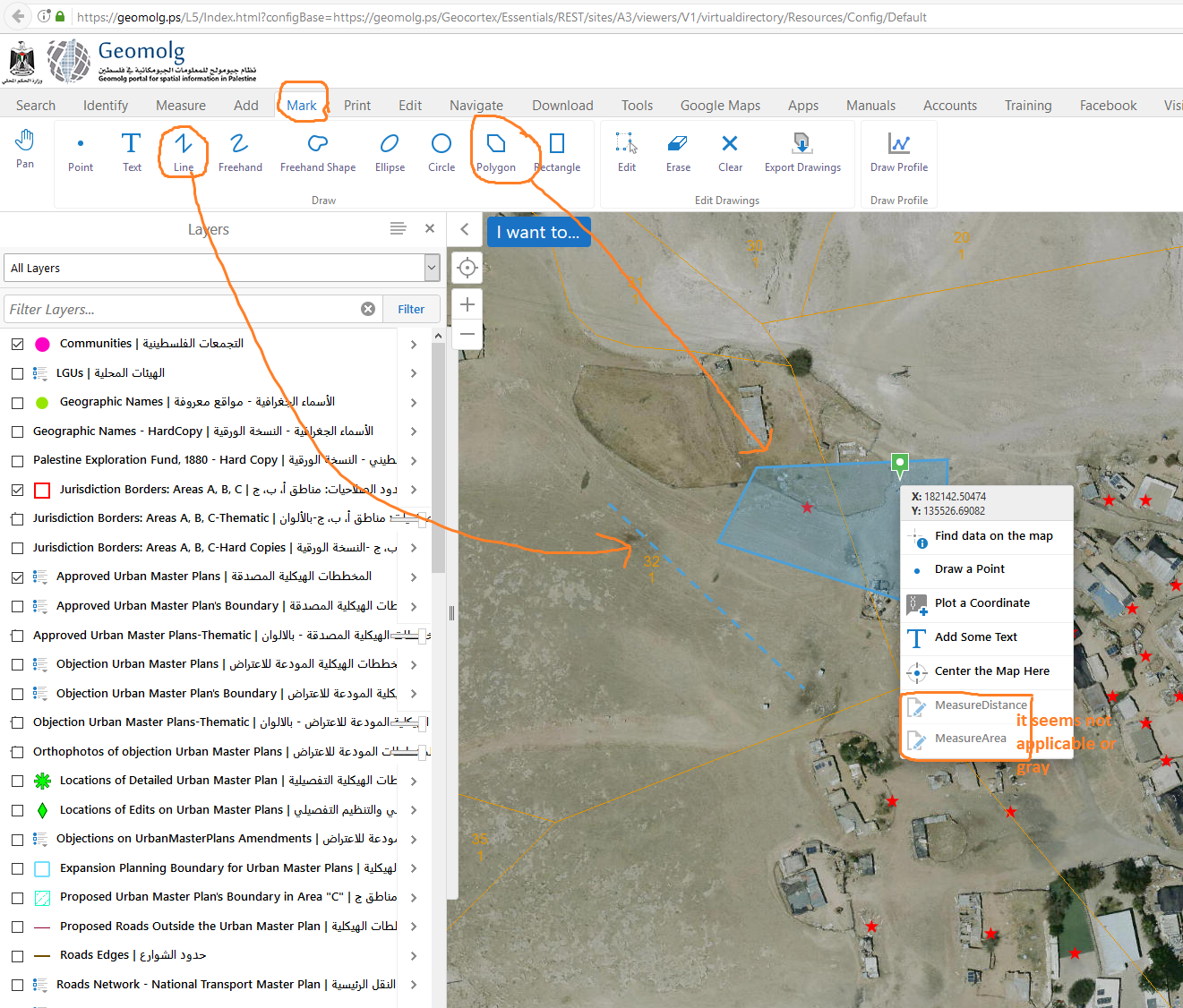
Best,
Fatin0 -
Hi Fatin,
Sorry, I didn't take a good look on your last screenshot. From my understanding, these two commands can be configured in map tip action menu, after you draw a grahphic on the map, disable the drawing tool, then click the drawing, the drawing edit mode is available, the map tip opens, the two commands can measure the drawing.
If you set the two commands on map context menu, they don't work. You right click the map, the map context menu opens, but isn't able to know which drawing should measure for.
Also, my mistake, circle is one type of polygon, measure area should work with the circle.
Cheers
Long0 -
Hi Longguang,
Thank you for your comment, I added it in map tip action menu and it works fine now.
Best,
Fatin0
Du måste logga in om du vill lämna en kommentar.
Kommentarer
14 kommentarer