Add feature and attributes from one feature class to another...

This is a little long-winded so bear with me...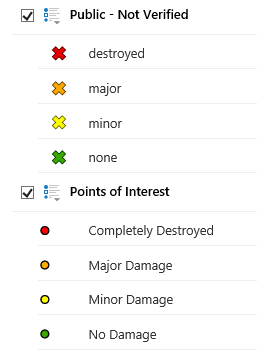
I am in the process of creating an Emergency Prepadness map. We have a public map that allows the public to submit damage assessment information (Public - Not Verified). We also have an internal map, which displays the public information, and also gives our inspectors the ability to submit damage assessment information (Points of Interest).
What we would like to see happen is...the inspector can click on a 'Public - Not Verified' point to open the pop-up and select a 'Verify' link, which will launch a workflow that allows them to verify that the information is correct. Once verified, the point is no longer an X, but turns into a point and becomes part of the 'Point of Interest' layer.
I have started a workflow here...
https://drive.google.com/file/d/1aSEYxqIAqfIdxodmDhFcdu_iUYKbkg_3/view?usp=sharing
What I am struggling with is, I am able to get the info inserted into the point of interest table, but the geometry is not being captured...
Any feedback is much appreciated!
0
-

Are the Public - Not Verified and Points of Interest layers the same datasets, or are they separate datasets? If they're the same, you could use this sample workflow I made with a few changes:
https://drive.google.com/open?id=0B_hHHiqcTKMfLU9lSFo3bGFfRmM
1) Add an argument to the workflow called id (string is fine)
2) Update the Query Task where clause to: "OBJECTID = " & id
3) Update the field and value in the Assign activity to your field name and "Verified" (or whatever you're setting the value to)
Here's the code to put in your feature description:
<a href="command:RunWorkflowWithArguments?workflowId=VerifyWorkflow&id={OBJECTID}">Verify Info</a>
The workflow will grab the OBJECTID from the record you clicked the workflow in and update it.
If they're separate datasets, then it's a little more complicated, but still doable. You would just need to use Add Features and Delete Features to add the record to the Points of Interest dataset and delete it from the Public - Not Verified dataset. And by using Query Task with Return Geometry set to True, you'll be bringing the geometry along with everything else.0
Du måste logga in om du vill lämna en kommentar.
Kommentarer
1 kommentar