Using Custom Lablel Style Breaks Default Labels

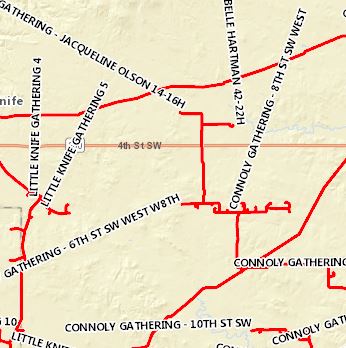
The "Customize Labels" option seems to permenantly break my labels until I reload the map. When I open the option for a layer, whether I change the label style or not, GVH will redraw my labels with the same style, but seemingly none of the rules that govern label placement. Selecting "Reset to Default" does not resolve the issue.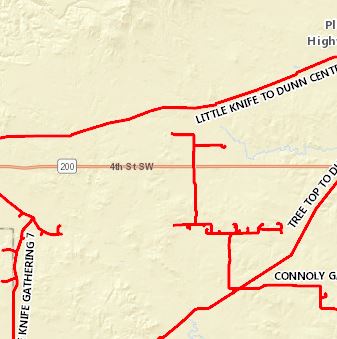
Before Selecting "Customize Labels":
After selecting "Customize Labels":
Any ideas how we can fix this?
0
-
Hi Jared,
When you click on ‘Customize Labels’ do the labels get re-drawn right away? I am also noticing this behavior and it defiantly is not the intended behavior.
I have filed this as a bug in our bug tracking system. I have not been able to find a work around at the moment yet.
Sorry for in inconvenience.
Regards,
Ali0 -
Ali,
Yes, that is what I'm seeing. But I guess the bigger issue is that even if I apply a style and then click "Reset to Default" the labels do not return to their original state.0 -
Oh and we're running GE 4.8/GVH 2.9 0 -
Hi Jared,
Thank you for confirming that. I have tested this in GVH 2.10 as well and I am still seeing similar results, so unfortunately an upgrade will not help at the moment either.
As mentioned, I have filed this as a bug.
Regards,
Ali0
Du måste logga in om du vill lämna en kommentar.
Kommentarer
4 kommentarer