Configured WorkflowContainer shows also small tickbox like item in viewer

I configured a new Workflow Container in Desktop.json to visualize a small window with the WorkOrderID value of the current browser session. This value is picked up from an URL parameter and put into the window using a startup workflow.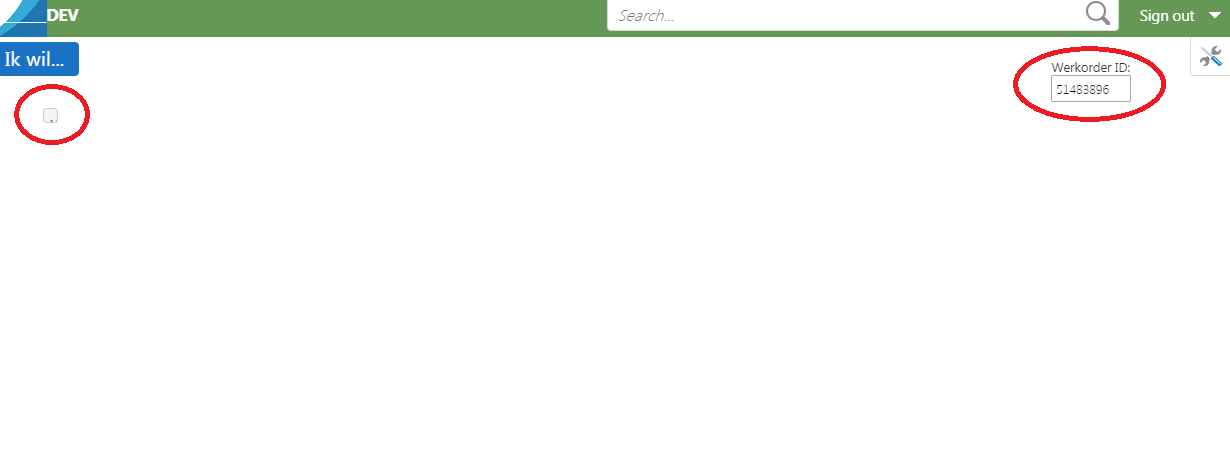
So far, ths works perfectly. The window is shown on the top right corner in the viewer. However, also a small tickbox like item appears in the top left corner of the viewer.
Of course I tried some things to get this removed.
Moving around the workflow container results in the item to disappear. Item is only visible on top right.
Changing parameters in Desktop.json doe not give better results. I think I played around with all the possibilities in the module configuration, but I don't know all the specific purposes of these parameters.
Does anyone have an idea why this item is showed and how to resolve this?
{
        "moduleName": "Workflow",
        "moduleType": "geocortex.essentialsHtmlViewer.mapping.modules.workflow.WorkflowModule",
        "configuration": {
          "showTitleInFormBody": false,
          "defaultContainerRegionName": "DataRegion",
          "defaultContainerTitle": "@language-workflow-title",
          "defaultContainerIconUri": "Resources/Images/Icons/Toolbar/workflow-24.png",
          "showCaptureStatusMessages": true,
          "displayResultPickerTemplateComplexity": "complex",
          "startupWorkflows": [],
          "formItems": {},
          "icons": {
            "Resources/Images/ParcelByID.png": "Resources/Images/Icons/Toolbar/house-number-24.png",
            "Resources/Images/ParcelByOwner.png": "Resources/Images/Icons/Toolbar/house-owner-24.png",
            "Resources/Images/ParcelByValue.png": "Resources/Images/Icons/Toolbar/house-value-24.png",
            "Resources/Images/SearchSchools.png": "Resources/Images/Icons/Toolbar/school-24.png"
          },
          "containers": [
            {
              "name": "Default",
              "title": "@language-workflow-title",
              "regionName": "DataRegion"
            },
            {
              "name": "DefaultNoCloseButton",
              "title": "@language-workflow-title",
              "regionName": "DataRegion",
              "allowClose": false
            },
            {
              "name": "Extract",
              "title": "@language-common-extract-data",
              "regionName": "DataRegion",
              "iconUri": "Resources/Images/Icons/Toolbar/layers-extract-24.png"
            },
            {
              "name": "ModalWindow",
              "title": "@language-workflow-title",
              "regionName": "ModalWindowRegion"
            },
            {
              "name": "ModalWindowNoCloseButton",
              "title": "@language-workflow-title",
              "regionName": "ModalWindowRegion",
              "allowClose": false
            },
            <b>{
              "name": "WerkorderIdContainer",
              "regionName": "TopRightMapRegion",
              "allowClose": false
            }</b>
          ]
0
-
Maybe there's something wrong with this param value "regionName": "TopRightMapRegion" ,Moreover, Its not necessary that it will come in the top left corner of the viewer in my case it is coming in middle of screen. But when i put "BottomMapRegion" instead of "TopRightMapRegion" I stop getting small tickbox like item.PFA image for tickbox in middlescreen. 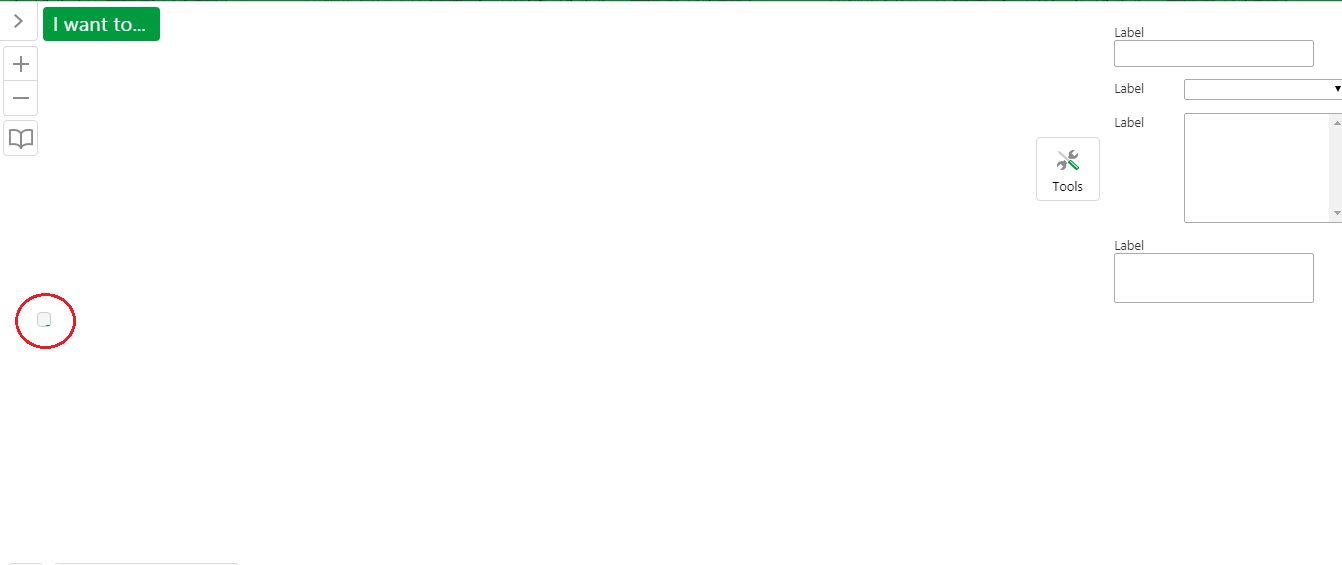 0
0
Du måste logga in om du vill lämna en kommentar.
Kommentarer
1 kommentar