Update Attributes Workflow

I am attempting to create a workflow that allows an inspector to update three date fields. I would like runtime modifications enabled so that previously entered dates are pre-populated in the date fields. It is not working how I am expecting it to and was wondering if someone could take a look at it and point me in the right direction...Thanks!
https://drive.google.com/file/d/1LnTKRDjgdxXKIRTuQEM8W3YyI1zy8VA_/view?usp=sharing
0
-
Hi Lisa,
Unfortunately I cannot access your workflow.
Usually problem with dates is with the type specially if you have null values or "conversion" from time zone to be displayed and the one that is converted.
Please see below the 2 key activities that you should need.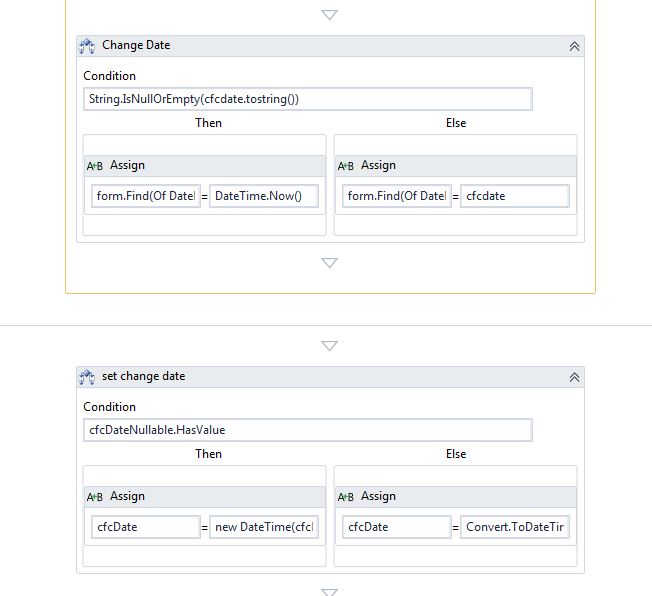
"Change date" activity is inside the "runtimeModifications" sequence and "to" field of the assign contains "form.Find(Of DatePickerFormItem)("DatePicker1").InitialDate" (assuming you have a date picker)
The activity "set change date" is immediately after the display activity where:
“cfcDateNullable” is the variable populated by display form “output argument”
Value of the assign on the left side is “new DateTime(cfcDateNullable.Value.Year, cfcDateNullable.Value.Month, cfcDateNullable.Value.Day, 0, 0, 0, DateTimeKind.Utc)”
Value of the assign on the right side is “Convert.ToDateTime(System.Configuration.ConfigurationManager.AppSettings("DefaultDate"))”
I hope this helps otherwise please add workflow as code in the post.
Thank you0 -
Thank you for the suggestions Francesca, unfortunately the workflow is still not running how I would expect. I have create this type of workflow before with no issues, however the runtime modifications keep throwing an error...
I have this Assign activity set in Runtime.
And am getting this error...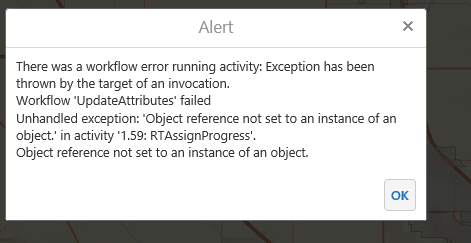
I am thinking I need some sort of If statement saying that if the date field is null then do nothing, if its not null then assign the date, so I tried this....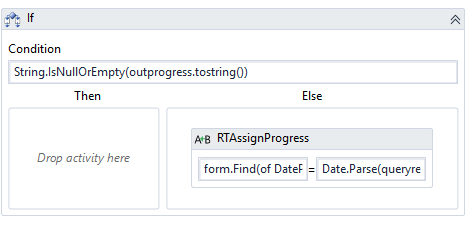
But the date is not being populated in the map...
Here is my workflow one more time...
https://drive.google.com/file/d/1PytsbbR9ZplAlXx-QpROVg-GCDvAOzNh/view?usp=sharing0 -

Lisa, you are on the right track. This is a Null Reference error. Null Reference errors essentially mean that the code is calling something that doesn't exist. In the instance of this partiuclar assignmnet activity, the only possibilities are that there is no DatePicker1, no queryResult, no features in the queryResult, or no field InProgress in the features in teh queryResult. I can tell you from experience that it is not the first item because that would give you a more specific error, so something is amiss with your featureset.
I would use the external log activity to save the json representation of your query featureset (use .toJson), be careful about the scope of that one as it is a client-side activity so it won't liv ein your runtime mods for a form. You may be able to identify the point of failure by simply reviewing the json.0 -
Thank you for the suggestion Zack...I added a Log activity and am seeing this in the json... 
I also ran the workflow simulator and am getting this error at the query task...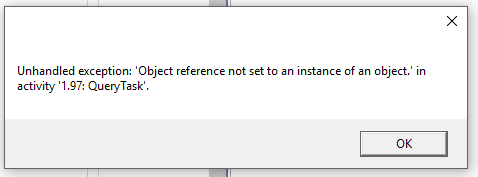
But I know an Object is being returned because I have an alert activity that is showing the ObjectID of the feature selected....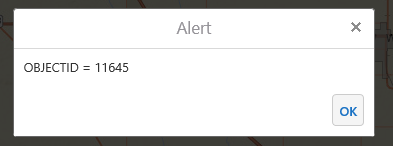
Any ideas?0 -

I think the issue is no featues are returned. The value for the objectid is inserted as an input argument to the workflow. Try to use a different id.
And check in your workflow for queryResult.Features.Any, this should be True.0 -
I agree with Nico, this must be an issue with your query. I also don't see any features in your json either, but it looks like you're only loggin the field names so that doesn't mean anything.
I'd make a log with the query url and query value, then hit the url in a browser and see what you get from the query.0 -
Nico and Zack, thank you for your suggestions. Your comments helped me determine that the query task wasn't returning any features.
I was able to get that fixed and the workflow is 99% done, but I am now struggling with getting a pre-selected value from a list box selected in the runtime modications.
My updated workflow is here...
https://drive.google.com/file/d/1IL3RdPToJmXIamvbApaVQhoCF6vgs-dV/view?usp=sharing
Based on a few other forum posts, I tried this...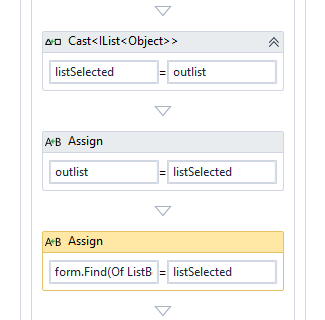
outlist is the output variable from the List box activity in the display form.
And 'form.Find(Of ListBoxFormItem)("ListBox1").SelectedValues' is in the left hand side of the Assign activity.
However, The correct item in the list is not being selected when the workflow is run.
Ideas?0 -
Answered my own question...heres what I did in case anyone else is trying to accomplish this...
Changed the listbox to a combo box in the display form, and configured this in the runtime mods...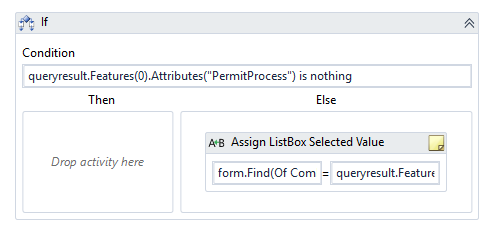
With this in the assign: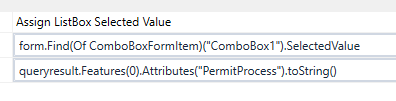 0
0
Du måste logga in om du vill lämna en kommentar.
Kommentarer
8 kommentarer