Data Connection: Display a specific field when identified

Hello,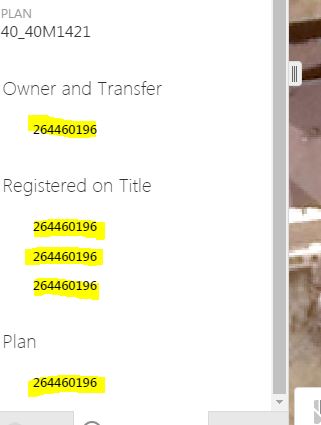
I have a couple data connections on a layer. When I identify the layer and display the data connections is there a way to change the field which displays? Right now for each Data Connection the default display is the field value which the connection is joined by.. I would like to configure this so that another field displays.
See below the current behaviour, the value that is displayed is the value in which the field is joined by.... as you can see this is not a very helpful default display
0
-

HI Chris
Once you have created the data link, open the Data Link Tab, click on the 'Advanced' symbol and in the Command window reorder the fields so that the one you want displayed first is first after the SELECT command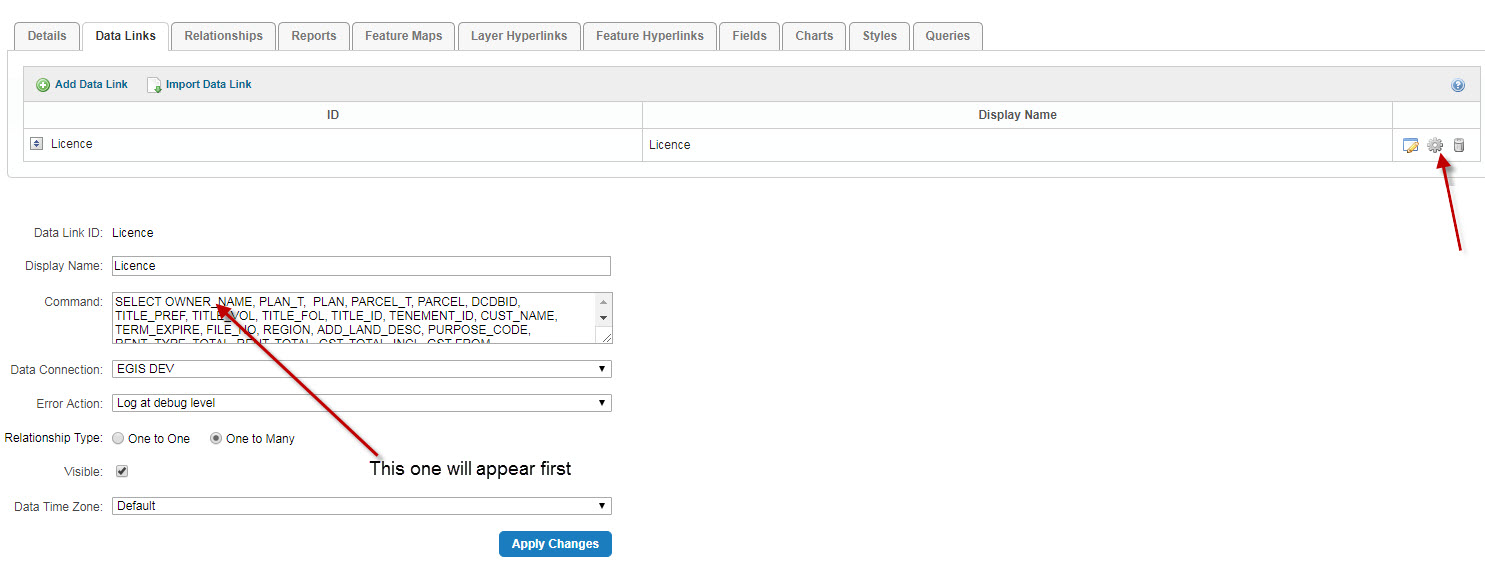 0
0 -
Excellent so simple yet makes a big improvement.
Thanks so much!
Chris0
Du måste logga in om du vill lämna en kommentar.
Kommentarer
2 kommentarer