Layer Styles as a button on the tool bar

Hi All,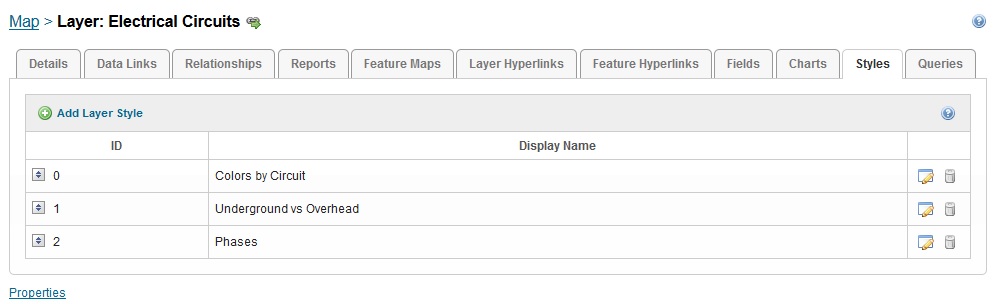
I created several styles for our electrical layer using json code.
I can't seem to figure out how to create a button on the toolbar to change the styes.
One button for "colors by circuit"
One button for "Underground vs overhead"
One button for "Phases"
Is there a command in the toolbar I can use? example of the command and parameters? or do I need to create a workflow to acheive this?
Any suggestions or comments would be helpful?
0
-

When I implemented this for a client we needed to make (small) modifications to the viewer javascript to get this working. At the time it was the Mapping.js file, but I recall needing to port the changes to a couple of the new files after Latitude exploded the larger libraries into smaller ones. We modified the _getGeocortexLayer and _getRenderer functions to allow us to pass in identifiers for the renderer to use. Then we called some command, maybe _getRenderer?, with a serialized json object input which contained the layer id, map service id, and style id if i recall correctly.
Not the most difficult coding a person can take on, but not a trivial task either. Be very careful playing around with these files because if you do it wrong you'll break your viewer (and by extension any app which is relying on that viewer). If there's a better way to skin this cat now, I'd be very interested in knowing about it.0 -
Hi Kenneth,
There is nothing out-of-the-box but there is an improvement request to have the command added, to make it out-of-the-box.
FYI, the request number is GVH-12891.
Regards,
Wayne Richard
Latitude Geographics Group Ltd.
Head Office: 300 – 1117 Wharf Street Victoria, BC Canada V8W 1T7
Tel: (250) 381-8130 | Fax: (250) 381-8132 | wrichard@latitudegeo.com
Developers of Geocortex web-based mapping software | www.geocortex.com
An Esri Platinum Business Partner0
Du måste logga in om du vill lämna en kommentar.
Kommentarer
2 kommentarer