Send Web Request sends then dies. Help?

My send web request sends posts the data as expected to the server for processing but then immediately kills the workflow. I have a text alert after it and it never reaches the alert.
The expected result is for the workflow to send the data to another server and alert the user that it was successful. The user then receives an email with the processed data. What's happening is the workflow sends the data and the user gets the email but there is no confirmation alert for the user. I need some help figuring out why the Send Web Request isn't completing
-
Have you looked at the dev console for clues? This sounds like a timeout to me; if so I think that you'll see as much in the console when running your workflow from the sandbox. Is there anything there?
0 -
Yes, I've checked the dev tools. I've even upped the timeout to 5 minutes. I don't think it's a timeout issue.
0 -
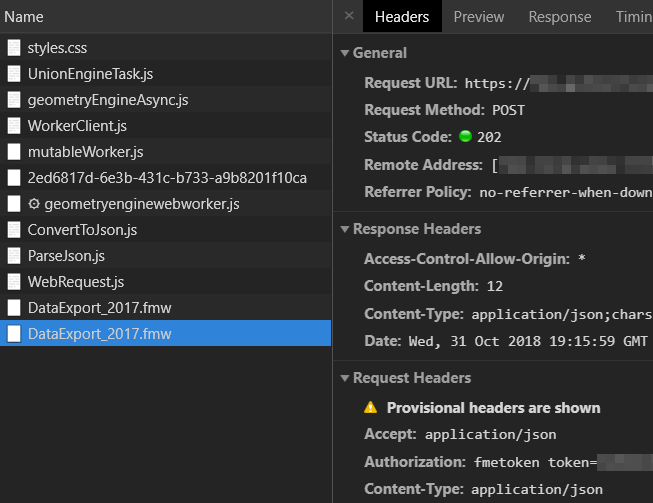
The dev tools return a status of 200 when the token is sent, then a 202 when the json is sent. See the Dev tools screenshot below.
0 -
I'm not sure if it posted the image properly so here it is again
 0
0 -
Have you checked the console in the sandbox? It will tell you input and output values for most activities and provide the stack and message for failures.
0 -
This is the error in the console. I can't find any documentation on what the error means but the response looks successful. We also verified CORS header and the origin is allowed.
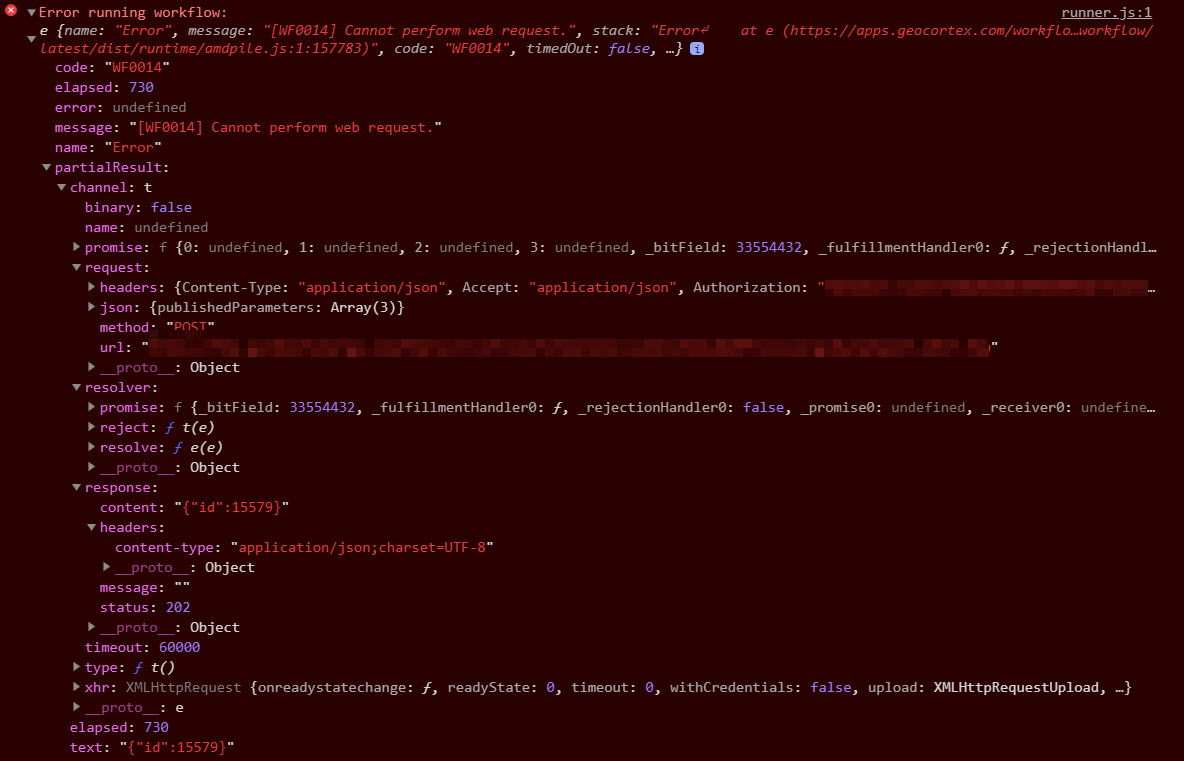
We looked at this post already to help with resolution but it doesn't apply. https://communities.geocortex.com/s/question/0D5f200004rGxnhCAC/what-is-wf0014-cannot-perform-web-request-error
0 -
@JD Burroughs? I believe that taking the "Authorization" header out should fix your problem.
I had a similar issue and found the answer in a thread on Safe Software's website. In some cases, the "Send Web Request " tool hides some of the response information from us.
Hope that helps (I have my FME web requests working so I know it can be done --> Hope)
0 -
@Matthew Ryan? I took out the Authorization header and put the token in the URL and unfortunately the result was the same. Do you happen to have a link the article on the Safe site I could review? I found this one but I'm not sure if it's the one to which you're referring https://knowledge.safe.com/questions/65037/rest-api-header-token-authorization-fails-on-fme-s.html
Also, which method are you using for your job, i.e. data download or job submitter?
0 -
I'm using job submitter and data upload. That is the page I found. I couldn't tell if you were using the "fmerest" API or the other services so I wasn't completely sure if the answer from Laura was relevant. Though, I tend to put the token in the URL for the services Laura mentioned don't support the Authorization header.
Of course, this means a little extra caution with permissions on whoever owns the token or putting a web service in between that might generate a temporary one each time and handle the request. Don't want people to have access to your super user.
That^ said, this looks like you're having the same problem as me then. My best guess is that any response that isn't a 200 success causes the workflow to die. I posted about my woes here --> https://communities.geocortex.com/s/question/0D5f200005f0F8VCAU/web-request-succeeds-and-returns-an-error-alert
0 -
You're getting a 202 JD, so Matt's got it. @Ryan Cooney? says that the fix is in the next release, but for now you can stick your request in a TryCatch activity so your users get their alerts.
0 -

Hello, does anyone have some screen shots on the correct syntax / field values for the POST functions. Not sure how to structure it it within the tools. I can get the syntax in 'PostMan' and it works but just can get it to work in Workflow manager.
0
Du måste logga in om du vill lämna en kommentar.
Kommentarer
11 kommentarer