Replicate the Configure Workflow Container activity to display status and show busy indicator?

I would like to show the user that something is happening while they wait for the report to generate. In the old setup I could do that with the Configure Workflow Container activity setting a message and busy indicator to true. I can't find a way to do that in the new 5 series.
-

This is not currently possible in WF5. We needed the same functionality and ended up having to build a custom activity. I spent a bit of time today cleaning up the documentation but have it posted and you are welcome to use our solution.
You will need to add our UI Activity Pack which you can subscribe to on the ArcGIS Marketplace at https://marketplace.arcgis.com/listing.html?id=9d42a0c2d6b24feabcd2b4c491872ba9
We have posted a sample workflow and documentation at https://www.geowidgets.io/docs/geocortex-workflow-activities/ui-activity-reference/progress-bar-modal/
Here is sample of what the progress bar dialog looks like and it is heavily configurable.
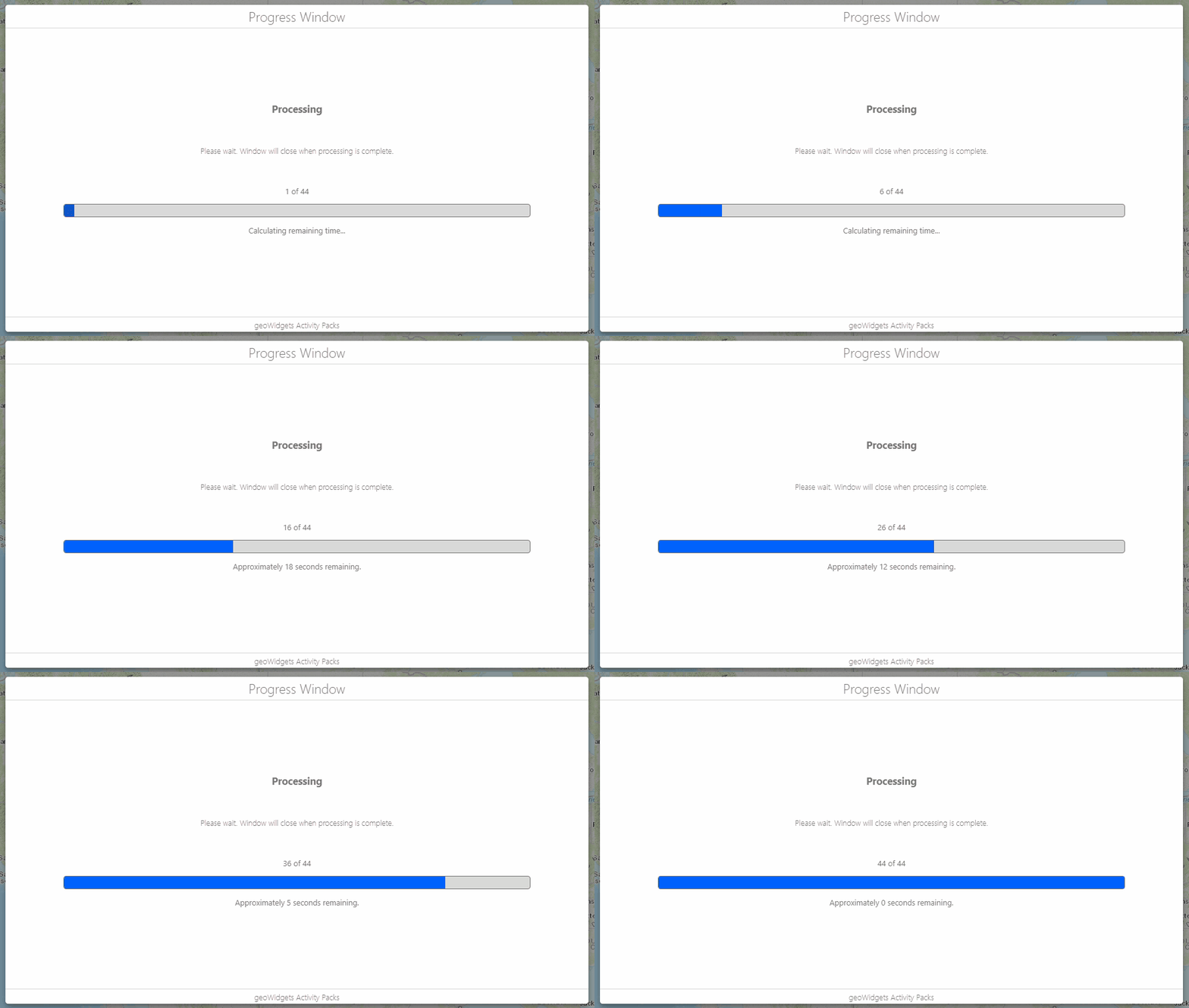
I am still working through some documentation. If you have any questions, please feel free to contact me.
0 -

Thanks Tom for sharing it, definately going to need it. Hi Marc, FYI, I also found it out from this discussion that the trick is to put all your activities after the form and before the next form into the Submit event!
0 -
I was able to do something along these lines like this (and it's fairly clean):
I inserted a simple form with only a text element with the message I wanted to show while the user waits. This form was just upstream of my heavy processing but after the submit of previous forms that collected data from the user.
First, I disabled the footer and made it invisible. So essentially its a form with a title and text.
I added a 'load' event to the text element and inside that subworkflow I put a 500ms Delay right after the event. Then I added a Set Property after the delay and set the form result to be the value 'submit' (no quotes). This essentially auto-submits the form to allow processing to continue without interaction.
This seems to have had the effect I was after. I see a wait form with a message and all of my downstream processing goes ahead until my next form (with my results ready) popups up in place of my 'wait' form.
I think the 'Delay' activity was key because when I tried this without a delay, the wait form never actually showed at all.
2 -

Upvoting this post about adding a delay to the load event in a form, this worked brilliantly for me!
1
Du måste logga in om du vill lämna en kommentar.
Kommentarer
4 kommentarer