How set a filter on a results table via workflow?

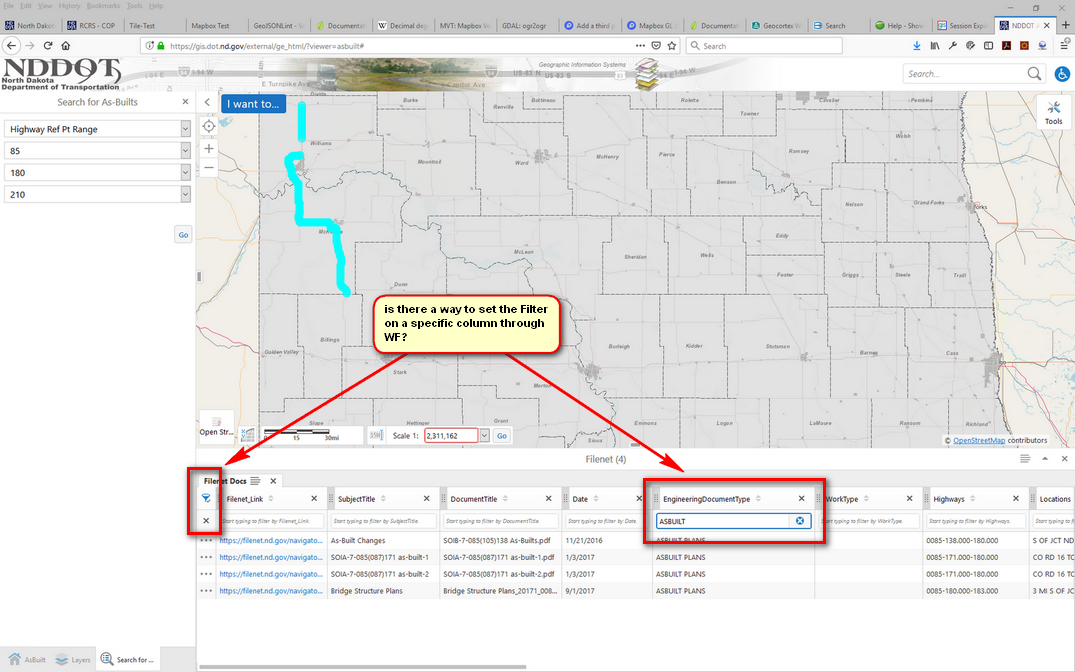
I would like to "pre" filter the results in the table. Is it possible to set a filter after firing off the "Show Results" activity?
0
-

You can filter a feature layer using a Set Property activity.
Assuming you have a Get Map activity with an ID of map...
- Object: =$map.map.map.getLayer(LayerId)
- Property Name: _defnExpr
- Property Value: Your Where Clause
The LayerId is typically the layer name, but you can get an array of LayerIds with $map.map.map.graphicsLayerIds.
0 -

Is there a way to have (or toggle) filter options "open / visible" and ready for input? Either from workflow or a configuration setting?
1
Du måste logga in om du vill lämna en kommentar.
Kommentarer
2 kommentarer