How to prevent a service request from being requested through proxy.ashx

We have a custom Server Object Extension (SOE) on one of our map services. The map service is lives on is draws into the map control without issue, and WITHOUT being requested through a proxy - the service is accessed directly in other words.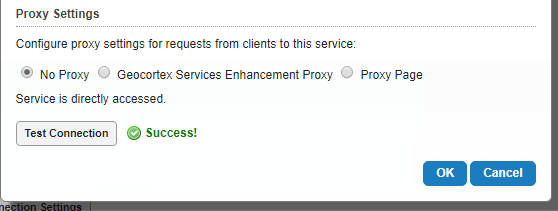
However, we have a custom module that makes a request to that same endpoint's SOE and that request is proxied by the application and that seems to be breaking the request. The proxy.ashx returns a 403, but why it's proxied at all is a mystery. The service is configured to be accessed with "No Proxy" on the service connection page.
Some additional testing has shown something interesting also. If we access the viewer by going directly the https://<machine name>.<internal domain name>.com/html5viewer.... the SOE is NOT proxied. However, if we use the publich domain... https://<alias>.<publicdomain>.com/html5viewer... it IS proxied and it fails.
I don't understand what is triggering the proxy in one scenario, but not the other, and I don't get why the proxy.ashx page would return a 403 either. I don't care if it goes through the proxy... so long as it gets through - even though it doesn't seem necessary. Is there some IIS setting I'm missing that is preventing the proxy.ashx from working?
Thanks for any help offerings!
0
-
For anyone else experiencing this issue, Lance has resolved this by -
In the ArcGIS Server Admin site, if you navigate to the page where the Rest endpoint is en/disabled, there is also an *Allowed Origins* field. Presumably Portal set the values in there as we never did, but in any case, it was missing the client alias. As soon as we entered it, the traces are no longer proxied and complete as expected.0 -
Correct - to be more specific, the page in the ArcGIS Server Admin is located at System -> Handlers -> Rest -> Services Directory. Click edit if you don't see your alias in the Allowed Origins listing and add the fully qualified url that your users are accessing your viewer from. Once we did that, the requests to our SOE were no longer proxied and completed just fine.
In our case, the internal domain names were already included in the Allowed Origins - I'm guessing either Portal or the Post Installer added those entries but that is just speculation, I'm not sure. In any case having, the alias in Allowed Origins cleared up our issue.0
Du måste logga in om du vill lämna en kommentar.
Kommentarer
2 kommentarer