Geocortex fails to show locked services when adding connections with ArcGIS Server Admin logins,

Geocortex fails to show locked services when adding connections with ArcGIS Server Admin logins,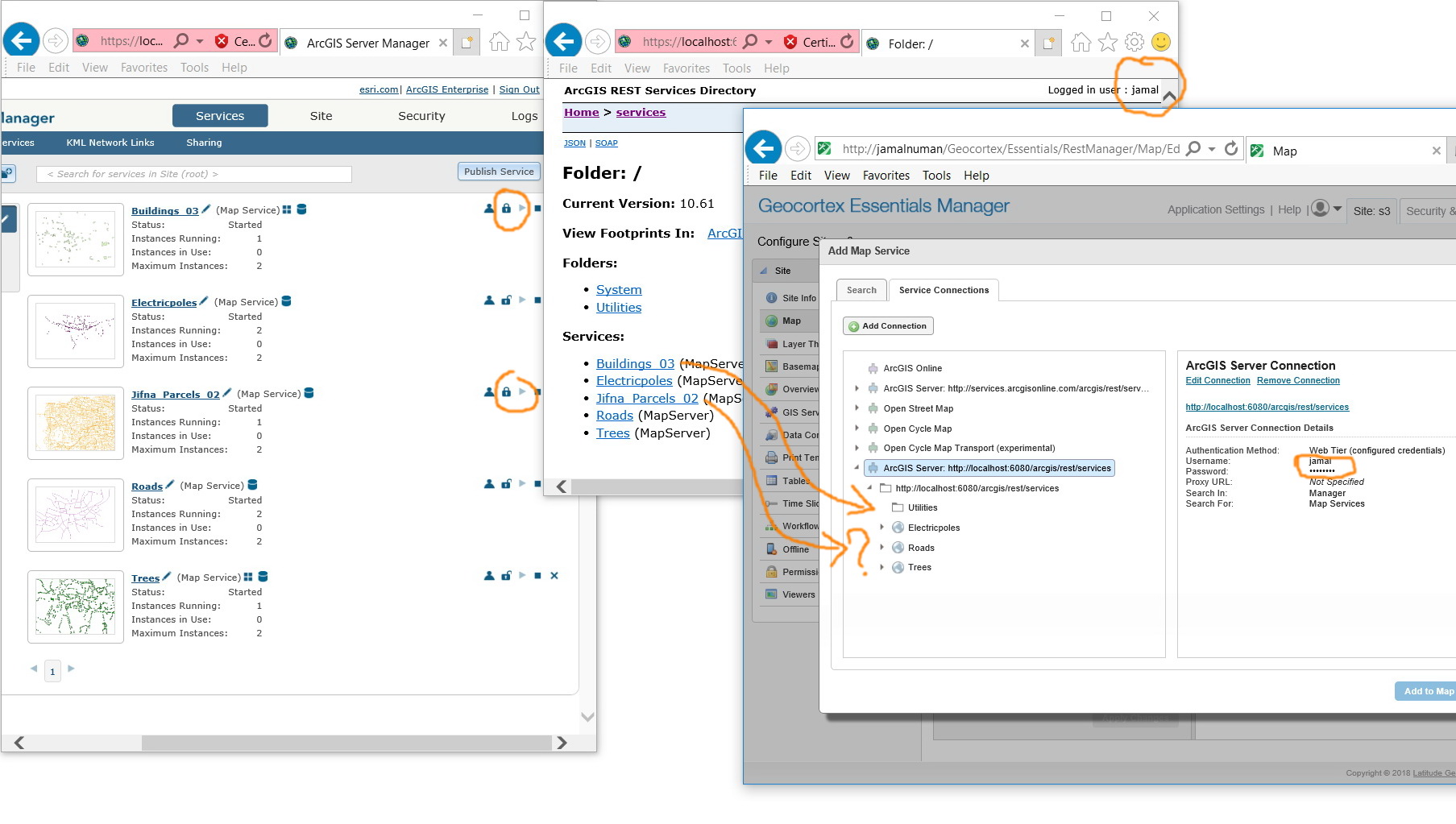
In the screenshot below, despite the fact that the connection is added with the ArcGIS Server Admin logins (we tier configured credentials), locked services fail to appear.
What might be the issue?
Jamal
0
-
Hi Jamal!
The map service connection is set to use web tier credentials, but connecting directly to port 6080 will not use web tier. GIS Tier is the only method available with port 6080.
To use web tier credentials you should use the web adaptor address, so that IIS can perform the web tier authentication.
You may also be able to use GIS Tier (token) security on this connection, if you don't have a web adaptor installed and configured.
Finally, I recommend using a server address that is reachable by the people launching the viewers. "localhost" is only valid from the local computer - if I tried to launch a viewer that had its map services on 'localhost', my viewer would try to load those services locally, not from the remote server. It's better to use the server name, or fully qualified domain name if possible.
Regards,
-Malcolm0 -
Many thanks Malcolm for the help.
Does this mean that web tier requires https but not http?
Correct. I have been troubleshooting the issue on a test machine. On the production, we do have domain name0
Du måste logga in om du vill lämna en kommentar.
Kommentarer
2 kommentarer