Button bar hyperlink url

Hi!
I'm looking for a way to put a hyperlink under a button in a button bar in a displayform element. I know how to create a hyperlink with a 'load' event in a text area, but now I'd like to do the same for a button in a button bar. Is this possible?
Yannick
-

You want to hook a hyperlink into the button? Create a subworkflow in for the button bar's "click" event. Use a Get Form Event Data activity to determine the button value, and then write logic to isolate the workflow for your chosen value(s). Then use the Run Command activity with the "OpenWebPage" command.
0 -
Hi Zack, thanks a lot for the fast reply! This works exactly as I want it.
0 -

Hi Zack, I know this is a few years old but I have a similar query. I have tried to implement your process, however the URL(to a pdf report stored on the same server I am running the html5 site) fails to open. Am I missing a step?
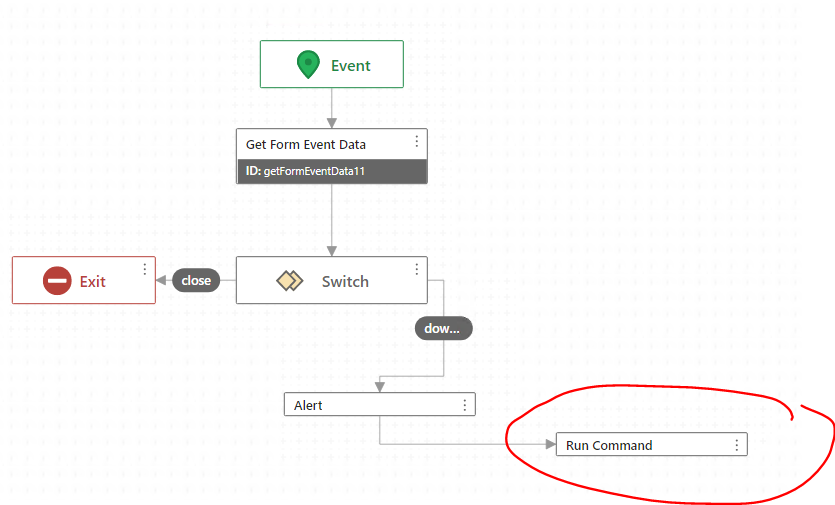
This is the type of error I see in my browser:
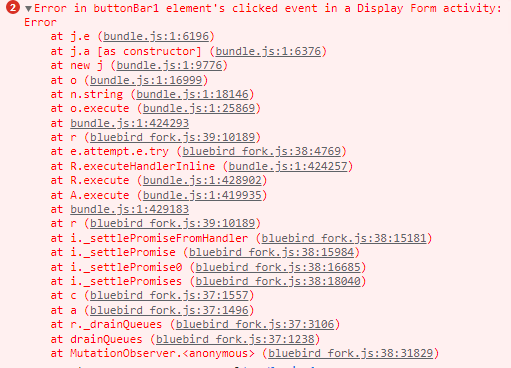
Note the URL is built by 2 input variables from user input in the workflow. The Alert I have before the Run Command displays the expected URL, it just then fails to open. Nothing is presented to the user, however the above error displays in the console.
Thanks,
Christine
0
Du måste logga in om du vill lämna en kommentar.
Kommentarer
3 kommentarer