Query Activity errors when passing geometry

I'm making it a call to my map service, where I pass it a point geometry that I would like to buffer by 30m using the REST service and intersect the features in the map service.
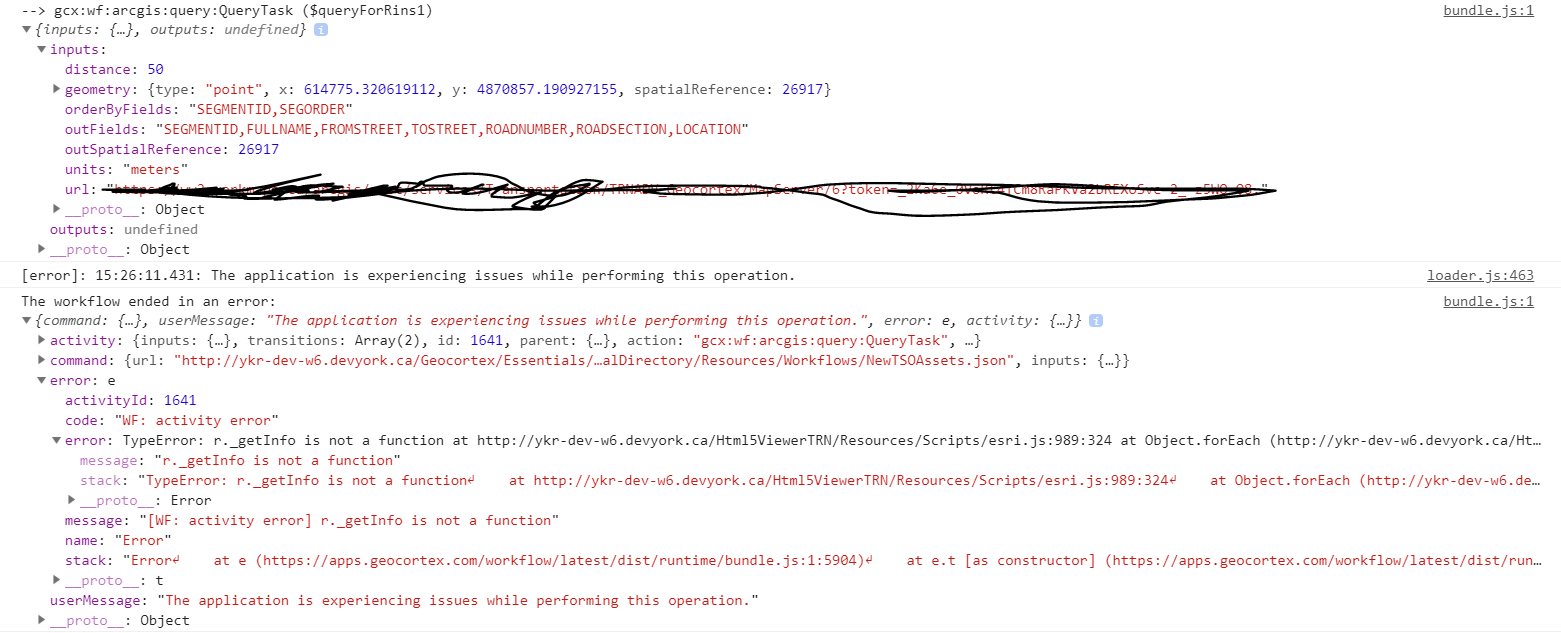
When I exclude the geometry and run a basic where clause, I have no issues and the query activity returns features as expected. As soon as I set the geometry field equal to the geometry from the create feature activity (=$newSrvLocation.feature.geometry) as well as setting the spatial relationship, distance and unit parameters in the query activity.
When I run the workflow through the HTML5 Viewer, I keep getting a 'The Application is experiencing issues while performing this operation" message returned in the viewer and when I go and check the browser console, the error reported to me is, "Type Error: r._getInfo is not a function"
Thanks in advance,
-

The "distance" parameter is only good for AGOL services, but you are making your request to an ArcGIS Enterprise service. Either buffer your point before executing the query with the "Buffer Geometry" task or push that service to ArcGIS Online.
0 -
Thanks for the information Zack, an update.
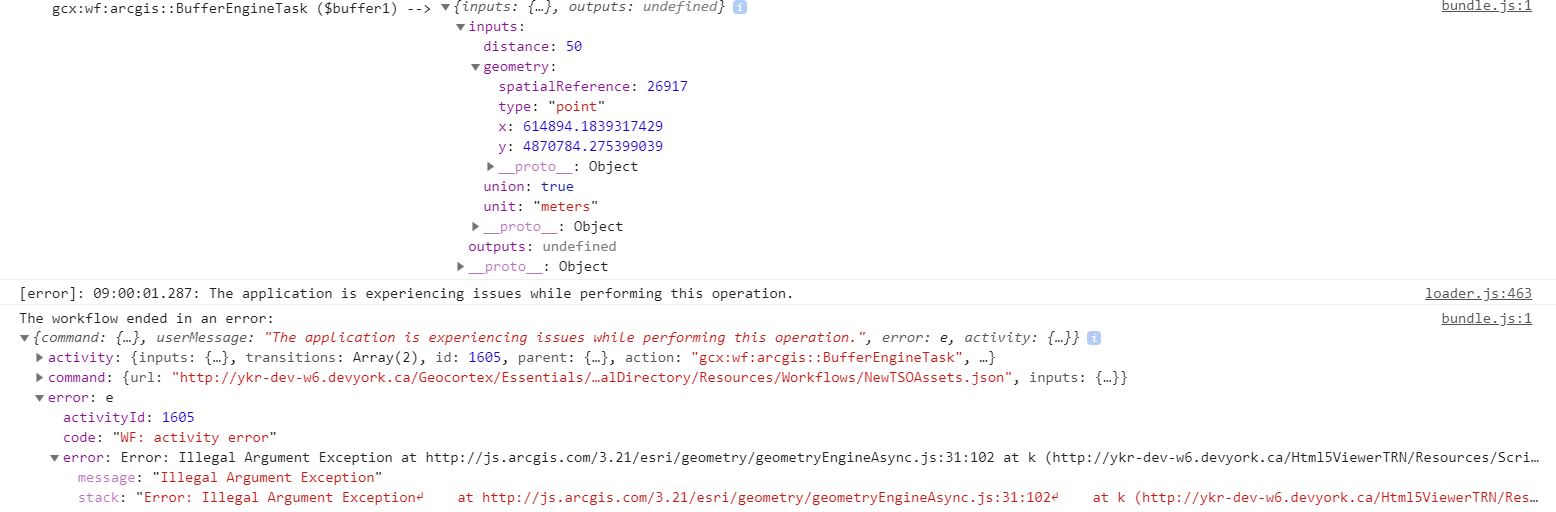
I added a bufferer before the query activity, i pass the activity the point geometry, units and ask for the results to be unioned. i'm now getting the message, "Error: Illegal Argument Exception" when the workflow gets to the buffer. I'll continue to fiddle around with the settings to see what might be causing me the problem.
 0
0 -
I could be mistaken but your point geometry object looks wrong from here. How are you generating it? The spatial reference needs to be an object with a wkid property ie {spatialRef: {wkid: 1234}, type: "geom"...}.
0 -
Zack, you were right! I moved the projection of the geometry out of the change event of the form and once that was complete it buffered and queried as expected!
thanks for your help!
0
Du måste logga in om du vill lämna en kommentar.
Kommentarer
4 kommentarer