What is the most efficient way to point map services to a new ArcGIS Server?

We updated our Windows servers and I have a new ArcGIS Server that contains the exact same map services as the current. I need to point the layers in Essentials to the new services and I don't want to have to reload and reconfigure all of the layers in the site. I just want to swap map service URLs. What is the most effiecient way to make this happen without rebuilding the entire site?
0
-

Keith,
Make a backup of your Sites folder or a specific site. Then use Actual Search & Replace (https://www.divlocsoft.com/) . You can target a folder and you can use it as a Find or Find & Replace on all the files. The primary file you are after is the Site.xml, but it's good to check Workflows, Reports and the Viewer files.
This is what we use to pass client files from our development servers to theirs. It usually covers 95+% of all the pathing issues.0 -

Edit the Site.xml with a text editor and search/replace the service URLs. 0 -
Symantec does not like the DivlocSoft software 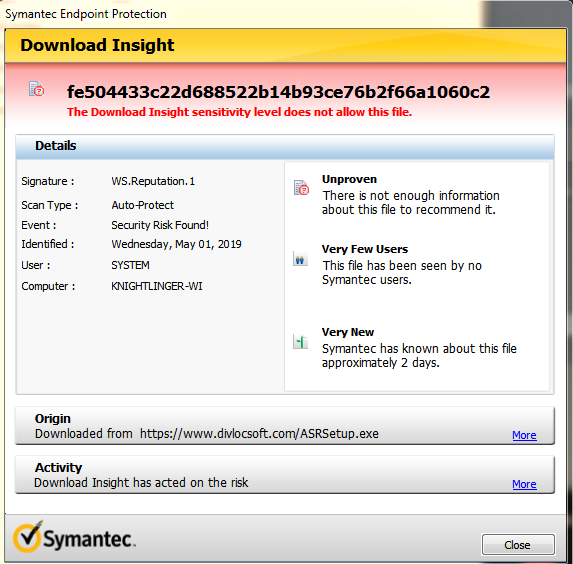
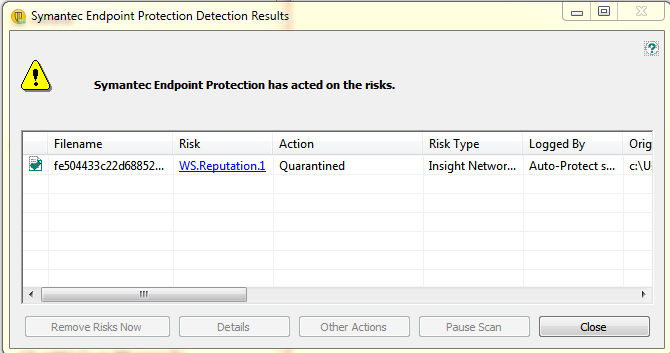 0
0 -
You can do it manually, as Nico suggested. Open the Site.xml in a text editor and find and replace the url. If you have Workflows, you will need to do the same. The Actual Search & Replace does it on multiple files at once.
I haven't seen Actual Search & Replace flag, so must be something new to Symantec or it doesn't like the batch functionality.0
Du måste logga in om du vill lämna en kommentar.
Kommentarer
4 kommentarer