Searching GUID through Query Layer

I'm having issues trying to query a GUID field through the query activity layer. When I use the string DEFICIENCYLINK = 'fe7250cb-1e56-4e66-a9c5-e543023a077c' as the where clause of the ArcGIS Server Rest API, I get the expected results, a return of one row from the database. However, when I replicate that string in the where clause of the query layer activity ="DEFICIENCYLINK = '" + $grInspectionFeature.feature.attributes.GLOBALID+"'" it returns null.
Any ideas?
-

I'd recommend confirming the exact where clause the workflow is sending along, just in case $grInspectionFeature.feature.attributes.GLOBALID doesn't resolve out to fe7250cb-1e56-4e66-a9c5-e543023a077c .
One way to check is through your browser dev tools (F12). If you open the Network tab there while the workflow is running, it should log the request that gets sent to ArcGIS Server. You can right click and copy it from there, and either change f=json to f=html and open the URL in a browser, or run the URL through a URL decoder like https://meyerweb.com/eric/tools/dencoder and then check the "&where=" part of the url
Another option would be to just log or alert the value ="DEFICIENCYLINK = '" + $grInspectionFeature.feature.attributes.GLOBALID+"'" , but I think checking from the network traffic would be the most "thorough" option.
0 -
@Amanda Frech? Thanks for the reply, confirmed the exact result of $grInspectionFeature.feature.attributes.GLOBALID, when I run the workflow with that command in the text line of the alert I get an activity execution error saying the Alert was expecting a string. When I appended .toString() onto the end of the previous command it worked and returns fe7250cb-1e56-4e66-a9c5-e543023a077c in the alert.
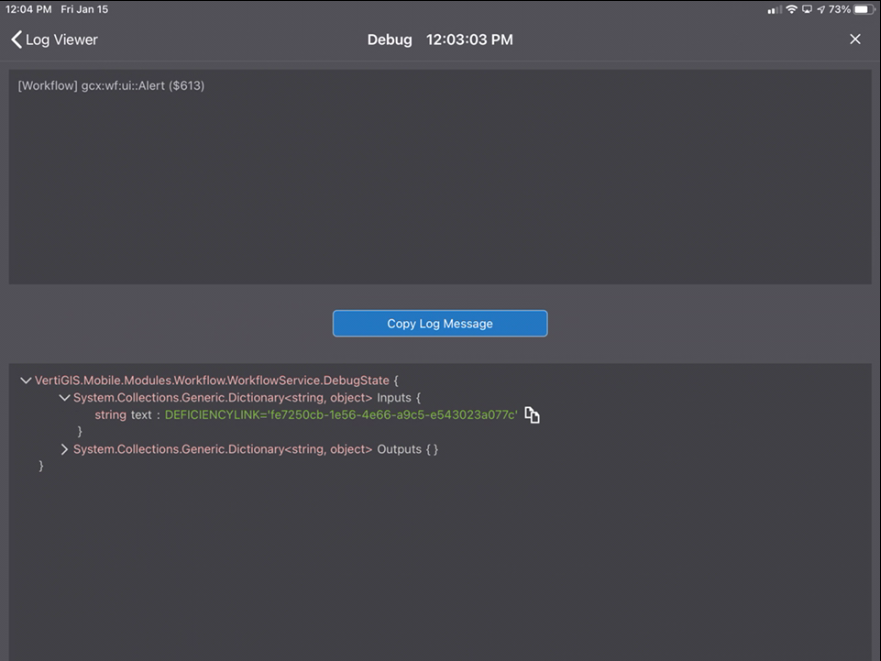 I've adjusted the where clause of the query slightly to use single quotes as well as escape characters, it now looks like ='DEFICIENCYLINK=\'' + $grInspectionFeature.feature.attributes.GLOBALID.toString()+'\''. The query is still returning a null value in the Geocortex GO log; When I copy the input string and run it in the where clause of the feature servers REST endpoint, it returns a value, as expected (see images).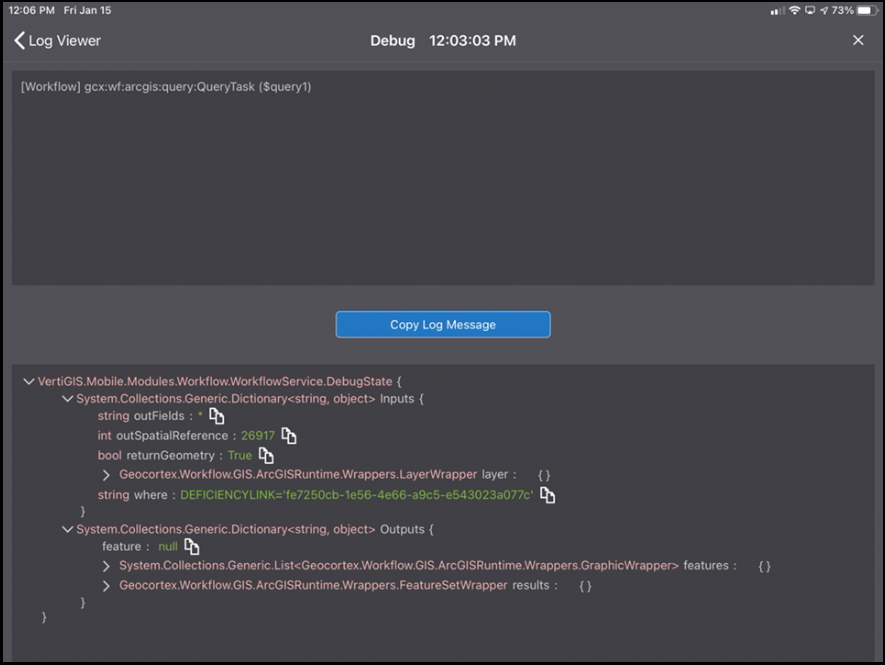
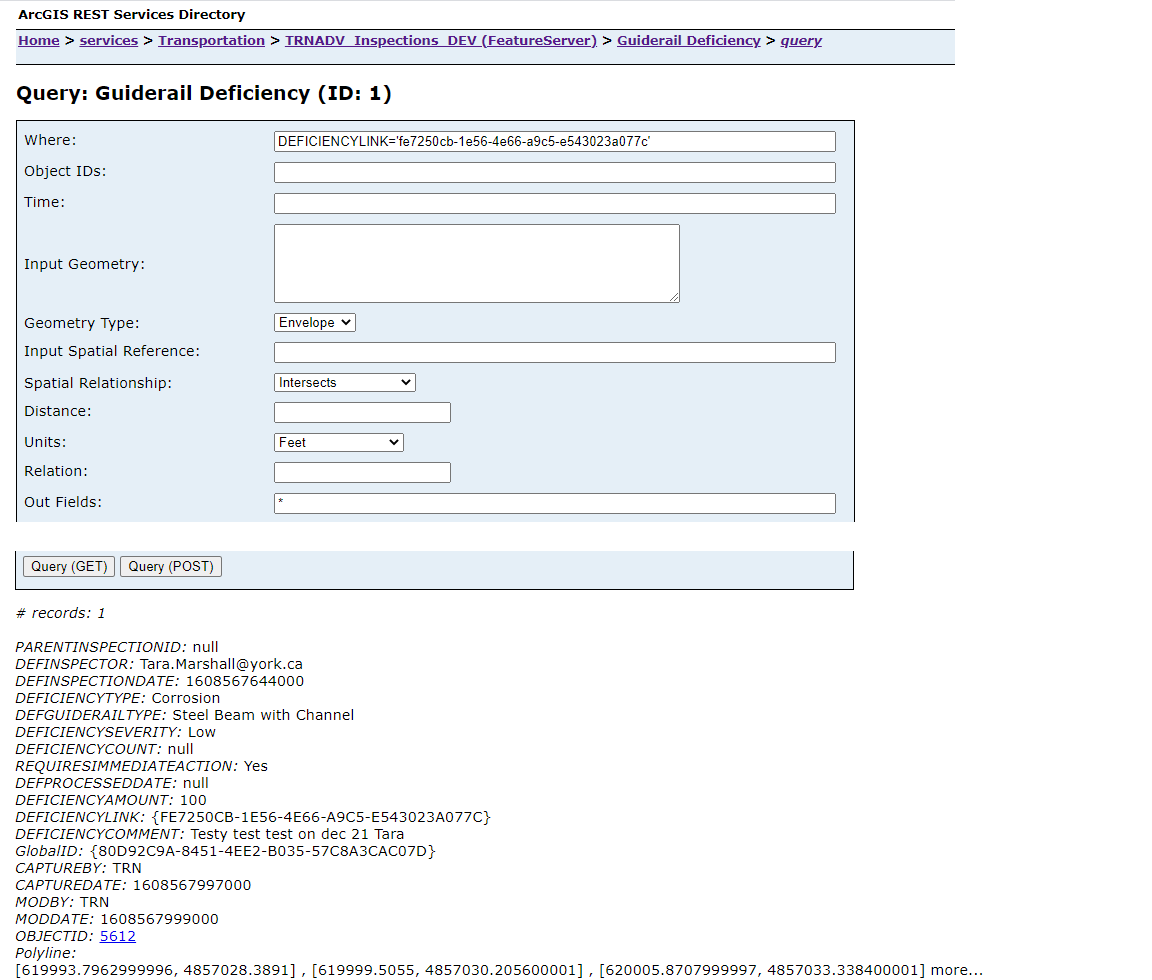 Even after I decoded the URL from the REST endpoint, the where clause is exactly the same as the one I'm using in workflow.
Any other ideas...?
0 -
Hi Bryan,
Sorry, I hadn't realized you were using Mobile so my suggestions earlier were partly assuming it was being tested in a browser.
Could you try updating the where clause to include curly braces and uppercase? Eg.
="DEFICIENCYLINK = UPPER('{" + $grInspectionFeature.feature.attributes.GLOBALID+"}')"
I found a bug logged (#37393) that indicates that format has worked in some cases when there's been issues querying on GlobalId fields from Go. Apparently there are some issues with the way the runtime serializes GUID values.
1 -
@Amanda Frech? that worked like a charm, thanks for the help!
0
Du måste logga in om du vill lämna en kommentar.
Kommentarer
4 kommentarer