Maximum number of results (500) met for the following sources: Buildings

In Web there seems to be a limit of 500 results for each data layer, as in the error message above received from the WebGIS - Default template. Is this something that can be changed within a specific app? If yes, where do I make this change. Or is it fixed for performance reasons in the SAAS version? Some of our users have felt restricted by a limit of 1000 in our HTML5 viewers so will be unimpressed if we restrict them further. Thanks for any advice you can provide.
0
-

Hi Peter,
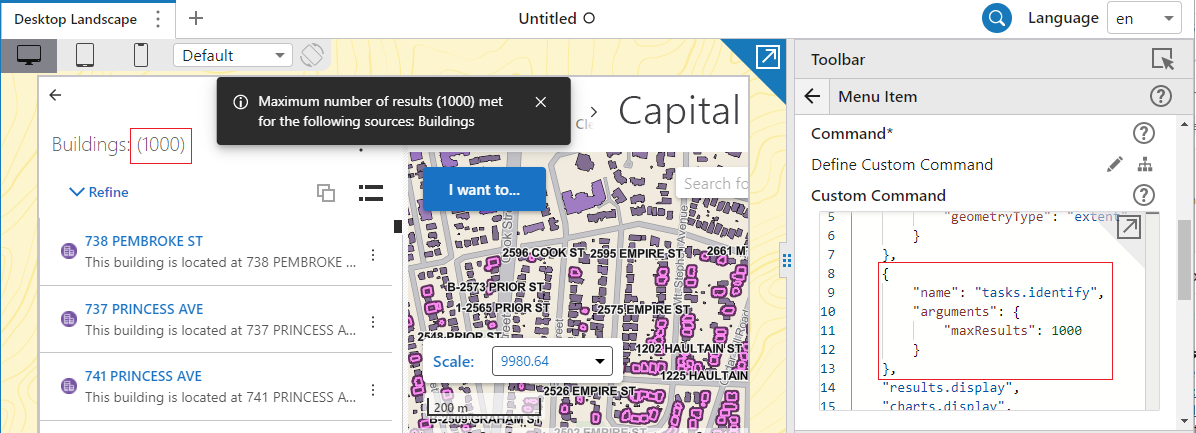
You can change the default limit of 500 results for identify operation in App Designer under the Custom Command window. See pic below.
Cheers,
Pairin
0
Du måste logga in om du vill lämna en kommentar.
Kommentarer
1 kommentar