Message to user

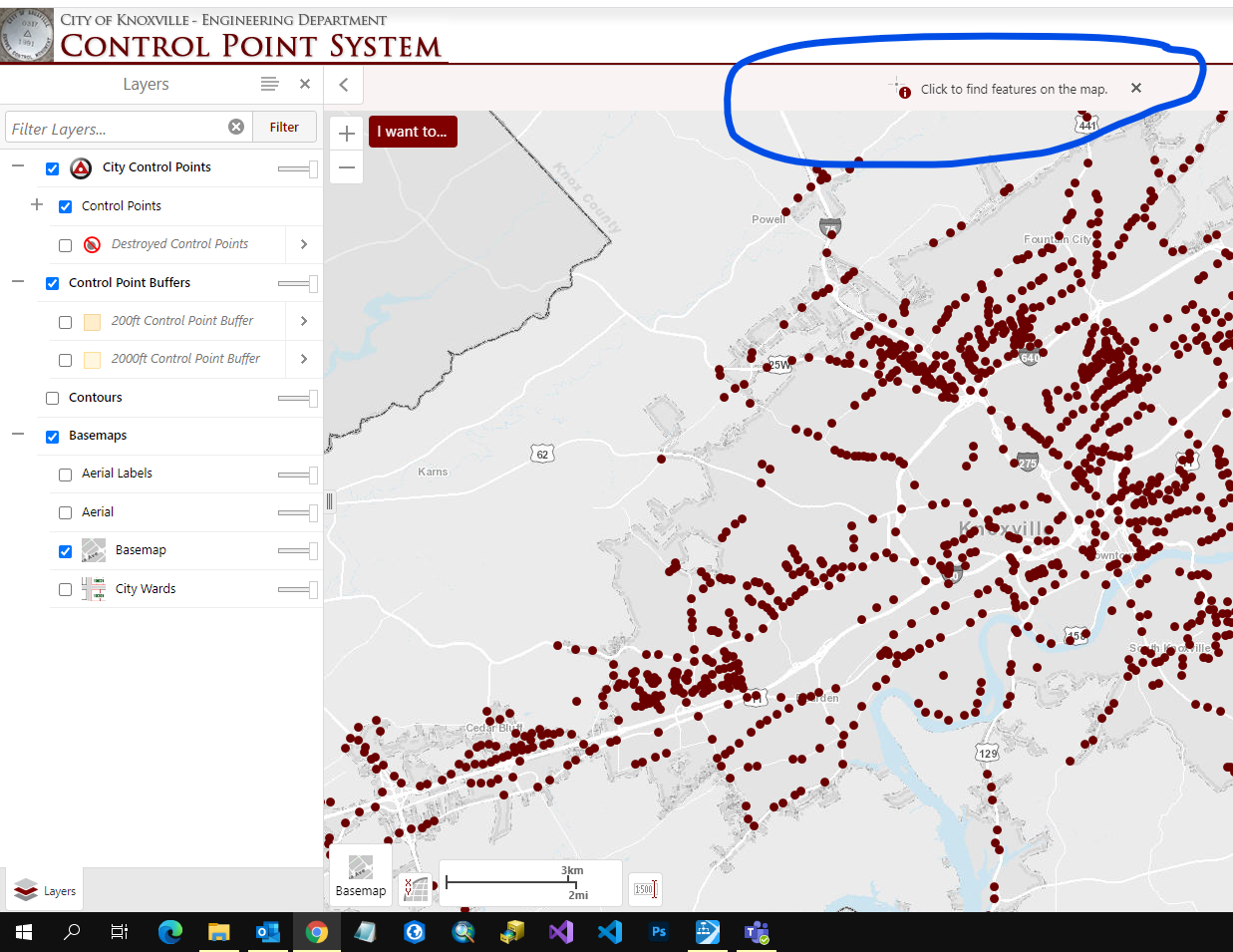
What is the little status window at the top of the map view in the HTML5 viewer called and how can you post a message to it through a workflow?
-

Hi @Bryan Lynn? , it's called a notification and can be added using the DisplayNotification command (https://docs.geocortex.com/essentials/gvh/latest/commands-help/#/commands/Map%20Widget/DisplayNotification) in a Run Command activity.
For Geocortex Workflow, you'd configure the Command Parameter input to look like something this:
={
text: "your message here",
closeButton:{},
id:"WorkflowNotification"
}
If you need to dismiss the message later in the workflow, you'd use the RemoveNotification command, with the notification id as the command parameter (for the example above it'd be: WorkflowNotification)
If you're using Essentials (xaml) workflows instead, let me know - you'd need an extra step to create the command parameter as a JObject or similar.
0 -
Thanks for the answer. I am using an Essentials XAML workflow. The creation works but I can't get it to remove the notification. I tried using the following:
To Display - Newtonsoft.Json.Linq.JObject.Parse("{text: 'Click to Create a New Offset Line', closeButton: {}, id: 'createOffsetNotification'}")
To Remove - Newtonsoft.Json.Linq.JObject.Parse("{id: 'createOffsetNotification'}")
Any suggestions would be much appreciated.
0
Du måste logga in om du vill lämna en kommentar.
Kommentarer
2 kommentarer